
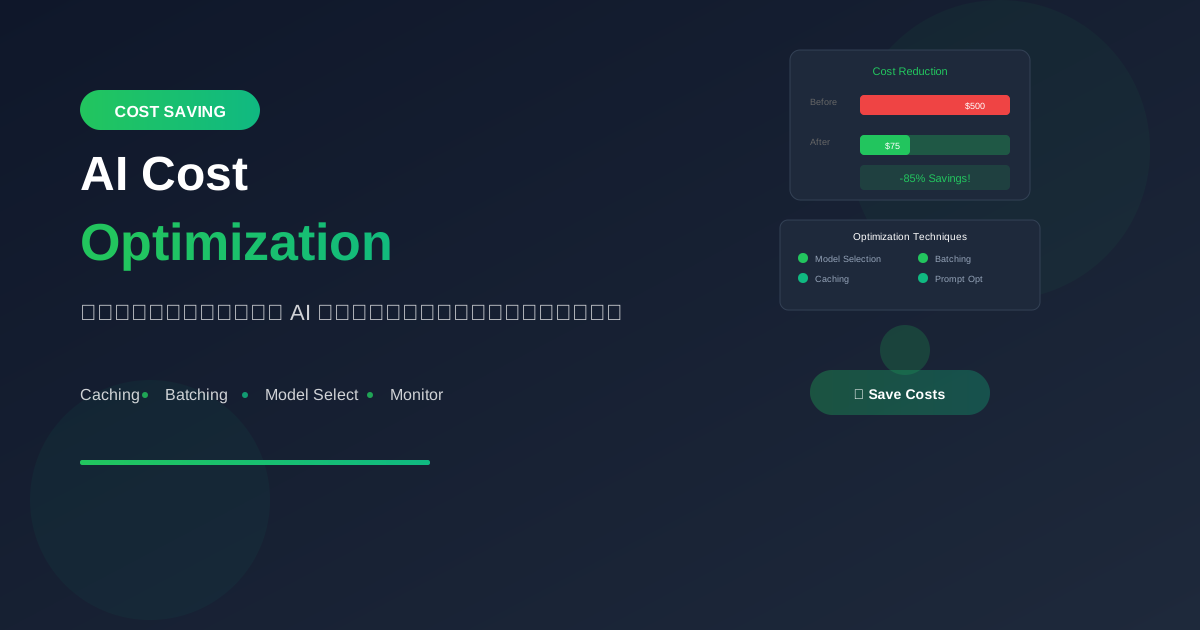
ค่าใช้จ่าย AI สามารถพุ่งสูงได้อย่างรวดเร็ว เรียนรู้เทคนิคการ optimize เพื่อลดต้นทุนโดยไม่เสียคุณภาพ
Understanding AI Costs
Cost Structure
AI API Costs = Input Tokens + Output Tokens

ตัวอย่าง GPT-4o:
- Input: $2.50 / 1M tokens
- Output: $10.00 / 1M tokens

1,000 requests/day × 1,000 tokens avg
= 1M tokens/day
= ~$12.50/day
= ~$375/month
Cost Breakdown
ค่าใช้จ่ายมักมาจาก:

40% - Unnecessary tokens
      (verbose prompts, extra output)

25% - Wrong model selection
      (ใช้ model แพงเกินจำเป็น)

20% - Repeated computations
      (ไม่ได้ cache results)

15% - Inefficient architecture
      (ไม่ได้ batch requests)
Strategy 1: Model Selection
Use Right Model for Task
def select_model(task_type):
    """Select appropriate model based on task."""

    # Simple tasks → cheapest model
    simple_tasks = ["classification", "extraction", "formatting"]
    if task_type in simple_tasks:
        return "gpt-4o-mini"  # $0.15/$0.60

    # Standard tasks → balanced model
    standard_tasks = ["summarization", "qa", "generation"]
    if task_type in standard_tasks:
        return "gpt-4o-mini"  # Usually sufficient

    # Complex tasks → capable model
    complex_tasks = ["reasoning", "analysis", "coding"]
    if task_type in complex_tasks:
        return "gpt-4o"  # $2.50/$10.00

    return "gpt-4o-mini"  # Default to cheap
Model Comparison by Cost
Task: Simple Q&A (1000 requests/day)

GPT-4o:        ~$12.50/day → $375/month
GPT-4o-mini:   ~$0.75/day  → $22.50/month
Claude Haiku:  ~$4.80/day  → $144/month

Savings: 94% by choosing mini for simple tasks!
Strategy 2: Prompt Optimization
Reduce Input Tokens
# ❌ Verbose prompt (200+ tokens)
prompt_verbose = """
You are a helpful AI assistant. Your job is to help
users with their questions. Please read the following
text carefully and provide a comprehensive summary
that captures all the main points. Make sure your
summary is accurate and well-structured.

Here is the text to summarize:
{text}

Please provide your summary below:
"""

# ✅ Concise prompt (30 tokens)
prompt_concise = """
Summarize this text in 3 bullet points:
{text}
"""

# Savings: 170 tokens × 1000 requests = 170,000 tokens/day
Control Output Length
# ❌ Unrestricted output
response = client.chat.completions.create(
    model="gpt-4o-mini",
    messages=[{"role": "user", "content": prompt}]
)

# ✅ Limit output tokens
response = client.chat.completions.create(
    model="gpt-4o-mini",
    messages=[{"role": "user", "content": prompt}],
    max_tokens=150  # Limit response length
)

# ✅ Instruct in prompt
prompt = "Summarize in exactly 50 words: {text}"
Use System Prompts Efficiently
# ❌ Repeating instructions in every user message
messages = [
    {"role": "user", "content": "You are an expert. Do X. Text: {text1}"},
    {"role": "user", "content": "You are an expert. Do X. Text: {text2}"}
]

# ✅ Use system prompt once
messages = [
    {"role": "system", "content": "You are an expert. Do X."},
    {"role": "user", "content": text1},
    {"role": "user", "content": text2}
]
Strategy 3: Caching
Response Caching
import hashlib
import json
from functools import lru_cache

class AICache:
    def __init__(self):
        self.cache = {}

    def get_cache_key(self, prompt, model):
        content = f"{model}:{prompt}"
        return hashlib.md5(content.encode()).hexdigest()

    def get_completion(self, prompt, model="gpt-4o-mini"):
        cache_key = self.get_cache_key(prompt, model)

        # Check cache
        if cache_key in self.cache:
            return self.cache[cache_key]

        # Call API
        response = client.chat.completions.create(
            model=model,
            messages=[{"role": "user", "content": prompt}]
        )
        result = response.choices[0].message.content

        # Cache result
        self.cache[cache_key] = result
        return result

ai = AICache()
# Same prompts return cached results → no API cost
Embedding Caching
import sqlite3
import numpy as np

class EmbeddingCache:
    def __init__(self, db_path="embeddings.db"):
        self.conn = sqlite3.connect(db_path)
        self.conn.execute("""
            CREATE TABLE IF NOT EXISTS embeddings (
                text_hash TEXT PRIMARY KEY,
                embedding BLOB
            )
        """)

    def get_embedding(self, text):
        text_hash = hashlib.md5(text.encode()).hexdigest()

        # Check cache
        cursor = self.conn.execute(
            "SELECT embedding FROM embeddings WHERE text_hash = ?",
            (text_hash,)
        )
        row = cursor.fetchone()

        if row:
            return np.frombuffer(row[0], dtype=np.float32)

        # Generate embedding
        response = client.embeddings.create(
            model="text-embedding-3-small",
            input=text
        )
        embedding = np.array(response.data[0].embedding, dtype=np.float32)

        # Cache
        self.conn.execute(
            "INSERT INTO embeddings VALUES (?, ?)",
            (text_hash, embedding.tobytes())
        )
        self.conn.commit()

        return embedding
Prompt Caching (Provider-level)
# OpenAI: Automatic caching for repeated prompts
# Claude: Explicit cache control

# Claude prompt caching
response = client.messages.create(
    model="claude-sonnet-4-20250514",
    max_tokens=1024,
    system=[{
        "type": "text",
        "text": "Long system prompt here...",
        "cache_control": {"type": "ephemeral"}
    }],
    messages=[{"role": "user", "content": user_input}]
)

# Check cache usage
print(f"Cache read tokens: {response.usage.cache_read_input_tokens}")
Strategy 4: Batching
Batch Requests
# ❌ Individual requests (slow & more overhead)
results = []
for text in texts:
    response = client.chat.completions.create(...)
    results.append(response)

# ✅ Batch multiple items in one request
batch_prompt = """
Classify each text (positive/negative):

1. {text1}
2. {text2}
3. {text3}

Output format: 1: positive, 2: negative, 3: positive
"""

response = client.chat.completions.create(
    model="gpt-4o-mini",
    messages=[{"role": "user", "content": batch_prompt}]
)
OpenAI Batch API
# 50% cheaper for non-urgent batch processing
# สำหรับงานที่ไม่ต้องการผลทันที

# Create batch file
batch_requests = [
    {
        "custom_id": f"request-{i}",
        "method": "POST",
        "url": "/v1/chat/completions",
        "body": {
            "model": "gpt-4o-mini",
            "messages": [{"role": "user", "content": text}]
        }
    }
    for i, text in enumerate(texts)
]

# Write to JSONL
with open("batch.jsonl", "w") as f:
    for req in batch_requests:
        f.write(json.dumps(req) + "\n")

# Submit batch
batch_file = client.files.create(
    file=open("batch.jsonl", "rb"),
    purpose="batch"
)

batch = client.batches.create(
    input_file_id=batch_file.id,
    endpoint="/v1/chat/completions",
    completion_window="24h"
)
Strategy 5: Request Optimization
Parallel Requests
import asyncio
from openai import AsyncOpenAI

async_client = AsyncOpenAI()

async def process_batch(prompts):
    """Process multiple prompts in parallel."""
    tasks = [
        async_client.chat.completions.create(
            model="gpt-4o-mini",
            messages=[{"role": "user", "content": p}]
        )
        for p in prompts
    ]

    # Run in parallel (faster, same cost)
    return await asyncio.gather(*tasks)

# Run
results = asyncio.run(process_batch(prompts))
Avoid Redundant Calls
class SmartAI:
    def __init__(self):
        self.recent_queries = {}

    def query(self, prompt):
        # Check for similar recent queries
        for cached_prompt, result in self.recent_queries.items():
            if self._is_similar(prompt, cached_prompt):
                return result

        # New query
        result = self._call_api(prompt)
        self.recent_queries[prompt] = result
        return result

    def _is_similar(self, p1, p2, threshold=0.9):
        # Use embedding similarity or simple comparison
        return self._similarity(p1, p2) > threshold
Strategy 6: Architecture Optimization
Tiered Processing
def process_with_tiers(text, complexity_score):
    """Use different tiers based on complexity."""

    # Tier 1: Rules-based (free)
    if is_simple_pattern(text):
        return rule_based_response(text)

    # Tier 2: Cheap model
    if complexity_score < 0.3:
        return call_model("gpt-4o-mini", text)

    # Tier 3: Standard model
    if complexity_score < 0.7:
        return call_model("gpt-4o-mini", text)

    # Tier 4: Premium model
    return call_model("gpt-4o", text)
Preprocessing
def preprocess_for_efficiency(text):
    """Reduce tokens before sending to AI."""

    # Remove unnecessary whitespace
    text = " ".join(text.split())

    # Truncate if too long
    max_chars = 10000
    if len(text) > max_chars:
        text = text[:max_chars] + "..."

    # Remove HTML/formatting
    text = strip_html(text)

    return text
Monitoring & Analysis
Track Costs
class CostTracker:
    def __init__(self):
        self.usage = []

    def log_request(self, model, input_tokens, output_tokens):
        pricing = {
            "gpt-4o": {"input": 2.50, "output": 10.00},
            "gpt-4o-mini": {"input": 0.15, "output": 0.60}
        }

        cost = (
            (input_tokens / 1_000_000) * pricing[model]["input"] +
            (output_tokens / 1_000_000) * pricing[model]["output"]
        )

        self.usage.append({
            "timestamp": datetime.now(),
            "model": model,
            "input_tokens": input_tokens,
            "output_tokens": output_tokens,
            "cost": cost
        })

    def daily_report(self):
        today = datetime.now().date()
        today_usage = [u for u in self.usage if u["timestamp"].date() == today]

        total_cost = sum(u["cost"] for u in today_usage)
        by_model = defaultdict(float)

        for u in today_usage:
            by_model[u["model"]] += u["cost"]

        return {
            "total": total_cost,
            "by_model": dict(by_model)
        }
สรุป
Cost Optimization Strategies:
- Model Selection: ใช้ model ที่เหมาะกับงาน
- Prompt Optimization: ลด tokens ที่ไม่จำเป็น
- Caching: Cache responses ที่ซ้ำ
- Batching: รวม requests เข้าด้วยกัน
- Architecture: ใช้ tiered approach
Quick Wins:
- Switch to gpt-4o-mini (save 80%+)
- Cache embeddings
- Limit output tokens
- Use batch API
Potential Savings:
- 50-90% cost reduction possible
- Without sacrificing quality
- Better user experience (faster)
อ่านเพิ่มเติม:
เขียนโดย
AI Unlocked Team
สถาบันสอน AI และ Vibe Coding — เชียงใหม่และออนไลน์
AI Unlocked สอน AI และ Vibe Coding มากว่า 15 ปี ผู้เรียนกว่า 1,500 คน โฟกัสลงมือทำจริงด้วย Claude Code, n8n และ AI Agent
บทความในหัวข้อเดียวกัน
เรียน AI 2026 — Complete Roadmap จากศูนย์ถึงโปร
เรียน AI ปี 2026 ไม่รู้จะเริ่มต้นยังไง? อ่าน Roadmap ฉบับสมบูรณ์นี้ ครบทุก Stage พร้อม Track ตามอาชีพ เริ่มได้เลยวันนี้
28/05/2569

เรียน AI ใน 30 วัน — Plan สำหรับคนงานยุ่ง
เรียน AI 30 วัน ได้จริงไหม? Plan วันละ 1 ชม. สำหรับคนทำงานยุ่ง ตั้งแต่ Foundation ถึง Portfolio — เริ่มต้นได้เลยวันนี้ ดู Pricing
14/08/2569

เรียน AI แล้วเปลี่ยนสายงานได้จริงไหม — Real Case Thai
เรียน AI เปลี่ยนสายงานได้จริงในไทยปี 2026 — 4 case จริง timeline realistic และขั้นตอนที่ทำได้เลย เริ่มต้นที่ AI Unlocked
03/08/2569