
สร้าง AI Agent — Complete Guide ภาษาไทย 2026
AI Agent คือระบบที่รับเป้าหมายแล้ววางแผนและใช้เครื่องมือเองได้ ต่างจากแชทบอทที่รอคำสั่งทีละข้อ ปี 2026 เริ่มจาก n8n ถ้ายังไม่ถนัดโค้ด หรือ Claude / OpenAI Agent SDK ถ้าเขียน Python เป็น งานขึ้นจริงต้องจำกัดสิทธิ์และมีคนดูจุดเสี่ยง
ประเด็นสำคัญ
- Agent รับ goal แล้วทำงานหลายขั้นเอง แชทบอทรอคำสั่งทีละข้อ
- ไม่ถนัดโค้ดเริ่ม n8n — เขียน Python ได้เริ่มที่ Agent SDK
- ค่า API ของ Agent แพงกว่าแชท 5–10 เท่า เลือกโมเดลตามงาน
- ขึ้น production ต้องมี sandbox, สิทธิ์ต่อเครื่องมือ, และคนอนุมัติ
- Multi-agent มีประโยชน์เมื่องานขนานหรือเกิน context ของตัวเดียว
ปี 2026 "AI Agent" ไม่ใช่แค่ buzzword อีกต่อไป — มันคือ infrastructure ใหม่ของซอฟต์แวร์ บริษัทที่ deploy Agent เข้าสู่ workflow แล้ว รายงานว่าลดเวลางาน repetitive ได้ 60–80% ส่วน Developer ที่เข้าใจ Agentic patterns กลายเป็นที่ต้องการอย่างมากในตลาด
คู่มือนี้เขียนสำหรับ Developer และ Tech-savvy SME ชาวไทย ที่อยากเข้าใจ Agent อย่างจริงจัง — ไม่ใช่แค่อ่านแล้วผ่านไป แต่สามารถ build ได้จริงหลังอ่านจบ เราครอบคลุมตั้งแต่ concept พื้นฐาน, framework เลือกใช้, code walkthrough, ไปจนถึง use case ธุรกิจไทยที่ใช้งานจริง
1. AI Agent คืออะไร — และทำไมถึงสำคัญในปี 2026
AI Agent คือระบบ AI ที่รับ goal แล้วทำงานเพื่อบรรลุ goal นั้นด้วยตัวเอง โดยสามารถ:
- วางแผนงานแบบ multi-step โดยไม่ต้องรอ instruction ทุกขั้น
- เรียกใช้ tools ภายนอก — web search, database, API, code execution
- สังเกตผลลัพธ์ ปรับแผน และวนซ้ำจนงานเสร็จ
- จำ context ข้ามหลาย session ด้วย memory system
นี่ต่างจาก Chatbot ทั่วไปที่แค่ตอบคำถามแบบ turn-by-turn อย่างสิ้นเชิง — Agent คิดและทำได้ด้วยตัวเอง
ทำไม 2026 ถึงเป็นปีของ Agent
ในปี 2025 เราเห็น LLM ทะลุ threshold สำคัญหลายอย่าง:
- Reasoning ดีขึ้นอย่างก้าวกระโดด — o3, Claude 3.7, Gemini 2.5 Pro
- Context window ขยายจาก 128K → 200K–2M tokens
- Tool calling เสถียรและแม่นยำกว่าเดิมมาก
- Latency ลดลงจน Agent รัน real-time ได้จริง
ทำให้ Agent จากที่เคย "น่าสนใจแต่ยังไม่ stable" กลายเป็น production-ready สำหรับหลาย use case
Anthropic เปิดตัว Claude Agent SDK ต้นปี 2025, OpenAI ตามด้วย OpenAI Agents SDK พร้อมระบบ Handoffs ที่ชัดเจน, Google เปิด Agent Development Kit (ADK) — ทั้งสามเจ้าใหญ่ประกาศชัดว่า Agentic AI คือทิศทางหลักของ platform ตัวเอง
สำหรับธุรกิจไทย นั่นแปลว่า: ถ้ายังไม่เริ่มศึกษา Agent วันนี้ คุณกำลังทิ้งช่องว่างให้คู่แข่งใช้ประโยชน์
ตัวอย่างที่เห็นชัดที่สุด
สมมติลูกค้าส่ง inquiry ว่า "อยากรู้ว่าสินค้า SKU-2291 ส่งถึงบ้านได้เร็วแค่ไหน และถ้าซื้อ 10 ชิ้น discount เท่าไร"
- Chatbot แบบเดิม: ถามทีละอย่าง ตอบทีละขั้น ต้องมีคนอยู่ดูแล
- AI Agent: ดึง stock จาก ERP → คำนวณ lead time ตาม zone → ดึง pricing rule → สรุปคำตอบครบในข้อความเดียว ทันที
2. AI Agent vs Chatbot vs Workflow — ต่างกันยังไง
ก่อนลงมือสร้าง ต้องเข้าใจก่อนว่า Agent ไม่ใช่ solution ที่เหมาะกับทุกงาน และบางกรณีก็ไม่จำเป็นต้องใช้ Agent เลย
| มิติ | Chatbot | Workflow (n8n/Zapier) | AI Agent |
|---|---|---|---|
| ตัดสินใจได้? | ไม่ | จำกัด (ตาม flow ที่เขียนไว้) | ใช่ — dynamic |
| เรียก tools? | ไม่ | ใช่ (fixed sequence) | ใช่ (adaptive) |
| วางแผนเอง? | ไม่ | ไม่ | ใช่ |
| จัดการ error? | ไม่ | บางส่วน | ใช่ — retry/replanning |
| ทำงาน async? | ไม่ | ใช่ | ใช่ |
| Use Case หลัก | FAQ, Q&A | Automation ที่รู้ขั้นตอนชัด | งานที่ต้องคิดหน้างาน |
เลือกใช้อะไร:
- งานที่รู้ขั้นตอนชัดเจน 100% → Workflow (เร็ว ถูก เสถียร)
- งานที่ต้องการ conversation สองทาง → Chatbot
- งานที่มีความไม่แน่นอน ต้องตัดสินใจกลางทาง → Agent
อ่านเพิ่มเติมเรื่องความแตกต่างที่ AI Agent vs Chatbot ต่างกันยังไง และ AI Agents: ระบบ AI ที่ทำงานได้อัตโนมัติ
3. ส่วนประกอบหลักของ Agent
Agent ที่ดีประกอบด้วย 5 ส่วนหลัก ซึ่งทุก framework ล้วนมีครบ แม้จะเรียกชื่อต่างกัน:
3.1 LLM (Brain — สมอง)
เป็นตัว reason ของ Agent ทำหน้าที่ประมวลผล input, วางแผน, และตัดสินใจว่าจะเรียก tool ไหน ตัวเลือกหลักในปี 2026:
- Claude Opus 4 / Sonnet 4.5 — reasoning แข็งแกร่ง, tool calling แม่นยำ, extended thinking รองรับ
- GPT-4o / o3-mini — ecosystem ของ OpenAI ครบ, ราคาหลากหลาย
- Gemini 2.5 Pro — context window 1M+ tokens, เหมาะงาน long document
- Llama 3.3 / Mistral Large — open source, self-host ได้, ไม่มี data ออกนอก
การเลือก LLM ส่งผลโดยตรงต่อ quality ของ Agent — task ที่ต้องการ multi-step reasoning สูง ควรใช้ model ที่แข็งแกร่งกว่า แม้ราคาจะแพงกว่า
3.2 Tools (Hands — มือ)
คือความสามารถในการกระทำต่อโลกภายนอก แบ่งเป็น 2 ประเภทใหญ่:
Read-only tools — ดึงข้อมูลเพื่อ inform decisions:
- Web search, document reader, database query
- API calls ที่ไม่เปลี่ยนแปลง state
Write tools — เปลี่ยนแปลง state ของระบบ:
- ส่ง email, สร้าง ticket, อัพเดต database
- Execute code, call payment API
# ตัวอย่าง tool definition (Claude SDK style)
tools = [
    {
        "name": "search_product_database",
        "description": "ค้นหาสินค้าจาก catalog ตาม keyword หรือ SKU",
        "input_schema": {
            "type": "object",
            "properties": {
                "query": {
                    "type": "string",
                    "description": "คำค้นหาหรือ SKU number"
                },
                "limit": {
                    "type": "integer",
                    "description": "จำนวนผลลัพธ์สูงสุด (default: 10)",
                    "default": 10
                }
            },
            "required": ["query"]
        }
    },
    {
        "name": "create_support_ticket",
        "description": "สร้าง support ticket ใหม่ใน system",
        "input_schema": {
            "type": "object",
            "properties": {
                "subject": {"type": "string"},
                "description": {"type": "string"},
                "priority": {
                    "type": "string",
                    "enum": ["low", "medium", "high", "urgent"]
                },
                "customer_id": {"type": "string"}
            },
            "required": ["subject", "description", "customer_id"]
        }
    }
]
3.3 Memory (จำ)
Agent ต้องจำสิ่งที่ผ่านมา มี 4 ระดับ:
| ประเภท | ที่เก็บ | Use Case | ตัวอย่าง |
|---|---|---|---|
| In-context | Prompt window | Conversation ปัจจุบัน | ประวัติ chat ใน session |
| Episodic | External DB | Past interactions | ว่าลูกค้าคนนี้เคยซื้ออะไร |
| Semantic | Vector store | Knowledge retrieval | คู่มือสินค้า, policy docs |
| Procedural | System prompt | ทักษะและ tools | instruction ว่า agent ทำอะไรได้บ้าง |
3.4 Planning (วางแผน)
Agent วางแผนได้หลาย pattern:
ReAct (Reason + Act) — pattern พื้นฐานที่ใช้บ่อยที่สุด:
Think: "ฉันต้องหาข้อมูล pricing ก่อน"
Act: search_web("pricing competitor X 2026")
Observe: [ผลลัพธ์การค้นหา]
Think: "ได้ข้อมูลแล้ว ต้องวิเคราะห์ต่อ..."
Act: analyze_data(results)
...
Answer: [สรุปผล]
Plan-and-Execute — วางแผนทั้งหมดก่อน แล้วค่อย execute แต่ละขั้น เหมาะงานซับซ้อนที่รู้โครงสร้างชัด
Reflection — Agent review งานตัวเองแล้ว iterate เหมาะงาน writing หรือ coding ที่ต้องการ quality สูง
3.5 Execution Loop
หัวใจของ Agent คือ Agentic loop ที่วนซ้ำจนงานเสร็จ:
[รับ Goal]
    ↓
[LLM วางแผน + เลือก Tool]
    ↓
[Execute Tool]
    ↓
[สังเกต Output]
    ↓
[Update State]
    ↓
ถ้ายังไม่เสร็จ → กลับไปขั้น 2
ถ้าเสร็จ → [ส่ง Final Answer]
4. เครื่องมือสร้าง Agent ที่ Dev ต้องรู้
4.1 Claude Agent SDK (Anthropic)
Claude Agent SDK เป็น Python library ที่ทำให้สร้าง Agentic system บน Claude ได้ง่ายและมีประสิทธิภาพ
จุดเด่นหลัก:
- Tool calling ที่แม่นยำและ structured — Claude เลือก tool ถูก context สูง
- Subagent pattern — Agent หนึ่งสามารถ spawn Agent อื่นเพื่อทำงานขนาน
- Computer use — Claude สามารถ operate browser และ desktop application ได้
- Extended thinking — Claude คิดแบบ step-by-step ก่อนตอบ เหมาะงาน complex reasoning
- Prompt caching — ลด latency และ cost สำหรับ system prompt ขนาดใหญ่
import anthropic

client = anthropic.Anthropic()

def run_agent(user_goal: str, max_iterations: int = 10) -> str:
    """Simple Agentic loop ด้วย Claude SDK"""
    messages = [{"role": "user", "content": user_goal}]
    iteration = 0

    while iteration < max_iterations:
        response = client.messages.create(
            model="claude-opus-4-5",
            max_tokens=4096,
            tools=tools,
            messages=messages
        )

        iteration += 1

        # end_turn = ได้คำตอบสุดท้ายแล้ว
        if response.stop_reason == "end_turn":
            for block in response.content:
                if hasattr(block, "text"):
                    return block.text
            break

        # tool_use = Claude ต้องการ execute tool
        elif response.stop_reason == "tool_use":
            tool_results = []
            for block in response.content:
                if block.type == "tool_use":
                    result = execute_tool(block.name, block.input)
                    tool_results.append({
                        "type": "tool_result",
                        "tool_use_id": block.id,
                        "content": str(result)
                    })

            messages.append({"role": "assistant", "content": response.content})
            messages.append({"role": "user", "content": tool_results})

    return "Agent reached max iterations"
อ่าน tutorial แบบละเอียดพร้อม hands-on project ได้ที่ Claude Agent SDK: สอนสร้าง Agent แบบ Step-by-Step
Official Docs: docs.anthropic.com/en/docs/agents
4.2 OpenAI Agents SDK
OpenAI ปล่อย Agents SDK (เดิมชื่อ Swarm) พร้อม concept ที่น่าสนใจ 3 อย่าง:
1. Agents — object ที่รวม instructions + tools + model ไว้ด้วยกัน
2. Handoffs — ส่งงานระหว่าง Agent ได้อย่าง explicit และ type-safe:
from agents import Agent, Runner, handoff

# กำหนด specialist agents
billing_agent = Agent(
    name="Billing Specialist",
    instructions="""คุณดูแลเรื่อง billing, invoice, และการชำระเงิน
    ถ้าคำถามไม่เกี่ยวกับ billing ให้ส่งกลับ triage agent""",
    tools=[get_invoice_tool, process_refund_tool]
)

technical_agent = Agent(
    name="Technical Support",
    instructions="คุณแก้ปัญหา technical ด้าน product",
    tools=[search_knowledge_base_tool, create_ticket_tool]
)

# triage agent ทำหน้าที่ router
triage_agent = Agent(
    name="Triage Agent",
    instructions="วิเคราะห์ request และส่งต่อให้ specialist ที่เหมาะสม",
    handoffs=[handoff(billing_agent), handoff(technical_agent)]
)

# รัน
result = Runner.run_sync(triage_agent, "invoice เดือนที่แล้วหายไปไหน")
print(result.final_output)
3. Guardrails — ตรวจสอบ input และ output ก่อน/หลัง execute เพื่อความปลอดภัย
Official Docs: platform.openai.com/docs/guides/agents
4.3 LangChain / LangGraph
LangGraph แยกออกมาจาก LangChain สำหรับสร้าง stateful, multi-actor Agent โดยใช้ graph-based execution — ทุกขั้นตอนเป็น node ใน directed graph
จุดเด่น:
- Visualize workflow เป็น graph ได้
- Built-in human-in-the-loop checkpoints
- Streaming support ดีมาก
- Persistence ข้าม session
- Ecosystem LangSmith สำหรับ observability
from langgraph.graph import StateGraph, END
from typing import TypedDict, Annotated
import operator

class AgentState(TypedDict):
    messages: Annotated[list, operator.add]
    next_action: str

def call_model(state: AgentState):
    """LLM node — reasoning และเลือก next action"""
    response = llm_with_tools.invoke(state["messages"])
    return {"messages": [response]}

def call_tools(state: AgentState):
    """Tools node — execute tool calls"""
    last_message = state["messages"][-1]
    tool_results = execute_all_tool_calls(last_message.tool_calls)
    return {"messages": tool_results}

def should_continue(state: AgentState) -> str:
    """Conditional edge — ตัดสินว่าจะทำต่อหรือหยุด"""
    last_message = state["messages"][-1]
    if last_message.tool_calls:
        return "tools"
    return END

# สร้าง graph
workflow = StateGraph(AgentState)
workflow.add_node("agent", call_model)
workflow.add_node("tools", call_tools)
workflow.set_entry_point("agent")
workflow.add_conditional_edges("agent", should_continue)
workflow.add_edge("tools", "agent")

app = workflow.compile()
เหมาะสำหรับ: งานที่ต้องการ complex branching, long-running tasks, หรือทีมที่ต้องการ observability ครบถ้วน
Official Docs: langchain-ai.github.io/langgraph
4.4 n8n (No-code AI Agent)
สำหรับ SME ที่ไม่ถนัด code หรืออยากเริ่ม prototype เร็ว n8n เป็น self-hostable workflow automation ที่มี AI Agent node built-in:
ข้อดีของ n8n สำหรับ AI Agent:
- ลาก-วาง Agent workflow ได้เลย ไม่ต้องเขียน code
- รองรับ Claude, OpenAI, Ollama (local model)
- Tool nodes พร้อมใช้: HTTP Request, PostgreSQL, Google Sheets, Slack, LINE, Email
- Self-host บน server ตัวเอง — ข้อมูลลูกค้าไม่ออกไปนอก
- ราคาถูกกว่า paid SaaS อย่าง Make.com มาก
ตัวอย่าง workflow:
Trigger: มี LINE message เข้า
↓
AI Agent node (Claude): วิเคราะห์ intent
↓
Switch node: เลือกเส้นทาง
├── ถามเรื่อง order → Query PostgreSQL → Format → Reply
├── ถามเรื่อง product → Search Vector DB → Reply
└── เรื่องอื่น → Create Ticket → Notify staff
เหมาะสำหรับ: SME ที่อยากได้ AI Agent เร็ว, ทีม ops ที่ไม่มี dev dedicated, หรือ prototype use case ก่อน scale ด้วย code
เรียนรู้เรื่อง MCP ที่ทำให้ Agent เชื่อมต่อกับทุก tool ได้ที่ MCP: Model Context Protocol คืออะไร
5. ตัวอย่างการสร้าง Simple Agent ภาษาไทย (Code Walkthrough)
มาสร้าง Research Agent ที่รับโจทย์ ค้นข้อมูลจากเว็บ แล้วสรุปรายงาน — ตั้งแต่ต้นจนจบ
Step 1: ติดตั้ง dependencies
pip install anthropic duckduckgo-search requests
Step 2: กำหนด Tools และ Tool Executor
import anthropic
import requests
import json
from duckduckgo_search import DDGS

client = anthropic.Anthropic()  # อ่าน ANTHROPIC_API_KEY จาก env อัตโนมัติ

# --- Tool Implementations ---

def search_web(query: str, max_results: int = 5) -> str:
    """ค้นหาข้อมูลจากเว็บด้วย DuckDuckGo (ไม่ต้องใช้ API key)"""
    try:
        with DDGS() as ddgs:
            results = list(ddgs.text(query, max_results=max_results))
        if not results:
            return "ไม่พบผลลัพธ์"
        formatted = []
        for r in results:
            formatted.append(f"**{r['title']}**\n{r['body']}\nURL: {r['href']}")
        return "\n\n---\n\n".join(formatted)
    except Exception as e:
        return f"Error: {str(e)}"

def fetch_webpage(url: str) -> str:
    """ดึง content จาก URL (ตัดมาแค่ 3000 ตัวอักษร)"""
    try:
        headers = {"User-Agent": "Mozilla/5.0"}
        resp = requests.get(url, headers=headers, timeout=10)
        resp.raise_for_status()
        # ใน production ใช้ BeautifulSoup หรือ Jina Reader
        text = resp.text
        # ตัด HTML tags อย่างง่าย
        import re
        text = re.sub(r'<[^>]+>', ' ', text)
        text = re.sub(r'\s+', ' ', text).strip()
        return text[:3000]
    except Exception as e:
        return f"ไม่สามารถดึงข้อมูลได้: {str(e)}"

# --- Tool Definitions (schema สำหรับ Claude) ---
TOOLS = [
    {
        "name": "search_web",
        "description": "ค้นหาข้อมูลจากอินเทอร์เน็ต ใช้เมื่อต้องการข้อมูล current หรือ real-time",
        "input_schema": {
            "type": "object",
            "properties": {
                "query": {"type": "string", "description": "คำค้นหาภาษาไทยหรืออังกฤษ"},
                "max_results": {"type": "integer", "description": "จำนวน results สูงสุด", "default": 5}
            },
            "required": ["query"]
        }
    },
    {
        "name": "fetch_webpage",
        "description": "ดึง content จาก URL เฉพาะที่ต้องการข้อมูลเพิ่มเติม",
        "input_schema": {
            "type": "object",
            "properties": {
                "url": {"type": "string", "description": "URL ที่ต้องการดึงข้อมูล"}
            },
            "required": ["url"]
        }
    }
]

def execute_tool(tool_name: str, tool_input: dict) -> str:
    """Router สำหรับ execute tool ตามชื่อ"""
    if tool_name == "search_web":
        return search_web(**tool_input)
    elif tool_name == "fetch_webpage":
        return fetch_webpage(**tool_input)
    return f"Unknown tool: {tool_name}"
Step 3: Agentic Loop หลัก
SYSTEM_PROMPT = """คุณเป็น Research Agent ที่เชี่ยวชาญการค้นหาและสรุปข้อมูล

วิธีทำงาน:
1. รับโจทย์และวางแผนว่าต้องค้นหาอะไรบ้าง
2. ใช้ search_web ค้นหาข้อมูล
3. ถ้าต้องการรายละเอียดเพิ่ม ใช้ fetch_webpage
4. สรุปข้อมูลเป็นรายงานภาษาไทยที่อ่านง่าย มีหัวข้อชัดเจน
5. ระบุ source URL เสมอ

สรุปให้ครบถ้วนก่อนตอบ อย่าตอบกลางคัน"""

def run_research_agent(topic: str, verbose: bool = False) -> str:
    """Research Agent ที่รัน agentic loop จนเสร็จ"""
    messages = [{"role": "user", "content": f"วิจัยและสรุปข้อมูลเรื่อง: {topic}"}]
    max_iterations = 10

    for i in range(max_iterations):
        if verbose:
            print(f"\n[Iteration {i+1}]")

        response = client.messages.create(
            model="claude-opus-4-5",
            max_tokens=4096,
            system=SYSTEM_PROMPT,
            tools=TOOLS,
            messages=messages
        )

        if verbose:
            print(f"Stop reason: {response.stop_reason}")

        # --- จบการทำงาน ---
        if response.stop_reason == "end_turn":
            for block in response.content:
                if hasattr(block, "text"):
                    return block.text
            break

        # --- ต้อง execute tools ---
        elif response.stop_reason == "tool_use":
            tool_results = []
            for block in response.content:
                if block.type == "tool_use":
                    if verbose:
                        print(f"  Tool: {block.name}({block.input})")
                    result = execute_tool(block.name, block.input)
                    tool_results.append({
                        "type": "tool_result",
                        "tool_use_id": block.id,
                        "content": result
                    })

            messages.append({"role": "assistant", "content": response.content})
            messages.append({"role": "user", "content": tool_results})

    return "Research ไม่สมบูรณ์ (ถึง max iterations)"

# --- ทดสอบ ---
if __name__ == "__main__":
    report = run_research_agent(
        "แนวโน้ม AI Agent สำหรับ SME ไทย 2026",
        verbose=True
    )
    print("\n=== REPORT ===")
    print(report)
Step 4: เพิ่ม Session Memory
import json
from pathlib import Path
from datetime import datetime

class AgentMemory:
    def __init__(self, memory_dir: str = "./agent_memory"):
        self.memory_dir = Path(memory_dir)
        self.memory_dir.mkdir(exist_ok=True)

    def load(self, session_id: str) -> list:
        path = self.memory_dir / f"{session_id}.json"
        if path.exists():
            data = json.loads(path.read_text(encoding="utf-8"))
            return data.get("messages", [])[-20:]  # เก็บแค่ 20 messages ล่าสุด
        return []

    def save(self, session_id: str, messages: list):
        path = self.memory_dir / f"{session_id}.json"
        data = {
            "session_id": session_id,
            "updated_at": datetime.now().isoformat(),
            "messages": messages[-20:]
        }
        path.write_text(json.dumps(data, ensure_ascii=False, indent=2))
ด้วย code ไม่ถึง 150 บรรทัดนี้ เรามี Research Agent ที่ค้นเว็บ อ่าน webpage จำ context และสรุปรายงานได้จริง
6. Use Case ที่ใช้ได้จริงสำหรับธุรกิจไทย
6.1 Customer Service Agent (24/7)
โจทย์: ลูกค้าถามเรื่อง order, สินค้า, shipping — ตลอดเวลา ทั้ง LINE, website, Facebook
Architecture:
ลูกค้า → Channel Adapter (LINE/Web)
    ↓
Triage Agent (วิเคราะห์ intent)
    ├── Order Agent — ต่อ API กับ ERP
    ├── Product Agent — ค้น vector DB ของ catalog
    ├── FAQ Agent — ค้น knowledge base
    └── Escalation Agent — ส่ง human เมื่อ case ซับซ้อน
สิ่งที่ Agent ทำได้:
- ดึงสถานะ order แบบ real-time จาก ERP
- แนะนำสินค้าตาม preference ของลูกค้า
- ประมาณ delivery time ตาม zone + stock
- สร้าง return request อัตโนมัติ
- ส่งต่อ human พร้อม context ครบ เมื่อต้องการ
ROI: e-commerce ขนาดกลางลด support ticket ที่ต้องใช้คน 60% ภายใน 3 เดือน
6.2 Sales Intelligence Agent
โจทย์: ทีม B2B sales ต้องการข้อมูล prospect ก่อน meeting ใช้เวลาเตรียม 45 นาทีต่อราย
Agent ทำภายใน 3 นาที:
- ค้นหาข้อมูลบริษัท — funding rounds, news ล่าสุด, headcount
- ดึงข้อมูล decision maker จาก LinkedIn API
- วิเคราะห์ technology stack จาก website (BuiltWith-style)
- ดึง recent job posting เพื่อเดา pain point
- สรุป briefing doc พร้อม suggested talking points
Output: PDF / Notion page พร้อมใช้ก่อน meeting
6.3 Content & Research Agent
โจทย์: ทีม marketing ต้องการ weekly competitor intelligence
Schedule: ทุกวันจันทร์ 7:00 น.
Agent ทำ:
- ค้น brand mentions ของ competitor บน social + news
- อ่าน blog และ press release ใหม่
- Monitor pricing page — แจ้งเตือนถ้า pricing เปลี่ยน
- ดู job posting ใหม่ เพื่อ infer product direction
- สรุป delta report — สิ่งที่เปลี่ยนจากสัปดาห์ที่แล้ว
- ส่ง Slack / email ให้ทีม
6.4 Developer Productivity Agent
โจทย์: Dev ต้องการ Agent ที่ช่วย code review และค้นหา bug
Agent ทำ:
- ดึง PR diff จาก GitHub
- วิเคราะห์: security vulnerabilities, performance bottlenecks, logic errors, test coverage
- เขียน review comment แบบ specific พร้อม suggested code fix
- Priority: Critical / Major / Minor
- Post comment บน GitHub PR อัตโนมัติ
- ถ้าเจอ critical issue → mention tech lead ทาง Slack
7. Multi-Agent System — เมื่อ Agent ทำงานเป็นทีม
สำหรับงานที่ซับซ้อน Agent เดี่ยวไม่เพียงพอ เราต้องการ Multi-Agent System ที่ Agent หลายตัวทำงานร่วมกัน
7.1 Pattern 1: Orchestrator + Subagents
Orchestrator Agent
  (รับ goal ใหญ่ → แตกงาน → มอบหมาย → รวมผล)
    │
    ├── Research Subagent (ค้นข้อมูล)
    ├── Analysis Subagent (วิเคราะห์)
    └── Writing Subagent (เขียน output)
Orchestrator เป็น "project manager" — รู้ว่างานแตกเป็นอะไร และใคร (subagent ไหน) ทำอะไรได้
# Pseudo-code สำหรับ Orchestrator pattern
orchestrator_prompt = """คุณเป็น Orchestrator Agent
เมื่อรับ goal ให้:
1. แตก goal เป็น subtasks
2. มอบหมายแต่ละ subtask ให้ subagent ที่เหมาะสม
3. รวมผลลัพธ์และส่งกลับ

Available subagents:
- research_agent: ค้นหาข้อมูล
- analysis_agent: วิเคราะห์ข้อมูล
- writing_agent: เขียนรายงาน
"""
7.2 Pattern 2: Peer-to-Peer Handoffs
Agent ส่งงานต่อกันตาม expertise — เหมาะเมื่อไม่รู้ล่วงหน้าว่างานจะไปทิศทางไหน:
User Request
    ↓
Triage Agent (วิเคราะห์)
    ↓ handoff
Specialist Agent (ทำงาน)
    ↓ handoff ถ้าจำเป็น
Another Specialist
    ↓
Final Answer → User
OpenAI Agents SDK ถูกออกแบบมาสำหรับ pattern นี้โดยเฉพาะ
7.3 Pattern 3: Parallel Execution
import asyncio

async def run_parallel_research(topic: str) -> str:
    """รัน 3 research agents พร้อมกัน แล้วรวมผล"""

    tasks = [
        web_research_agent.run(f"web research: {topic}"),
        document_research_agent.run(f"internal docs: {topic}"),
        competitor_research_agent.run(f"competitor angle: {topic}")
    ]

    results = await asyncio.gather(*tasks)

    # Synthesizer รวมผลจากทุก agent
    return await synthesizer_agent.run({
        "topic": topic,
        "research_results": results
    })
7.4 Human-in-the-Loop
ไม่ใช่ทุกงานที่ Agent ควรทำเองทั้งหมด — จุดสำคัญคือรู้ว่าเมื่อไรต้องให้คน approve:
def requires_human_approval(action_type: str, context: dict) -> bool:
    """กำหนด policy ว่างานไหนต้องมีคนอนุมัติ"""

    # Financial transactions เกินวงเงิน
    if action_type == "transfer_money":
        return context.get("amount", 0) > 10_000

    # ลบข้อมูลถาวร
    if action_type in ["delete_record", "bulk_delete"]:
        return True

    # ส่ง external communication ในนามบริษัท
    if action_type == "send_email_to_customer":
        return context.get("requires_approval", False)

    return False
อ่านรายละเอียด Multi-Agent patterns ได้ที่ Multi-Agent System: สอนสร้างระบบ Agent แบบทีม
8. Agentic AI Trends 2026
8.1 Computer Use กลายเป็น Production-ready
Claude, GPT-4o และ Gemini สามารถ operate GUI ได้ — เปิด browser, คลิก, พิมพ์, กรอกฟอร์ม ทำให้ Agent ทำงานกับ legacy system ที่ไม่มี API ได้ สำหรับ enterprise ไทยที่ยังใช้ระบบเก่า นี่สำคัญมาก
8.2 MCP (Model Context Protocol) คือ Standard ใหม่
Anthropic เปิดตัว MCP เป็น open protocol สำหรับเชื่อม Agent กับ data sources และ tools อย่าง standardized — แทนที่จะต้อง custom integrate ทุกอย่าง แค่ implement MCP server ครั้งเดียว ทุก Agent ใช้ได้เลย
ปัจจุบัน MCP รองรับ: filesystem, GitHub, Slack, PostgreSQL, Google Drive, Notion และอีก 100+ tools
อ่านได้ที่ MCP: Model Context Protocol คืออะไร
8.3 Long-running Agents
Agent ที่ทำงานเป็นชั่วโมง วัน หรือสัปดาห์ (ไม่ใช่แค่ไม่กี่นาที) — มี checkpoint, resumable execution, และ audit trail ครบ ใช้สำหรับงาน research ขนาดใหญ่ หรือ process ที่ต้องรอ external event
8.4 Agent Evaluation เป็น Must-have
บริษัทที่ production-ready ต้องมี:
- Evals — ทดสอบ Agent ใน 100+ scenario อัตโนมัติก่อน deploy
- Tracing — trace ทุก step ที่ Agent ทำ (LangSmith, Langfuse, Arize)
- Guardrails — ป้องกัน Agent ทำสิ่งที่ไม่ควรทำ เช่น PII leakage, off-topic response
- Cost monitoring — ติดตาม token usage ต่อ Agent ต่อ task
8.5 On-device Agents
Smaller LLMs (7B–14B parameters) ที่รันบน device ได้ — ทำให้ Agent ทำงาน offline และ private data ปลอดภัย สำคัญมากสำหรับ healthcare, finance, และ legal ในไทย ที่ข้อมูลออกนอกองค์กรไม่ได้
9. FAQ — คำถามที่พบบ่อย
Q: ต้องมีพื้นฐาน programming แค่ไหนถึงจะสร้าง Agent ได้?
Python ระดับ intermediate — รู้ function, class, async/await, HTTP request ก็เริ่มได้แล้ว ถ้ายังไม่ถนัด code ใช้ n8n เป็น starting point ก่อน แล้วค่อย migrate มา code เมื่อต้องการ customization มากขึ้น
Q: ค่าใช้จ่าย API ของ Agent แพงไหม?
ขึ้นอยู่กับ use case — Agent ที่ทำ 10 steps ต่อ task ใช้ token มากกว่า Chatbot ธรรมดา 5–10x แต่ถ้าแทนที่งานที่ต้องจ้างคนทำ ROI ยังดีมาก เคล็ดลับ: ใช้ Claude Haiku / GPT-4o-mini สำหรับ simple steps และ Claude Sonnet / GPT-4o สำหรับ complex reasoning
Q: Agent ปลอดภัยพอสำหรับ production ไหม?
ได้ถ้าออกแบบดี สิ่งที่ต้องมี: (1) sandbox environment สำหรับ code execution, (2) permission boundaries ชัดเจนต่อ tool แต่ละตัว, (3) human-in-the-loop สำหรับ high-stakes actions, (4) audit logging ครบ และ (5) rate limiting
Q: Claude Agent SDK กับ OpenAI Agents SDK เลือกอันไหนดี?
ถ้า codebase ใช้ OpenAI อยู่แล้ว ใช้ OpenAI Agents SDK สะดวกกว่า ถ้าเริ่มใหม่หรือต้องการ reasoning quality สูงสำหรับงาน complex Claude Agent SDK + Claude Sonnet/Opus เป็นตัวเลือกที่แข็งแกร่ง สามารถ mix ได้ — ใช้ LangGraph เป็น orchestration layer แล้วเรียก Claude และ OpenAI model ตาม task
Q: LangGraph กับ Claude/OpenAI SDK ต่างกันยังไง?
SDK ของ Anthropic และ OpenAI คือ "building blocks" — ทำ agentic loop ได้แต่ต้องเขียน logic เอง LangGraph คือ "framework" ที่มี graph execution, persistence, streaming และ human-in-the-loop built-in แต่ learning curve สูงกว่า ถ้าเพิ่งเริ่ม เรียน SDK ก่อน แล้วค่อย migrate มา LangGraph เมื่อต้องการ feature เพิ่ม
Q: Multi-Agent มีประโยชน์จริงไหม หรือแค่ hype?
มีประโยชน์จริงสำหรับงานที่: (1) ต้องการ expertise หลากหลาย, (2) ทำงานขนานได้, (3) ซับซ้อนเกิน context window ของ Agent เดียว แต่สำหรับงานทั่วไป Single Agent ที่ดีพอก็เพียงพอ ไม่ต้องซับซ้อนเกินจำเป็น
Q: มีคอร์สสอน Agent ภาษาไทยไหม?
มีที่ AI Unlocked — ดูหลักสูตรได้ที่ /pricing มีทั้ง track สำหรับ Developer ที่อยากสร้าง production Agent และ SME ที่อยากนำ Agent ไปใช้ในธุรกิจ
สรุป — ก้าวต่อไปของคุณ
AI Agent ไม่ใช่เรื่องของอนาคตอีกต่อไป มันคือทักษะที่ Dev และธุรกิจต้องมีในปี 2026
ถ้าคุณเป็น Developer:
- เข้าใจ concept — LLM + Tools + Memory + Agentic loop
- เริ่มต้นด้วย simple agent (tool calling + iteration)
- ทดลอง Claude SDK หรือ OpenAI Agents SDK
- Build use case จริงใน domain ของคุณ
- Scale เป็น Multi-Agent เมื่อต้องการ
ถ้าคุณเป็น SME:
- ระบุงาน repetitive ที่กินเวลาทีมมากที่สุด
- Prototype ด้วย n8n ก่อน (เร็ว ถูก ได้ผล)
- วัด ROI — ถ้าดี invest ใน custom Agent
- Expand ไปยัง business process อื่น
ถ้าต้องการเรียนรู้แบบเป็นระบบ hands-on ตั้งแต่พื้นฐาน Agent development จนถึง Multi-Agent production deployment — ดูหลักสูตรได้ที่ AI Unlocked Course มีทั้ง track สำหรับ Dev และ SME พร้อม community ชาวไทยที่ active
สำหรับคนที่สนใจเรียนแบบ in-person workshop ดูได้ที่ เรียน AI ที่เชียงใหม่ 2026 และถ้าอยากเห็น Roadmap การเรียน AI ทั้งหมดตั้งแต่ต้นจนเชี่ยวชาญ อ่านต่อได้ที่ Complete AI Learning Roadmap 2026
เขียนโดย
AI Unlocked Team
สถาบันสอน AI และ Vibe Coding — เชียงใหม่และออนไลน์
AI Unlocked สอน AI และ Vibe Coding มากว่า 15 ปี ผู้เรียนกว่า 1,500 คน โฟกัสลงมือทำจริงด้วย Claude Code, n8n และ AI Agent
บทความในหัวข้อเดียวกัน
AI Agent + Voice — สอนสร้าง Voice Assistant ภาษาไทย
สอนสร้าง AI Voice Agent ภาษาไทยตั้งแต่ STT → LLM → TTS พร้อม tutorial Python และ use case จริง — เริ่มต้นได้วันนี้ที่ aiunlock.co
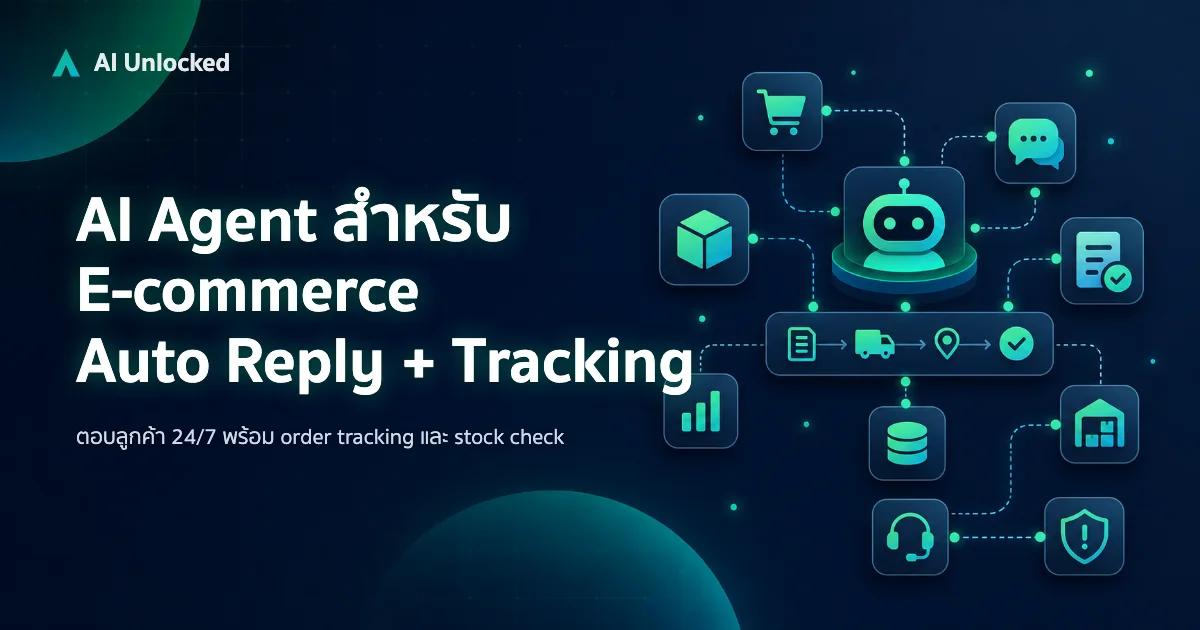
AI Agent สำหรับ E-commerce — Auto Reply + Order Tracking
AI Agent ecommerce ตอบลูกค้า 24/7 บน Shopee, Lazada, Line, FB — ครอบคลุม order tracking, stock check, escalation พร้อม workflow จริง เริ่มต้นได้เลย
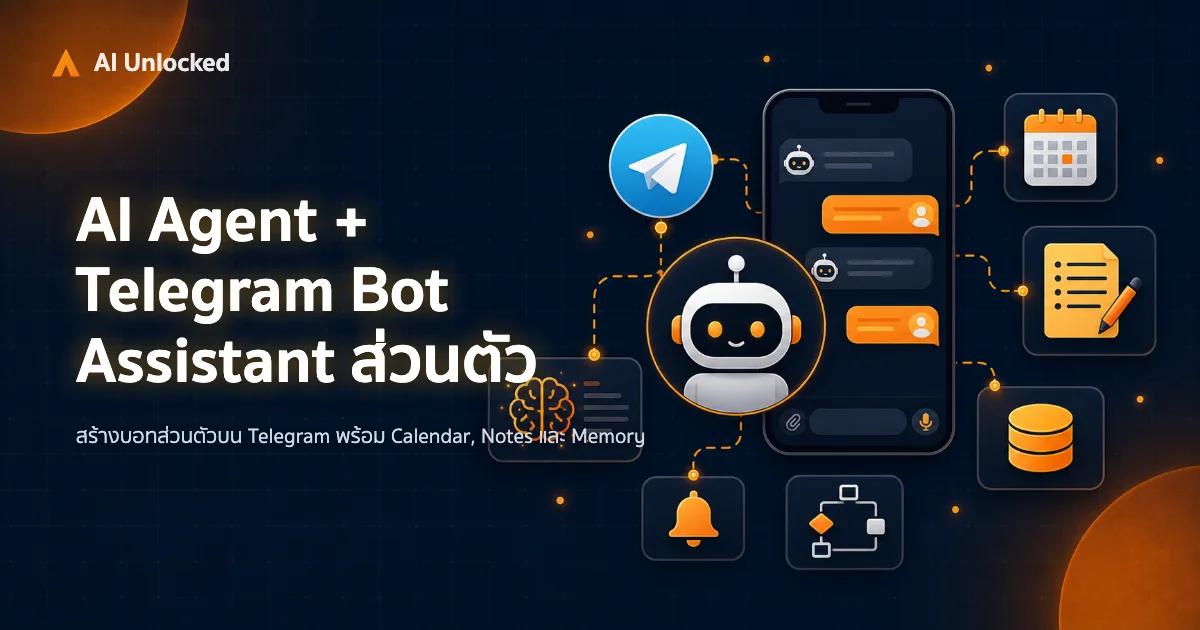
AI Agent + Telegram Bot — สอนสร้าง Assistant ส่วนตัว
สร้าง AI Agent บน Telegram ทีละขั้นตอน ตั้งแต่ BotFather จนถึง Deploy — ใช้ Python + Claude/GPT เป็นสมอง พร้อม Notion, Calendar และ Memory ระยะยาว