
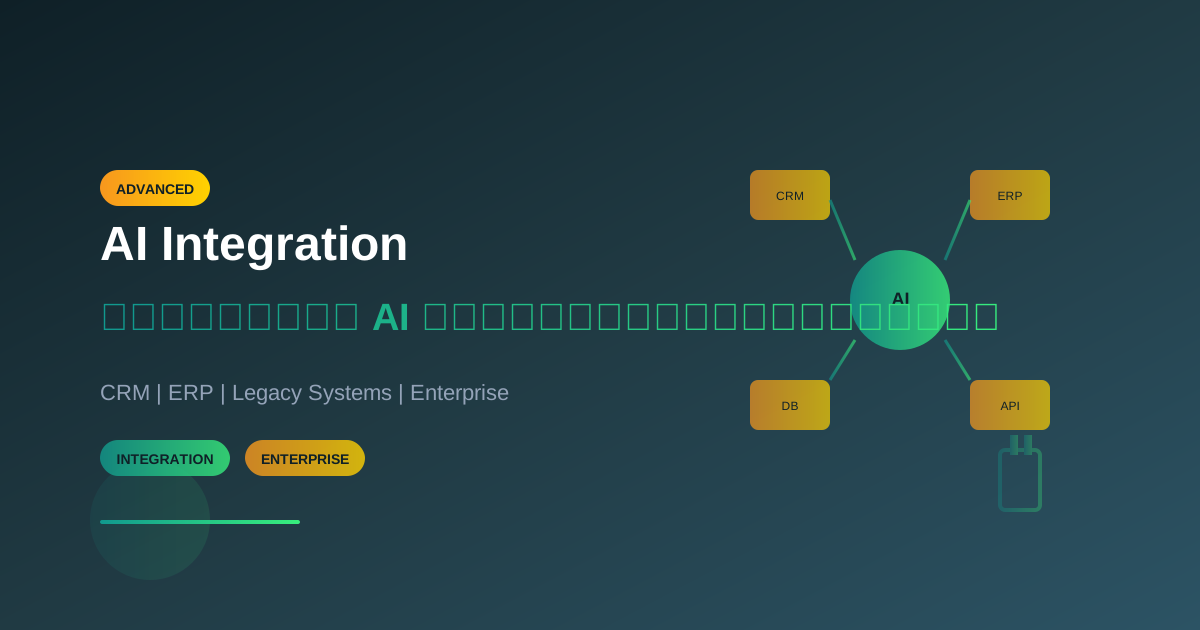
หลายองค์กรมีระบบที่ใช้งานอยู่แล้ว ไม่ว่าจะเป็น CRM, ERP, หรือ Legacy Systems ต่างๆ การนำ AI มาใช้ไม่จำเป็นต้องสร้างใหม่ทั้งหมด บทความนี้จะพาคุณไปเรียนรู้วิธีเชื่อมต่อ AI เข้ากับระบบเดิมอย่างมีประสิทธิภาพ
ทำไมต้องเชื่อมต่อ AI กับระบบเดิม?
ประโยชน์ของการ Integration
- ใช้ประโยชน์จากข้อมูลที่มีอยู่: ข้อมูลใน CRM, ERP มีค่ามหาศาล AI สามารถวิเคราะห์และสร้างมูลค่าเพิ่มได้
- ไม่ต้องเปลี่ยนกระบวนการทำงาน: พนักงานยังใช้ระบบเดิมได้ แต่มี AI ช่วยเบื้องหลัง
- ROI สูง: ลงทุนน้อยกว่าการสร้างระบบใหม่
- ลดความเสี่ยง: ไม่ต้อง migrate ข้อมูลทั้งหมด
ความท้าทายที่พบบ่อย
- ระบบเก่าไม่มี API: ต้องหาทางเชื่อมต่อแบบอื่น
- Data Format ต่างกัน: ต้อง transform ข้อมูล
- Security Concerns: ต้องรักษาความปลอดภัย
- Performance: ต้องไม่กระทบระบบเดิม
Integration Patterns
Pattern 1: API Gateway
เหมาะสำหรับระบบที่มี REST API อยู่แล้ว
┌─────────────────────────────────────────────────────────────────┐
│                    AI Integration via API Gateway               │
├─────────────────────────────────────────────────────────────────┤
│                                                                 │
│  ┌──────────┐     ┌─────────────┐     ┌──────────────┐         │
│  │ Existing │────▶│ API Gateway │────▶│ AI Service   │         │
│  │ System   │◀────│             │◀────│ (OpenAI/     │         │
│  │ (CRM)    │     │             │     │  Claude)     │         │
│  └──────────┘     └─────────────┘     └──────────────┘         │
│                          │                                      │
│                          ▼                                      │
│                   ┌─────────────┐                               │
│                   │ Auth & Rate │                               │
│                   │ Limiting    │                               │
│                   └─────────────┘                               │
└─────────────────────────────────────────────────────────────────┘
Implementation Example:
// API Gateway with AI Enhancement
const express = require('express');
const { OpenAI } = require('openai');

const app = express();
const openai = new OpenAI();

// Middleware for existing CRM data
app.post('/api/customer/analyze', async (req, res) => {
  const { customerId } = req.body;

  // 1. Fetch from existing CRM
  const customerData = await existingCRM.getCustomer(customerId);

  // 2. Enhance with AI analysis
  const aiAnalysis = await openai.chat.completions.create({
    model: "gpt-4",
    messages: [
      {
        role: "system",
        content: `Analyze customer data and provide insights:
        - Purchase patterns
        - Churn risk (low/medium/high)
        - Upsell opportunities
        - Recommended actions`
      },
      { role: "user", content: JSON.stringify(customerData) }
    ]
  });

  // 3. Return combined data
  res.json({
    customer: customerData,
    aiInsights: JSON.parse(aiAnalysis.choices[0].message.content)
  });
});
Pattern 2: Event-Driven Integration
เหมาะสำหรับระบบที่ต้องการ real-time processing
┌─────────────────────────────────────────────────────────────────┐
│                Event-Driven AI Integration                      │
├─────────────────────────────────────────────────────────────────┤
│                                                                 │
│  ┌──────────┐     ┌─────────────┐     ┌──────────────┐         │
│  │ Existing │────▶│ Message     │────▶│ AI Worker    │         │
│  │ System   │     │ Queue       │     │              │         │
│  └──────────┘     │ (Kafka/     │     └──────┬───────┘         │
│                   │  RabbitMQ)  │            │                  │
│                   └─────────────┘            │                  │
│                          ▲                   │                  │
│                          │                   │                  │
│                   ┌──────┴───────────────────┘                  │
│                   │                                             │
│                   ▼                                             │
│            ┌─────────────┐                                      │
│            │ Result DB   │                                      │
│            └─────────────┘                                      │
└─────────────────────────────────────────────────────────────────┘
Python Implementation:
import json
from kafka import KafkaConsumer, KafkaProducer
import openai

class AIEventProcessor:
    def __init__(self):
        self.consumer = KafkaConsumer(
            'crm_events',
            bootstrap_servers=['localhost:9092'],
            value_deserializer=lambda x: json.loads(x.decode('utf-8'))
        )
        self.producer = KafkaProducer(
            bootstrap_servers=['localhost:9092'],
            value_serializer=lambda x: json.dumps(x).encode('utf-8')
        )
        self.openai = openai.OpenAI()

    async def process_event(self, event):
        """Process CRM event with AI"""
        event_type = event.get('type')

        if event_type == 'new_ticket':
            return await self.analyze_support_ticket(event['data'])
        elif event_type == 'new_lead':
            return await self.score_lead(event['data'])
        elif event_type == 'customer_feedback':
            return await self.analyze_sentiment(event['data'])

    async def analyze_support_ticket(self, ticket):
        """Analyze and categorize support ticket"""
        response = await self.openai.chat.completions.create(
            model="gpt-4",
            messages=[
                {
                    "role": "system",
                    "content": """Analyze support ticket and return JSON:
                    {
                        "category": "billing|technical|feature_request|complaint",
                        "priority": "low|medium|high|urgent",
                        "sentiment": "positive|neutral|negative",
                        "suggested_response": "string",
                        "escalation_needed": boolean
                    }"""
                },
                {"role": "user", "content": ticket['content']}
            ]
        )

        return json.loads(response.choices[0].message.content)

    def run(self):
        """Main event loop"""
        for message in self.consumer:
            try:
                result = self.process_event(message.value)
                # Send result back to another topic
                self.producer.send('ai_results', {
                    'original_event': message.value,
                    'ai_result': result
                })
            except Exception as e:
                print(f"Error processing event: {e}")
Pattern 3: Sidecar Pattern
เหมาะสำหรับ microservices architecture
┌─────────────────────────────────────────────────────────────────┐
│                 Sidecar Pattern for AI                          │
├─────────────────────────────────────────────────────────────────┤
│                                                                 │
│  ┌────────────────────────────────┐                            │
│  │         Pod / Container        │                            │
│  │  ┌──────────┐  ┌────────────┐ │                            │
│  │  │ Main App │──│ AI Sidecar │ │                            │
│  │  │ (CRM)    │  │            │ │                            │
│  │  └──────────┘  └────────────┘ │                            │
│  │       │              │        │                            │
│  │       └──────┬───────┘        │                            │
│  └──────────────│────────────────┘                            │
│                 │                                              │
│                 ▼                                              │
│          ┌─────────────┐                                       │
│          │ AI Service  │                                       │
│          │ (Shared)    │                                       │
│          └─────────────┘                                       │
└─────────────────────────────────────────────────────────────────┘
Pattern 4: Database Trigger Integration
เหมาะสำหรับระบบที่ไม่มี API แต่เข้าถึง Database ได้
-- PostgreSQL Trigger for AI Integration
CREATE OR REPLACE FUNCTION notify_ai_on_insert()
RETURNS TRIGGER AS $$
BEGIN
    -- Send notification to AI service
    PERFORM pg_notify(
        'new_record',
        json_build_object(
            'table', TG_TABLE_NAME,
            'operation', TG_OP,
            'data', row_to_json(NEW)
        )::text
    );
    RETURN NEW;
END;
$$ LANGUAGE plpgsql;

-- Attach trigger to customer table
CREATE TRIGGER customer_ai_trigger
AFTER INSERT OR UPDATE ON customers
FOR EACH ROW
EXECUTE FUNCTION notify_ai_on_insert();
Python Listener:
import psycopg2
import select
import json
import openai

class DatabaseAIListener:
    def __init__(self, dsn):
        self.conn = psycopg2.connect(dsn)
        self.conn.set_isolation_level(
            psycopg2.extensions.ISOLATION_LEVEL_AUTOCOMMIT
        )
        self.cursor = self.conn.cursor()
        self.cursor.execute("LISTEN new_record;")
        self.openai = openai.OpenAI()

    async def process_notification(self, payload):
        """Process database notification with AI"""
        data = json.loads(payload)

        if data['table'] == 'customers':
            # Enrich customer data with AI
            analysis = await self.analyze_customer(data['data'])
            await self.update_customer_insights(
                data['data']['id'],
                analysis
            )

    async def analyze_customer(self, customer_data):
        """Analyze customer with AI"""
        response = await self.openai.chat.completions.create(
            model="gpt-4",
            messages=[
                {
                    "role": "system",
                    "content": "Analyze customer and provide segment classification"
                },
                {"role": "user", "content": json.dumps(customer_data)}
            ]
        )
        return response.choices[0].message.content

    def listen(self):
        """Listen for database notifications"""
        while True:
            if select.select([self.conn], [], [], 5) == ([], [], []):
                continue
            self.conn.poll()
            while self.conn.notifies:
                notify = self.conn.notifies.pop(0)
                self.process_notification(notify.payload)
Integration กับระบบยอดนิยม
Salesforce CRM + AI
// Salesforce AI Integration
const jsforce = require('jsforce');
const { OpenAI } = require('openai');

class SalesforceAIIntegration {
  constructor() {
    this.conn = new jsforce.Connection({
      loginUrl: process.env.SF_LOGIN_URL
    });
    this.openai = new OpenAI();
  }

  async login() {
    await this.conn.login(
      process.env.SF_USERNAME,
      process.env.SF_PASSWORD + process.env.SF_TOKEN
    );
  }

  async enrichLeadWithAI(leadId) {
    // 1. Get lead from Salesforce
    const lead = await this.conn.sobject('Lead')
      .retrieve(leadId);

    // 2. Analyze with AI
    const analysis = await this.openai.chat.completions.create({
      model: "gpt-4",
      messages: [
        {
          role: "system",
          content: `Analyze this sales lead and provide:
          1. Lead score (1-100)
          2. Best approach strategy
          3. Potential pain points
          4. Recommended products
          Return as JSON`
        },
        { role: "user", content: JSON.stringify(lead) }
      ]
    });

    const insights = JSON.parse(analysis.choices[0].message.content);

    // 3. Update Salesforce with AI insights
    await this.conn.sobject('Lead').update({
      Id: leadId,
      AI_Score__c: insights.leadScore,
      AI_Strategy__c: insights.strategy,
      AI_Analysis_Date__c: new Date().toISOString()
    });

    return insights;
  }
}
SAP ERP + AI
# SAP AI Integration using PyRFC
from pyrfc import Connection
import openai

class SAPAI Integration:
    def __init__(self):
        self.sap_conn = Connection(
            ashost='sap-server.company.com',
            sysnr='00',
            client='100',
            user='AI_USER',
            passwd='password'
        )
        self.openai = openai.OpenAI()

    async def analyze_purchase_order(self, po_number):
        """Analyze SAP Purchase Order with AI"""
        # 1. Call SAP RFC to get PO details
        result = self.sap_conn.call(
            'BAPI_PO_GETDETAIL',
            PURCHASEORDER=po_number
        )

        po_data = {
            'header': result['PO_HEADER'],
            'items': result['PO_ITEMS'],
            'vendor': result['PO_ADDRESS']
        }

        # 2. AI Analysis
        analysis = await self.openai.chat.completions.create(
            model="gpt-4",
            messages=[
                {
                    "role": "system",
                    "content": """Analyze this purchase order for:
                    - Pricing anomalies
                    - Vendor risk assessment
                    - Budget compliance
                    - Optimization suggestions"""
                },
                {"role": "user", "content": json.dumps(po_data)}
            ]
        )

        return analysis.choices[0].message.content
Microsoft Dynamics + AI
// C# Dynamics 365 AI Integration
using Microsoft.Xrm.Sdk;
using Azure.AI.OpenAI;

public class DynamicsAIPlugin : IPlugin
{
    public void Execute(IServiceProvider serviceProvider)
    {
        var context = (IPluginExecutionContext)serviceProvider
            .GetService(typeof(IPluginExecutionContext));
        var service = (IOrganizationService)serviceProvider
            .GetService(typeof(IOrganizationService));

        if (context.MessageName == "Create" &&
            context.PrimaryEntityName == "opportunity")
        {
            var opportunity = (Entity)context.InputParameters["Target"];

            // Call AI for analysis
            var aiInsights = AnalyzeOpportunityWithAI(opportunity);

            // Update opportunity with AI insights
            var update = new Entity("opportunity");
            update.Id = opportunity.Id;
            update["ai_winprobability"] = aiInsights.WinProbability;
            update["ai_nextaction"] = aiInsights.NextAction;

            service.Update(update);
        }
    }

    private AIInsights AnalyzeOpportunityWithAI(Entity opportunity)
    {
        var client = new OpenAIClient(
            new Uri(Environment.GetEnvironmentVariable("OPENAI_ENDPOINT")),
            new Azure.AzureKeyCredential(
                Environment.GetEnvironmentVariable("OPENAI_KEY")
            )
        );

        var options = new ChatCompletionsOptions
        {
            DeploymentName = "gpt-4",
            Messages = {
                new ChatMessage(ChatRole.System,
                    "Analyze sales opportunity and predict win probability"),
                new ChatMessage(ChatRole.User,
                    JsonSerializer.Serialize(opportunity))
            }
        };

        var response = client.GetChatCompletions(options);
        return JsonSerializer.Deserialize<AIInsights>(
            response.Value.Choices[0].Message.Content
        );
    }
}
Security Best Practices
1. Data Masking
import re

class DataMasker:
    """Mask sensitive data before sending to AI"""

    PATTERNS = {
        'credit_card': r'\b\d{4}[-\s]?\d{4}[-\s]?\d{4}[-\s]?\d{4}\b',
        'ssn': r'\b\d{3}-\d{2}-\d{4}\b',
        'email': r'\b[A-Za-z0-9._%+-]+@[A-Za-z0-9.-]+\.[A-Z|a-z]{2,}\b',
        'phone': r'\b\d{3}[-.\s]?\d{3}[-.\s]?\d{4}\b'
    }

    def mask(self, text: str) -> tuple[str, dict]:
        """Mask sensitive data and return mapping"""
        masked_text = text
        mapping = {}

        for data_type, pattern in self.PATTERNS.items():
            matches = re.findall(pattern, masked_text)
            for i, match in enumerate(matches):
                placeholder = f"[{data_type.upper()}_{i}]"
                mapping[placeholder] = match
                masked_text = masked_text.replace(match, placeholder, 1)

        return masked_text, mapping

    def unmask(self, text: str, mapping: dict) -> str:
        """Restore original data"""
        unmasked = text
        for placeholder, original in mapping.items():
            unmasked = unmasked.replace(placeholder, original)
        return unmasked

# Usage
masker = DataMasker()
original = "Contact John at [email protected] or 555-123-4567"
masked, mapping = masker.mask(original)
# masked = "Contact John at [EMAIL_0] or [PHONE_0]"
2. API Key Management
// Never hardcode API keys
// Use environment variables and secret managers

const { SecretManagerServiceClient } = require('@google-cloud/secret-manager');

async function getAPIKey(secretName) {
  const client = new SecretManagerServiceClient();
  const [version] = await client.accessSecretVersion({
    name: `projects/my-project/secrets/${secretName}/versions/latest`,
  });
  return version.payload.data.toString('utf8');
}

// Usage
const openaiKey = await getAPIKey('openai-api-key');
3. Audit Logging
import logging
from datetime import datetime

class AIAuditLogger:
    def __init__(self):
        self.logger = logging.getLogger('ai_audit')
        handler = logging.FileHandler('ai_audit.log')
        handler.setFormatter(logging.Formatter(
            '%(asctime)s - %(message)s'
        ))
        self.logger.addHandler(handler)

    def log_request(self, request_data: dict):
        """Log AI request for audit"""
        self.logger.info(json.dumps({
            'type': 'ai_request',
            'timestamp': datetime.utcnow().isoformat(),
            'user_id': request_data.get('user_id'),
            'system': request_data.get('source_system'),
            'prompt_length': len(request_data.get('prompt', '')),
            'model': request_data.get('model'),
            # Never log actual prompt content for security
            'prompt_hash': hashlib.sha256(
                request_data.get('prompt', '').encode()
            ).hexdigest()
        }))
Testing Integration
Unit Testing
import pytest
from unittest.mock import Mock, patch

class TestAIIntegration:

    @patch('openai.OpenAI')
    def test_customer_analysis(self, mock_openai):
        """Test customer analysis returns expected format"""
        # Mock OpenAI response
        mock_response = Mock()
        mock_response.choices = [Mock()]
        mock_response.choices[0].message.content = json.dumps({
            "segment": "high_value",
            "churn_risk": "low",
            "ltv_estimate": 50000
        })
        mock_openai.return_value.chat.completions.create.return_value = \
            mock_response

        # Test
        integration = CustomerAIIntegration()
        result = integration.analyze_customer({'id': '123', 'name': 'Test'})

        assert result['segment'] == 'high_value'
        assert result['churn_risk'] == 'low'

    def test_data_masking(self):
        """Test sensitive data is properly masked"""
        masker = DataMasker()
        text = "Email: [email protected], CC: 4111-1111-1111-1111"
        masked, mapping = masker.mask(text)

        assert '@' not in masked
        assert '4111' not in masked
        assert len(mapping) == 2
สรุป
การเชื่อมต่อ AI กับระบบเดิมไม่จำเป็นต้องยากหรือเปลี่ยนแปลงทุกอย่าง เลือก integration pattern ที่เหมาะกับสถานการณ์ ให้ความสำคัญกับ security และ monitoring และเริ่มจาก use case ที่มี ROI ชัดเจน
อ่านบทความที่เกี่ยวข้อง
- คู่มือสร้าง AI Automation Workflow ครบวงจร - สร้าง workflow อัตโนมัติด้วย AI
- คู่มือเชื่อมต่อ AI API: OpenAI, Claude, Gemini - วิธีเชื่อมต่อ AI API ต่างๆ
- AI Security: วิธีใช้ AI อย่างปลอดภัย - แนวทาง security สำหรับ AI
ต้องการความช่วยเหลือในการ integrate AI?
ติดต่อทีม AI Unlocked เรามีประสบการณ์ในการเชื่อมต่อ AI กับระบบ Enterprise หลากหลาย พร้อมให้คำปรึกษาและพัฒนาระบบให้คุณ
เขียนโดย
AI Unlocked Team
สถาบันสอน AI และ Vibe Coding — เชียงใหม่และออนไลน์
AI Unlocked สอน AI และ Vibe Coding มากว่า 15 ปี ผู้เรียนกว่า 1,500 คน โฟกัสลงมือทำจริงด้วย Claude Code, n8n และ AI Agent
บทความในหัวข้อเดียวกัน
เรียน AI 2026 — Complete Roadmap จากศูนย์ถึงโปร
เรียน AI ปี 2026 ไม่รู้จะเริ่มต้นยังไง? อ่าน Roadmap ฉบับสมบูรณ์นี้ ครบทุก Stage พร้อม Track ตามอาชีพ เริ่มได้เลยวันนี้
เรียน AI ใน 30 วัน — Plan สำหรับคนงานยุ่ง
เรียน AI 30 วัน ได้จริงไหม? Plan วันละ 1 ชม. สำหรับคนทำงานยุ่ง ตั้งแต่ Foundation ถึง Portfolio — เริ่มต้นได้เลยวันนี้ ดู Pricing
เรียน AI แล้วเปลี่ยนสายงานได้จริงไหม — Real Case Thai
เรียน AI เปลี่ยนสายงานได้จริงในไทยปี 2026 — 4 case จริง timeline realistic และขั้นตอนที่ทำได้เลย เริ่มต้นที่ AI Unlocked