
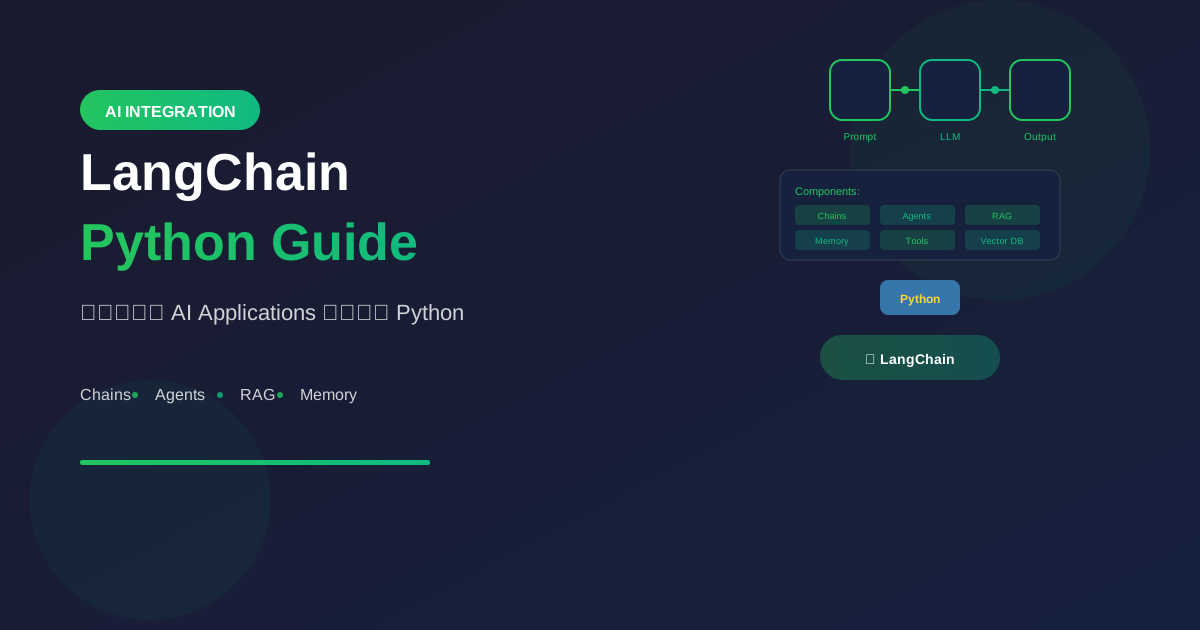
LangChain เป็น framework สำหรับสร้าง AI applications ด้วย Large Language Models (LLMs) ทำให้การสร้างแอปที่ใช้ AI ง่ายขึ้นมาก
LangChain คืออะไร?
Overview
LangChain = Framework สำหรับ LLM Apps

ช่วยให้:
- เชื่อมต่อ LLMs หลายตัว
- สร้าง chains ของ operations
- สร้าง AI agents
- ทำ RAG (Retrieval Augmented Generation)
- จัดการ memory และ context
Key Concepts
1. Models
   - LLMs (GPT, Claude, Llama)
   - Chat Models
   - Embedding Models

2. Prompts
   - Prompt Templates
   - Few-shot Examples
   - Output Parsers

3. Chains
   - Sequential operations
   - Complex workflows
   - Conditional logic

4. Agents
   - Tool-using AI
   - Decision making
   - Task automation

5. Memory
   - Conversation history
   - Context management
   - State persistence
Installation
Basic Setup
# Install LangChain
pip install langchain langchain-openai

# For specific providers
pip install langchain-anthropic  # Claude
pip install langchain-google-genai  # Gemini

# For vector stores
pip install langchain-chroma
pip install faiss-cpu
Environment Setup
import os
from dotenv import load_dotenv

load_dotenv()

# Set API keys
os.environ["OPENAI_API_KEY"] = "your-key"
os.environ["ANTHROPIC_API_KEY"] = "your-key"
Basic Usage
Simple LLM Call
from langchain_openai import ChatOpenAI

# Initialize model
llm = ChatOpenAI(model="gpt-4o-mini")

# Simple invoke
response = llm.invoke("What is LangChain?")
print(response.content)
Using Prompt Templates
from langchain_core.prompts import ChatPromptTemplate

# Create template
prompt = ChatPromptTemplate.from_messages([
    ("system", "You are a helpful {role}."),
    ("human", "{question}")
])

# Create chain
chain = prompt | llm

# Invoke with variables
response = chain.invoke({
    "role": "Python expert",
    "question": "Explain list comprehension"
})
Output Parsing
from langchain_core.output_parsers import JsonOutputParser
from pydantic import BaseModel

# Define output structure
class ProductReview(BaseModel):
    sentiment: str
    score: int
    summary: str

# Create parser
parser = JsonOutputParser(pydantic_object=ProductReview)

# Create chain with parser
prompt = ChatPromptTemplate.from_messages([
    ("system", "Analyze the review and output JSON."),
    ("human", "{review}")
])

chain = prompt | llm | parser

# Get structured output
result = chain.invoke({
    "review": "Great product! Works perfectly."
})
# Returns: {"sentiment": "positive", "score": 5, "summary": "..."}
Chains
Sequential Chain
from langchain_core.runnables import RunnablePassthrough

# Chain 1: Generate topic
topic_prompt = ChatPromptTemplate.from_template(
    "Generate a blog topic about {subject}"
)
topic_chain = topic_prompt | llm

# Chain 2: Write outline
outline_prompt = ChatPromptTemplate.from_template(
    "Create an outline for: {topic}"
)
outline_chain = outline_prompt | llm

# Chain 3: Write content
content_prompt = ChatPromptTemplate.from_template(
    "Write content based on: {outline}"
)
content_chain = content_prompt | llm

# Combine chains
full_chain = (
    {"topic": topic_chain}
    | RunnablePassthrough.assign(
        outline=lambda x: outline_chain.invoke({"topic": x["topic"]})
    )
    | RunnablePassthrough.assign(
        content=lambda x: content_chain.invoke({"outline": x["outline"]})
    )
)

result = full_chain.invoke({"subject": "AI in healthcare"})
Branching Chain
from langchain_core.runnables import RunnableBranch

# Different handlers based on category
def categorize(text):
    # Simple categorization logic
    if "bug" in text.lower():
        return "bug"
    elif "feature" in text.lower():
        return "feature"
    return "general"

bug_prompt = ChatPromptTemplate.from_template(
    "Handle this bug report: {input}"
)
feature_prompt = ChatPromptTemplate.from_template(
    "Analyze this feature request: {input}"
)
general_prompt = ChatPromptTemplate.from_template(
    "Respond to this query: {input}"
)

# Create branch
branch = RunnableBranch(
    (lambda x: categorize(x["input"]) == "bug", bug_prompt | llm),
    (lambda x: categorize(x["input"]) == "feature", feature_prompt | llm),
    general_prompt | llm  # default
)

result = branch.invoke({"input": "There's a bug in login"})
RAG (Retrieval Augmented Generation)
Basic RAG Setup
from langchain_openai import OpenAIEmbeddings
from langchain_chroma import Chroma
from langchain_community.document_loaders import TextLoader
from langchain_text_splitters import RecursiveCharacterTextSplitter

# 1. Load documents
loader = TextLoader("data/knowledge.txt")
documents = loader.load()

# 2. Split into chunks
splitter = RecursiveCharacterTextSplitter(
    chunk_size=1000,
    chunk_overlap=200
)
chunks = splitter.split_documents(documents)

# 3. Create embeddings and store
embeddings = OpenAIEmbeddings()
vectorstore = Chroma.from_documents(chunks, embeddings)

# 4. Create retriever
retriever = vectorstore.as_retriever(search_kwargs={"k": 3})
RAG Chain
from langchain_core.prompts import ChatPromptTemplate
from langchain_core.runnables import RunnablePassthrough

# RAG prompt
rag_prompt = ChatPromptTemplate.from_template("""
Answer the question based on the context below.
If you can't answer from the context, say so.

Context: {context}

Question: {question}
""")

# Format docs helper
def format_docs(docs):
    return "\n\n".join(doc.page_content for doc in docs)

# RAG chain
rag_chain = (
    {"context": retriever | format_docs, "question": RunnablePassthrough()}
    | rag_prompt
    | llm
)

# Query
response = rag_chain.invoke("What is our refund policy?")
Agents
Basic Agent
from langchain.agents import create_react_agent, AgentExecutor
from langchain_community.tools import DuckDuckGoSearchRun
from langchain import hub

# Define tools
search = DuckDuckGoSearchRun()
tools = [search]

# Get agent prompt
prompt = hub.pull("hwchase17/react")

# Create agent
agent = create_react_agent(llm, tools, prompt)

# Create executor
agent_executor = AgentExecutor(
    agent=agent,
    tools=tools,
    verbose=True
)

# Run agent
result = agent_executor.invoke({
    "input": "What is the latest news about AI?"
})
Custom Tools
from langchain.tools import tool

@tool
def calculate_price(quantity: int, unit_price: float) -> float:
    """Calculate total price from quantity and unit price."""
    return quantity * unit_price

@tool
def get_weather(city: str) -> str:
    """Get current weather for a city."""
    # In real app, call weather API
    return f"Weather in {city}: Sunny, 25°C"

# Use custom tools
tools = [calculate_price, get_weather]

agent = create_react_agent(llm, tools, prompt)
agent_executor = AgentExecutor(agent=agent, tools=tools)

result = agent_executor.invoke({
    "input": "What's the weather in Bangkok and calculate price for 5 items at $10 each"
})
Memory
Conversation Memory
from langchain.memory import ConversationBufferMemory
from langchain_core.prompts import MessagesPlaceholder

# Setup memory
memory = ConversationBufferMemory(
    return_messages=True,
    memory_key="chat_history"
)

# Prompt with history
prompt = ChatPromptTemplate.from_messages([
    ("system", "You are a helpful assistant."),
    MessagesPlaceholder(variable_name="chat_history"),
    ("human", "{input}")
])

# Chain with memory
chain = prompt | llm

# Conversation
def chat(user_input):
    # Load history
    history = memory.load_memory_variables({})

    # Get response
    response = chain.invoke({
        "chat_history": history.get("chat_history", []),
        "input": user_input
    })

    # Save to memory
    memory.save_context(
        {"input": user_input},
        {"output": response.content}
    )

    return response.content

# Usage
print(chat("My name is John"))
print(chat("What's my name?"))  # Remembers: John
Summary Memory
from langchain.memory import ConversationSummaryMemory

# Memory that summarizes old messages
memory = ConversationSummaryMemory(
    llm=llm,
    return_messages=True
)

# Useful for long conversations
# Keeps summary instead of full history
Streaming
Stream Responses
from langchain_core.callbacks import StreamingStdOutCallbackHandler

# Stream to console
llm_streaming = ChatOpenAI(
    model="gpt-4o-mini",
    streaming=True,
    callbacks=[StreamingStdOutCallbackHandler()]
)

response = llm_streaming.invoke("Tell me a story")

# Or async streaming
async for chunk in llm.astream("Tell me a story"):
    print(chunk.content, end="", flush=True)
Best Practices
1. Use Async for Performance
import asyncio

async def process_multiple(queries):
    tasks = [chain.ainvoke({"query": q}) for q in queries]
    results = await asyncio.gather(*tasks)
    return results

# Run multiple queries in parallel
results = asyncio.run(process_multiple([
    "Query 1",
    "Query 2",
    "Query 3"
]))
2. Error Handling
from langchain_core.runnables import RunnableWithFallbacks

# Create fallback chain
primary_chain = prompt | ChatOpenAI(model="gpt-4o")
fallback_chain = prompt | ChatOpenAI(model="gpt-4o-mini")

# Chain with fallback
robust_chain = primary_chain.with_fallbacks([fallback_chain])
3. Caching
from langchain.cache import SQLiteCache
from langchain.globals import set_llm_cache

# Enable caching
set_llm_cache(SQLiteCache(database_path=".langchain.db"))

# Same prompts will use cached responses
4. Tracing & Debugging
# Enable LangSmith tracing
os.environ["LANGCHAIN_TRACING_V2"] = "true"
os.environ["LANGCHAIN_API_KEY"] = "your-langsmith-key"

# Now all chains are traced
# View at smith.langchain.com
สรุป
LangChain Concepts:
- Models: LLMs, Chat, Embeddings
- Prompts: Templates และ Parsers
- Chains: Sequential operations
- Agents: Tool-using AI
- Memory: Conversation management
- RAG: Knowledge retrieval
Best Practices:
- Use async for performance
- Implement fallbacks
- Enable caching
- Use tracing for debugging
Remember:
- Start simple, add complexity
- Test each component
- Monitor costs
- Handle errors gracefully
อ่านเพิ่มเติม:
คำถามที่พบบ่อย (FAQ)
Q: LangChain คืออะไร ใช้ทำอะไรได้บ้าง? LangChain เป็น framework สำหรับสร้างแอปด้วย LLM ช่วยเชื่อมต่อโมเดลหลายตัว สร้าง chain ของงาน สร้าง AI agent ทำ RAG และจัดการ memory กับ context คอนเซปต์หลักมี Models, Prompts, Chains, Agents และ Memory
Q: ติดตั้งยังไง ต้องใช้อะไรบ้าง?
ติดตั้งด้วย pip install langchain langchain-openai ถ้าใช้ Claude เพิ่ม langchain-anthropic ถ้าใช้ Gemini เพิ่ม langchain-google-genai สำหรับ vector store มี langchain-chroma และ faiss-cpu API key ใส่ผ่าน environment เช่น OPENAI_API_KEY และ ANTHROPIC_API_KEY
Q: RAG ใน LangChain ทำยังไง?
โหลดเอกสาร แล้วตัดด้วย RecursiveCharacterTextSplitter ที่ chunk_size=1000 และ chunk_overlap=200 สร้าง embeddings ด้วย OpenAI เก็บใน Chroma แล้วตั้ง retriever ที่ k=3 จากนั้นประกอบเป็น RAG chain ที่ตอบจาก context ถ้าตอบจาก context ไม่ได้ให้บอกตามนั้น
Q: Agent ใน LangChain ต่างจาก Chain ยังไง?
Chain เป็นลำดับงานที่กำหนดไว้ Agent ใช้เครื่องมือแล้วตัดสินใจเอง ตัวอย่างในบทความใช้ create_react_agent กับ AgentExecutor และเครื่องมืออย่าง DuckDuckGo Search รวมถึง custom tool ที่ประกาศด้วย @tool
Q: มี Memory จำบทสนทนาได้ไหม?
มี Conversation Memory เช่น ConversationBufferMemory ใส่ประวัติลง prompt ได้ ทำให้ถามต่อเนื่องแล้วโมเดลยังจำชื่อหรือบริบทก่อนหน้าได้
Q: Best practice ที่บทความเน้นมีอะไรบ้าง? ใช้ async เพื่อรันหลายคำถามขนานกัน ตั้ง fallback จากโมเดลหลักอย่าง gpt-4o ไป gpt-4o-mini เมื่อพัง เปิด SQLite cache เพื่อไม่ยิงซ้ำ prompt เดิม และใช้ LangSmith tracing เพื่อดีบัก chain
เขียนโดย
AI Unlocked Team
สถาบันสอน AI และ Vibe Coding — เชียงใหม่และออนไลน์
AI Unlocked สอน AI และ Vibe Coding มากว่า 15 ปี ผู้เรียนกว่า 1,500 คน โฟกัสลงมือทำจริงด้วย Claude Code, n8n และ AI Agent
บทความในหัวข้อเดียวกัน
สร้าง AI Agent — Complete Guide ภาษาไทย 2026
เรียนรู้สร้าง AI Agent ตั้งแต่ศูนย์ ครอบคลุม Claude Agent SDK, OpenAI Agents, LangGraph, n8n พร้อม Use Case ธุรกิจไทย — เริ่มต้นได้วันนี้
AI Agent + Voice — สอนสร้าง Voice Assistant ภาษาไทย
สอนสร้าง AI Voice Agent ภาษาไทยตั้งแต่ STT → LLM → TTS พร้อม tutorial Python และ use case จริง — เริ่มต้นได้วันนี้ที่ aiunlock.co
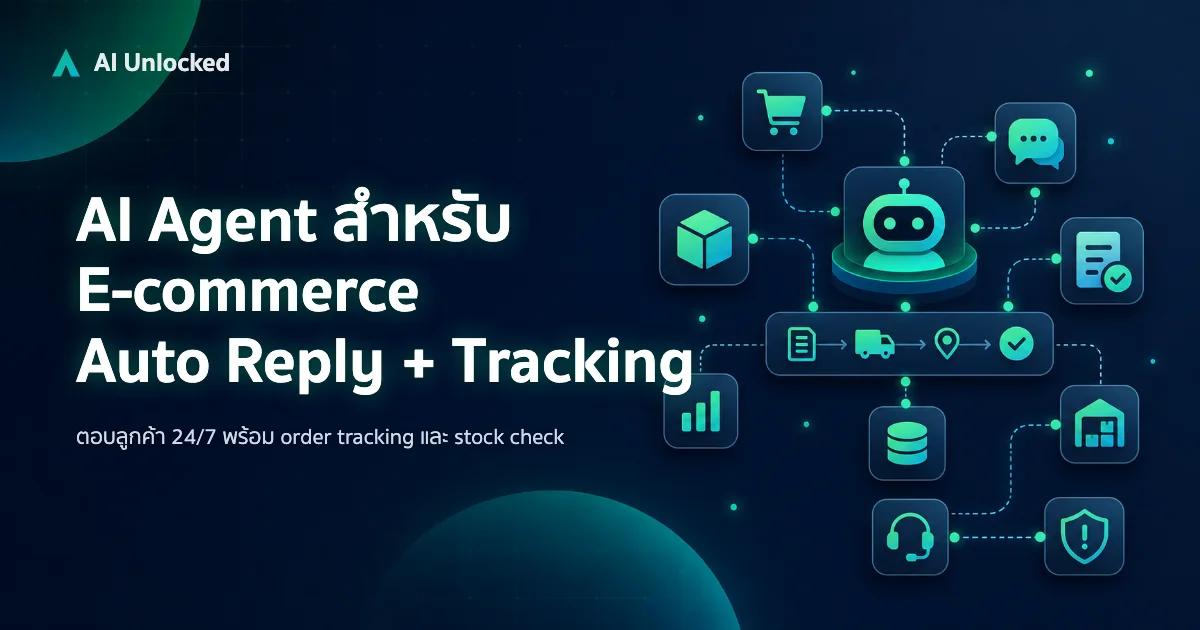
AI Agent สำหรับ E-commerce — Auto Reply + Order Tracking
AI Agent ecommerce ตอบลูกค้า 24/7 บน Shopee, Lazada, Line, FB — ครอบคลุม order tracking, stock check, escalation พร้อม workflow จริง เริ่มต้นได้เลย