
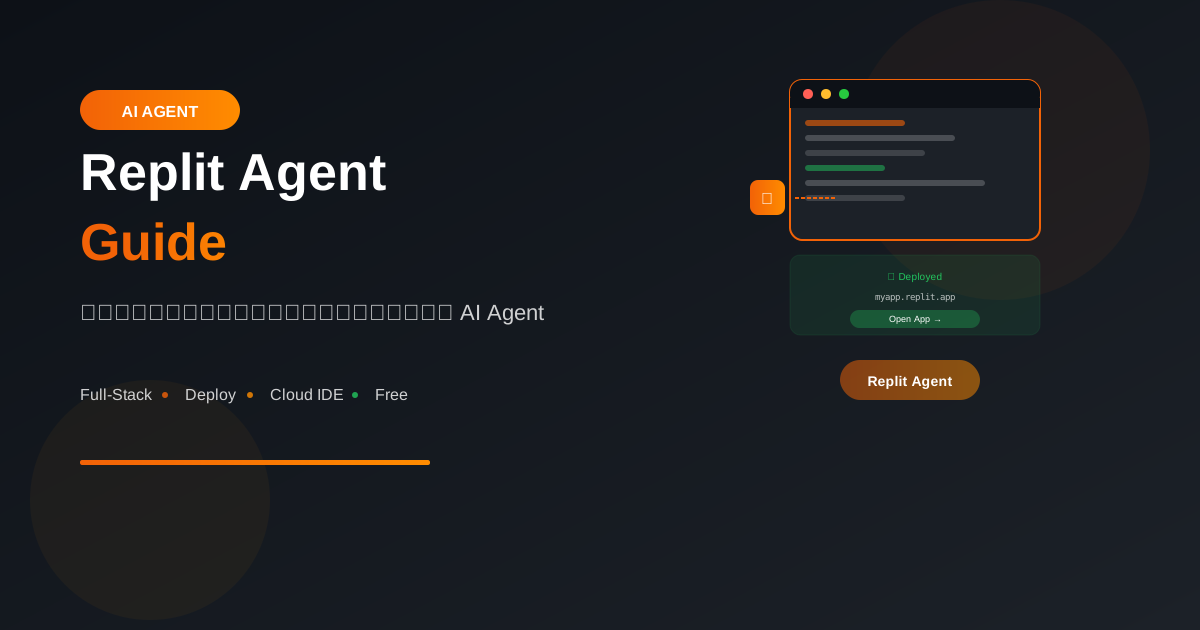
Replit Agent เป็น AI ที่สามารถสร้างแอปพลิเคชันเต็มรูปแบบจากคำอธิบายเป็นภาษาธรรมชาติ พร้อม deploy ได้ทันที
Replit Agent คืออะไร?
Overview
Replit Agent = AI + Cloud IDE + Instant Deployment

สิ่งที่ทำได้:
- สร้างแอปจาก prompt
- เขียน frontend + backend + database
- Deploy ทันทีบน Replit
- แก้ไขตาม feedback
- Debug และ fix errors อัตโนมัติ
Key Features
1. Natural Language → Full App
   บอกว่าต้องการอะไร → ได้แอปที่ใช้งานได้

2. Full-Stack Support
   Frontend, Backend, Database ครบ

3. Instant Deployment
   ได้ URL ทันทีเมื่อสร้างเสร็จ

4. Iterative Development
   แก้ไข ปรับปรุง เพิ่มฟีเจอร์ได้เรื่อยๆ

5. Error Handling
   Agent จะ debug และ fix เอง
Getting Started
สร้าง Account
1. ไปที่ replit.com
2. Sign up (Email, Google, GitHub)
3. เลือก plan (Free tier มี)
4. Access Agent feature
เริ่มต้น Agent
1. Click "Create" → "Agent"
2. พิมพ์สิ่งที่ต้องการสร้าง
3. Agent จะวางแผนและถามคำถาม
4. Confirm และให้ Agent ทำงาน
5. Review และ iterate
How to Prompt
Basic Prompts
✅ Good prompts:

"Create a todo list app with:
- Add, edit, delete tasks
- Mark as complete
- Filter by status
- Save to database"

"Build a blog platform where users can:
- Sign up and login
- Create and edit posts
- Add images to posts
- Comment on posts"
Detailed Prompts
ยิ่งละเอียด ยิ่งได้ผลลัพธ์ตรงใจ:

"Create a restaurant reservation system:

Users:
- Browse restaurants
- View menus and photos
- Make reservations
- Cancel reservations

Restaurant owners:
- Add/edit restaurant info
- Manage reservations
- View analytics

Tech:
- React frontend
- Node.js backend
- PostgreSQL database
- Authentication with email"
Iterative Prompts
เริ่มง่าย แล้วเพิ่มทีละอย่าง:

1. "Create a simple notes app"
   → ได้ basic app

2. "Add categories for notes"
   → เพิ่ม feature

3. "Add search functionality"
   → เพิ่มอีก

4. "Add dark mode"
   → customize

5. "Make it mobile responsive"
   → polish
Practical Examples
Example 1: E-commerce Store
Prompt:
"Build an e-commerce store for selling handmade jewelry.

Features:
- Product catalog with categories
- Shopping cart
- Checkout with Stripe
- Order history
- Admin panel for managing products

Design: Modern, minimalist, elegant
Color scheme: Gold and white"

Agent จะ:
1. สร้าง project structure
2. Setup database (products, orders, users)
3. สร้าง frontend pages
4. Implement Stripe integration
5. Create admin dashboard
6. Deploy
Example 2: SaaS Dashboard
Prompt:
"Create a SaaS analytics dashboard.

Features:
- User authentication
- Dashboard with charts (line, bar, pie)
- Data upload (CSV)
- Team collaboration
- Subscription tiers (Free, Pro, Enterprise)

Tech stack: Next.js, PostgreSQL, Chart.js"

Agent จะ:
1. Setup Next.js app
2. Implement auth (email + password)
3. Create dashboard components
4. Build CSV parser
5. Setup subscription logic
6. Create pricing page
Example 3: API Service
Prompt:
"Build a URL shortener service like bit.ly.

Features:
- Shorten long URLs
- Custom short codes
- Click analytics
- QR code generation
- API access with rate limiting
- User accounts

Provide API documentation"

Agent จะ:
1. Create backend API
2. Setup URL database
3. Implement redirect logic
4. Add analytics tracking
5. Generate QR codes
6. Create API docs
7. Add rate limiting
Example 4: Real-time App
Prompt:
"Create a real-time chat application.

Features:
- Multiple chat rooms
- Direct messages
- Online status indicators
- File sharing
- Message reactions
- Typing indicators

Use WebSocket for real-time updates"

Agent จะ:
1. Setup WebSocket server
2. Create chat UI
3. Implement rooms/DMs
4. Add file upload
5. Real-time indicators
6. Deploy with WebSocket support
Working with Agent
Providing Feedback
หลัง Agent สร้างเสร็จ:

"The login form looks good but:
- Make the button larger
- Add 'forgot password' link
- Show validation errors inline"

"The homepage needs:
- Hero section with image
- Feature highlights
- Customer testimonials"
Fixing Issues
ถ้าพบปัญหา:

"The checkout is not working.
When I click 'Pay', nothing happens.
Check the Stripe integration."

"Users can't upload images.
The upload button doesn't respond.
Debug the file upload functionality."
Adding Features
เพิ่ม feature:

"Add these features to the app:
1. Email notifications when order ships
2. Order tracking page
3. Product reviews with ratings
4. Wishlist functionality"
Best Practices
1. Start Simple
❌ อย่าทำ:
ขอทุกอย่างในครั้งเดียว

✅ ทำแบบนี้:
1. Core functionality ก่อน
2. เพิ่ม features ทีละอย่าง
3. Polish และ improve
2. Be Specific About Design
❌ "Make it look nice"

✅ "Use a modern design with:
- Clean sans-serif fonts
- Blue (#3B82F6) as primary color
- Rounded corners (8px)
- Subtle shadows
- Plenty of white space"
3. Specify Tech Stack
ถ้ามี preference:

"Use these technologies:
- Frontend: React with TypeScript
- Styling: Tailwind CSS
- Backend: Express.js
- Database: PostgreSQL
- Auth: JWT"
4. Describe User Flows
"User registration flow:
1. Click 'Sign Up'
2. Enter email, password, name
3. Receive verification email
4. Click link to verify
5. Redirect to dashboard
6. Show welcome message"
Limitations
What Agent Does Well
✅ Great for:
- CRUD applications
- Standard web apps
- MVPs and prototypes
- Learning projects
- Quick experiments
What to Be Careful With
⚠️ Verify these manually:
- Security implementations
- Payment integrations
- Complex business logic
- Performance optimization
- Scalability concerns
When to Code Manually
Consider manual coding for:
- Very custom/unique features
- Performance-critical code
- Security-sensitive operations
- Complex algorithms
- Integration with exotic APIs
Deployment
Automatic Deployment
Replit จัดการให้:
- Instant URL เมื่อ run
- HTTPS included
- Auto-scaling (paid plans)
- Custom domains (paid)
Considerations
สำหรับ production:
- Review security
- Test thoroughly
- Consider scaling needs
- Backup data regularly
- Monitor performance
Pricing
Replit Plans:

Free:
- Basic Agent access
- Limited compute
- Public projects

Core ($20/mo):
- More Agent usage
- Private projects
- Better performance

Teams:
- Collaboration features
- More resources
- Priority support
Tips & Tricks
1. Use Examples
"Create a landing page similar to Stripe.com:
- Clean hero section
- Feature grid
- Pricing table
- FAQ section"
2. Reference Screenshots
"Build something like this design:
[attach screenshot or describe in detail]"
3. Ask Agent to Explain
"Explain how the authentication works in this app"
"What database schema did you use?"
"How is the API structured?"
สรุป
Replit Agent Highlights:
- Natural Language: สั่งด้วยภาษาธรรมชาติ
- Full-Stack: Frontend + Backend + Database
- Instant Deploy: ได้ URL ทันที
- Iterative: แก้ไขเพิ่มเติมได้เรื่อยๆ
- Auto Debug: Agent fix errors เอง
Best Use Cases:
- MVP prototypes
- Simple web apps
- Learning projects
- Quick experiments
- Client demos
Remember:
- Start simple, iterate
- Be specific in prompts
- Review generated code
- Test before production
อ่านเพิ่มเติม:
เขียนโดย
AI Unlocked Team
สถาบันสอน AI และ Vibe Coding — เชียงใหม่และออนไลน์
AI Unlocked สอน AI และ Vibe Coding มากว่า 15 ปี ผู้เรียนกว่า 1,500 คน โฟกัสลงมือทำจริงด้วย Claude Code, n8n และ AI Agent
บทความในหัวข้อเดียวกัน
Vibe Coding คืออะไร? การเขียนโค้ดด้วย AI ยุคใหม่
ทำความเข้าใจ Vibe Coding วิธีการเขียนโค้ดรูปแบบใหม่ที่ใช้ AI เป็นผู้ช่วย พร้อมเรียนรู้หลักการ ข้อดี และวิธีเริ่มต้นสำหรับนักพัฒนาทุกระดับ
Vibe Coding สำหรับ SaaS MVP — ใน 2 สัปดาห์
สร้าง SaaS MVP ด้วย Vibe Coding ใน 14 วัน — Next.js, Supabase, Stripe, Vercel พร้อม 14-day plan ทีละ step เริ่มขายได้จริง!
MCP (Model Context Protocol) + Agent — สอน Setup
MCP Agent คืออะไร? สอน Setup Model Context Protocol ตั้งแต่ต้น — เชื่อม Claude, Cursor, Continue + สร้าง Custom Server สำหรับธุรกิจ เริ่มใช้วันนี้!