
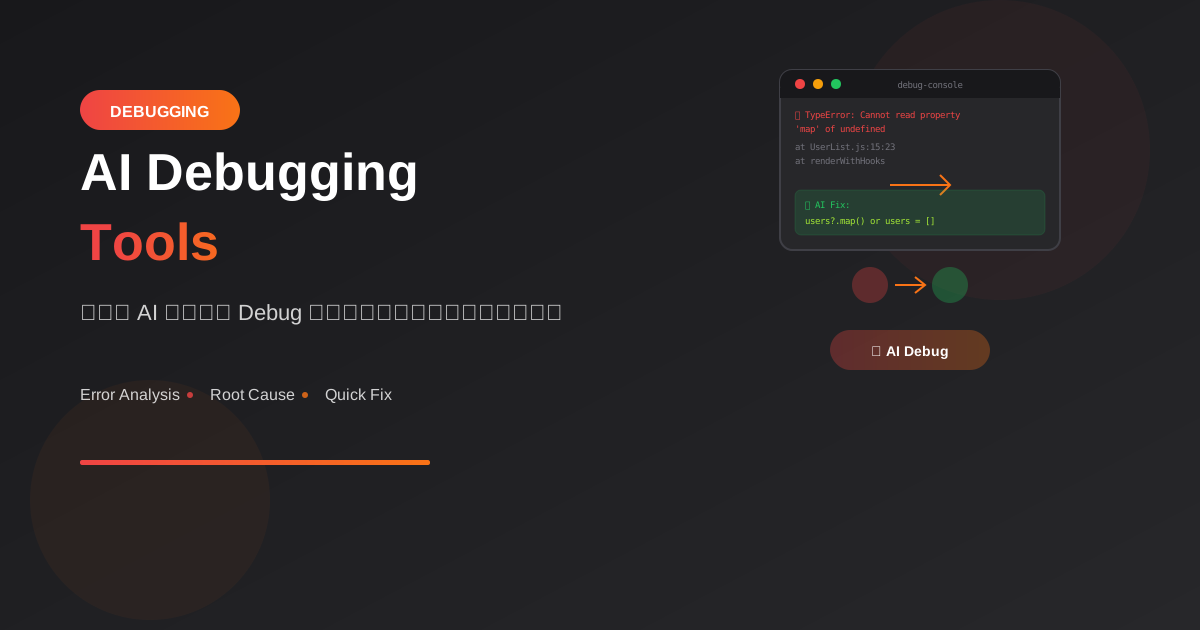
AI กำลังเปลี่ยนวิธีการ debug โค้ด จากการนั่งไล่ทีละบรรทัด มาเป็นการอธิบาย error ให้ AI แล้วได้คำตอบทันที
ทำไม AI Debugging ถึงทรงพลัง?
ปัญหาของ Traditional Debugging
Traditional Debugging:
1. เจอ error
2. อ่าน error message (งง)
3. Google หา solution
4. ลองหลายวิธี
5. หา root cause ไม่เจอ
6. เสียเวลาหลายชั่วโมง
AI-Assisted Debugging
AI Debugging:
1. เจอ error
2. Copy error + context ให้ AI
3. AI วิเคราะห์และอธิบาย
4. ได้ root cause + solution
5. แก้ได้ภายในนาที
วิธีใช้ AI Debug
Basic Error Analysis
Prompt template:

"I'm getting this error:
[paste error message]

Here's my code:
[paste relevant code]

Context:
- Language: [e.g., JavaScript]
- Framework: [e.g., React]
- What I'm trying to do: [description]

Help me understand:
1. What's causing this error?
2. How do I fix it?"
Stack Trace Analysis
"Analyze this stack trace and explain:
1. Where the error originated
2. The chain of calls leading to it
3. The most likely root cause
4. How to fix it

[paste stack trace]"
Practical Examples
Example 1: TypeError
// Error
TypeError: Cannot read property 'map' of undefined

// Code
function UserList({ users }) {
  return (
    <ul>
      {users.map(user => <li>{user.name}</li>)}
    </ul>
  );
}
AI Analysis:

🔍 Root Cause:
users เป็น undefined เมื่อ component render
อาจเกิดจาก:
- props ไม่ได้ถูกส่งมา
- Data ยังไม่ load เสร็จ

✅ Solutions:

1. Default props:
function UserList({ users = [] }) {

2. Guard clause:
{users && users.map(...)}

3. Optional chaining:
{users?.map(...)}

4. Loading state:
if (!users) return <Loading />;
Example 2: Async/Await Error
// Error
Unhandled Promise Rejection: TypeError: response.json is not a function

// Code
async function fetchData() {
  const response = fetch('/api/data');
  const data = response.json();
  return data;
}
AI Analysis:

🔍 Root Cause:
ลืม await ทำให้ response เป็น Promise
ไม่ใช่ Response object

✅ Fix:
async function fetchData() {
  const response = await fetch('/api/data');
  const data = await response.json();
  return data;
}

💡 Tip:
response.json() ก็เป็น Promise ด้วย
ต้อง await ทั้งคู่
Example 3: Database Connection Error
// Error
Error: connect ECONNREFUSED 127.0.0.1:5432
AI Analysis:

🔍 Possible Causes:
1. PostgreSQL ไม่ได้รัน
2. Port ผิด
3. Firewall block
4. Database config ผิด

✅ Debugging Steps:

1. Check if PostgreSQL is running:
   pg_isready

2. Verify port:
   Check your database URL

3. Test connection:
   psql -h localhost -p 5432 -U postgres

4. Check environment variables:
   console.log(process.env.DATABASE_URL)

5. If using Docker:
   docker ps (check container is running)
   docker logs postgres
Example 4: CORS Error
// Error
Access to XMLHttpRequest at 'http://api.example.com/data'
from origin 'http://localhost:3000' has been blocked by CORS policy
AI Analysis:

🔍 Root Cause:
Browser blocks cross-origin requests
เพื่อ security

✅ Solutions (choose one):

1. Backend: Add CORS headers
   // Express.js
   app.use(cors({
     origin: 'http://localhost:3000'
   }));

2. Proxy in development:
   // vite.config.js
   server: {
     proxy: {
       '/api': 'http://api.example.com'
     }
   }

3. If you control the API:
   Add proper CORS headers on backend

⚠️ Don't use:
- Disable CORS in browser (security risk)
- CORS proxy services in production
AI Debugging Tools
ChatGPT/Claude
Best for:
- Complex error analysis
- Understanding error context
- Learning from errors
- Multi-step debugging

Usage:
1. Copy error message
2. Include relevant code
3. Describe what you're trying to do
4. Ask for explanation + fix
GitHub Copilot
In-editor debugging:
1. Select error/code
2. Copilot Chat: "Explain this error"
3. Get inline explanation
4. "Fix this" for solution

Commands:
/fix - Fix the selected code
/explain - Explain what went wrong
Cursor IDE
Built-in AI debugging:
1. Cmd+K on error
2. "Why is this happening?"
3. AI analyzes with full context
4. Apply fix directly

Features:
- Understands your codebase
- Context-aware suggestions
- Inline fixes
Error Lookup Tools
เครื่องมือเฉพาะทาง:

1. Sentry AI
   - Auto-groups errors
   - Suggests fixes
   - Impact analysis

2. Raygun AI
   - Root cause analysis
   - Similar issues detection
   - Fix recommendations
Debugging Techniques
1. Explain the Error
"Explain this error message in simple terms:
[error message]

I'm a beginner in [language/framework]"

AI จะ:
- แปลภาษาเทคนิค
- อธิบายแบบเข้าใจง่าย
- ให้ context เพิ่มเติม
2. Rubber Duck with AI
"I'm debugging an issue where [describe problem].

Here's what I know:
- [observation 1]
- [observation 2]
- [what I've tried]

What am I missing?"

AI ช่วยคิดมุมที่พลาดไป
3. Compare Working vs Broken
"This code works:
[working code]

But this doesn't:
[broken code]

What's the difference that causes the issue?"

AI จะ spot differences ที่ทำให้พัง
4. Step-by-Step Trace
"Walk me through what happens step by step
when this code executes:

[code]

Input: [example input]

I expect: [expected output]
I get: [actual output]"
Best Practices
1. Provide Full Context
❌ แย่:
"Why doesn't this work?"
[code snippet]

✅ ดี:
"I'm building a React app with TypeScript.
This component should fetch user data and display it.

Error:
[full error message]

Code:
[relevant code]

What I've tried:
- Checked API endpoint (works in Postman)
- Added console.logs (data is undefined)

Environment:
- React 18
- Node 18
- Chrome browser"
2. Share Error Messages Completely
❌ แย่:
"I get a TypeError"

✅ ดี:
"TypeError: Cannot read property 'id' of null
    at UserProfile (UserProfile.js:15:23)
    at renderWithHooks (react-dom.development.js:14985:18)
    ..."
3. Isolate the Problem
ก่อนถาม AI:
1. Reproduce consistently
2. Find minimal code that breaks
3. Rule out obvious issues
4. Note exactly when it happens
4. Learn from Fixes
หลังจาก AI ช่วยแก้:
"Explain why this fix works
and how I can prevent similar
issues in the future"

เรียนรู้ไม่ใช่แค่ copy-paste
Prompt Templates
General Error
"Debug this error:

Error Message:
[paste full error]

Code:
[paste code]

Expected: [what should happen]
Actual: [what's happening]

Environment:
- [language/framework versions]
- [relevant tools/packages]

Please explain:
1. Root cause
2. Step-by-step fix
3. How to prevent this"
Performance Issue
"My code is running slowly:

[paste code]

Expected performance: [X ms]
Actual performance: [Y ms]

Input size: [describe data size]

Help me identify:
1. Bottlenecks
2. Optimization opportunities
3. Better algorithms/approaches"
Race Condition
"I suspect a race condition:

[paste code]

Sometimes it works, sometimes it doesn't.
The inconsistency happens when [describe].

Help me:
1. Identify the race condition
2. Understand why it's intermittent
3. Fix with proper synchronization"
Common Patterns
Error Type → Likely Cause
TypeError: undefined/null
→ Missing data, async timing

ReferenceError
→ Typo, scope issue, import missing

SyntaxError
→ Parsing issue, missing bracket/quote

NetworkError
→ API down, CORS, wrong URL

MemoryError
→ Infinite loop, large data, memory leak
สรุป
AI Debugging Benefits:
- Speed: แก้ปัญหาเร็วขึ้นมาก
- Learning: เข้าใจ why ไม่ใช่แค่ how
- Coverage: AI รู้ patterns หลากหลาย
- Context: สามารถอธิบาย error ได้
- 24/7: พร้อมช่วยเสมอ
Best Practices:
- Provide full context
- Share complete error messages
- Isolate the problem first
- Learn from the fixes
Remember:
- AI เป็น assistant ไม่ใช่ oracle
- Verify fixes before applying
- Understand why it works
- Build debugging skills ของตัวเอง
อ่านเพิ่มเติม:
เขียนโดย
AI Unlocked Team
สถาบันสอน AI และ Vibe Coding — เชียงใหม่และออนไลน์
AI Unlocked สอน AI และ Vibe Coding มากว่า 15 ปี ผู้เรียนกว่า 1,500 คน โฟกัสลงมือทำจริงด้วย Claude Code, n8n และ AI Agent
บทความในหัวข้อเดียวกัน
Vibe Coding คืออะไร? การเขียนโค้ดด้วย AI ยุคใหม่
ทำความเข้าใจ Vibe Coding วิธีการเขียนโค้ดรูปแบบใหม่ที่ใช้ AI เป็นผู้ช่วย พร้อมเรียนรู้หลักการ ข้อดี และวิธีเริ่มต้นสำหรับนักพัฒนาทุกระดับ
Vibe Coding สำหรับ SaaS MVP — ใน 2 สัปดาห์
สร้าง SaaS MVP ด้วย Vibe Coding ใน 14 วัน — Next.js, Supabase, Stripe, Vercel พร้อม 14-day plan ทีละ step เริ่มขายได้จริง!
MCP (Model Context Protocol) + Agent — สอน Setup
MCP Agent คืออะไร? สอน Setup Model Context Protocol ตั้งแต่ต้น — เชื่อม Claude, Cursor, Continue + สร้าง Custom Server สำหรับธุรกิจ เริ่มใช้วันนี้!