
5 AI Coding Assistants ที่ดีที่สุดในปี 2025
ในยุคของ Vibe Coding การเลือก AI Coding Assistant ที่เหมาะสมสามารถเปลี่ยนประสบการณ์การพัฒนาของคุณไปอย่างสิ้นเชิง บทความนี้จะรีวิวและเปรียบเทียบ 5 เครื่องมือยอดนิยมที่นักพัฒนาทั่วโลกใช้กันในปี 2025
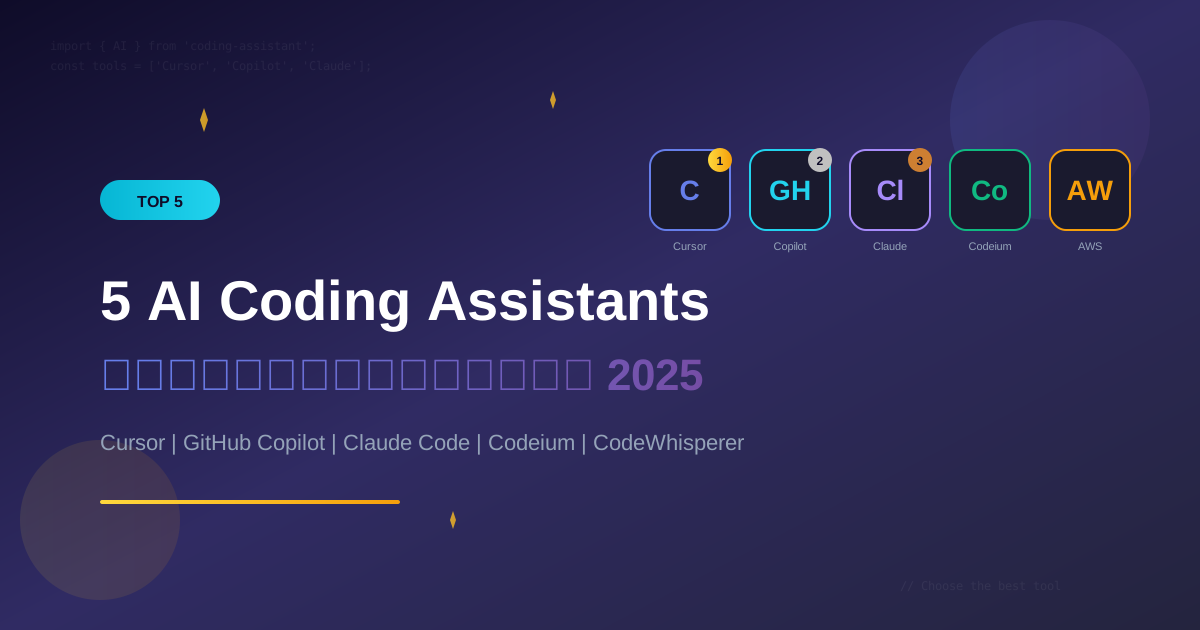
ในยุคของ Vibe Coding การเลือก AI Coding Assistant ที่เหมาะสมสามารถเปลี่ยนประสบการณ์การพัฒนาของคุณไปอย่างสิ้นเชิง บทความนี้จะรีวิวและเปรียบเทียบ 5 เครื่องมือยอดนิยมที่นักพัฒนาทั่วโลกใช้กันในปี 2025
ภาพรวมของ AI Coding Assistants
AI Coding Assistants คือซอฟต์แวร์ที่ใช้ Large Language Models (LLMs) ช่วยนักพัฒนาในการ:
- Code completion - เติมโค้ดอัตโนมัติ
- Code generation - สร้างโค้ดจาก description
- Code explanation - อธิบายโค้ดที่มีอยู่
- Bug detection - ตรวจจับ bugs
- Refactoring - ปรับปรุงโค้ด
- Documentation - สร้าง documentation
ตารางเปรียบเทียบ
| เครื่องมือ | ราคา | Model | IDE Support | จุดเด่น |
|---|---|---|---|---|
| Cursor | $20/เดือน | GPT-4, Claude | Cursor IDE | Best AI IDE |
| GitHub Copilot | $10/เดือน | GPT-4 | หลาย IDEs | GitHub Integration |
| Claude Code | Pay-per-use | Claude 3.5 | CLI/API | Deep Understanding |
| Codeium | ฟรี | Custom | หลาย IDEs | Best Free Option |
| CodeWhisperer | ฟรี/Pro | Custom | หลาย IDEs | AWS Integration |
1. Cursor IDE
ภาพรวม
Cursor คือ IDE ที่สร้างมาเพื่อ AI coding โดยเฉพาะ เป็น fork ของ VS Code ที่เพิ่ม AI capabilities เข้าไปอย่างลึกซึ้ง
ราคา
- Free: 2,000 completions + 50 slow requests/เดือน
- Pro: $20/เดือน - Unlimited completions + 500 fast requests
- Business: $40/เดือน - Team features + Admin controls
จุดเด่น
-
AI-First Design
Cmd+K: Generate code from prompt Cmd+L: Chat with AI about code Cmd+I: Inline edit with AI -
Multi-file Context
- AI เข้าใจ codebase ทั้งหมด
- สามารถ reference หลายไฟล์ในคำสั่งเดียว
-
Composer Mode
- สร้าง/แก้ไขหลายไฟล์พร้อมกัน
- เหมาะกับ feature development
ตัวอย่างการใช้งาน
Prompt ใน Cursor:
"@file:userController.js @file:userModel.js
เพิ่ม endpoint สำหรับ reset password พร้อม email verification"
Cursor จะสร้างโค้ดที่ต้องการโดยอ้างอิงจากไฟล์ที่มีอยู่
ข้อดี
- IDE ที่ดีที่สุดสำหรับ AI coding
- UX ที่ยอดเยี่ยม
- รองรับหลาย AI models
- Multi-file editing
ข้อเสีย
- ต้องเปลี่ยนจาก VS Code
- ราคาสูงกว่า Copilot
- บางครั้ง buggy
เหมาะกับ
- นักพัฒนาที่ทำงาน full-time กับ code
- ต้องการ AI experience ที่ดีที่สุด
- พร้อมจ่ายเพื่อคุณภาพ
2. GitHub Copilot
ภาพรวม
GitHub Copilot คือ AI assistant จาก GitHub (Microsoft) ที่ได้รับความนิยมมากที่สุด รวมเข้ากับ VS Code และ IDEs อื่นๆ ได้อย่างราบรื่น
ราคา
- Individual: $10/เดือน หรือ $100/ปี
- Business: $19/เดือน/user
- Enterprise: $39/เดือน/user
- Free for: Students, Open source maintainers
จุดเด่น
-
Inline Suggestions
// พิมพ์ comment แล้ว Copilot จะ suggest code // Function to validate email address // Copilot: ▸ function validateEmail(email) { ... } -
Copilot Chat
/explain - อธิบายโค้ดที่เลือก /fix - แก้ไข bugs /tests - สร้าง unit tests /doc - สร้าง documentation -
GitHub Integration
- Pull request summaries
- Code review assistance
- Issue analysis
ตัวอย่างการใช้งาน
// Copilot Chat: "/tests for this function"

// Copilot generates:
describe('validateEmail', () => {
  it('should return true for valid email', () => {
    expect(validateEmail('[email protected]')).toBe(true);
  });

  it('should return false for invalid email', () => {
    expect(validateEmail('invalid-email')).toBe(false);
  });

  it('should return false for empty string', () => {
    expect(validateEmail('')).toBe(false);
  });
});
ข้อดี
- รวมกับ VS Code ได้ดีมาก
- GitHub ecosystem integration
- ราคาไม่แพง
- Community ใหญ่
ข้อเสีย
- Context window จำกัด
- ไม่มี multi-file editing แบบ Cursor
- บางครั้ง suggestions ไม่ตรง
เหมาะกับ
- ผู้ใช้ VS Code ที่ต้องการ AI ช่วย
- ทีมที่ใช้ GitHub ecosystem
- ต้องการราคาที่เข้าถึงได้
3. Claude Code
ภาพรวม
Claude Code คือ AI assistant จาก Anthropic ที่โดดเด่นเรื่องความเข้าใจ context ลึก และความปลอดภัย เหมาะกับงานที่ซับซ้อน
ราคา
- Pay-per-use: ตาม API usage
- Claude Pro: $20/เดือน (สำหรับ claude.ai)
- API: ~$3/million input tokens, ~$15/million output tokens
จุดเด่น
-
Long Context Window
- รองรับ context ยาวถึง 200K tokens
- สามารถอ่าน codebase ขนาดใหญ่
-
Deep Reasoning
Prompt: "วิเคราะห์ architecture ของ project นี้ และเสนอแนะการปรับปรุง performance" Claude จะ: - อ่านและเข้าใจ structure ทั้งหมด - ระบุ bottlenecks - เสนอ solutions พร้อมเหตุผล -
Safe Coding
- ตรวจจับ security issues
- แนะนำ best practices
- ไม่สร้าง harmful code
ตัวอย่างการใช้งาน
Prompt:
"นี่คือ codebase ของ authentication system
[paste ไฟล์หลายไฟล์]

ช่วย:
1. Review security vulnerabilities
2. เสนอการปรับปรุง
3. สร้าง security checklist"
Claude จะให้การวิเคราะห์ที่ละเอียดพร้อมเหตุผล
ข้อดี
- Context window ใหญ่มาก
- เข้าใจ nuances ได้ดี
- Safe และ helpful
- Reasoning ที่ดีเยี่ยม
ข้อเสีย
- ไม่มี IDE integration โดยตรง
- ต้องใช้ผ่าน API หรือ web
- ราคาสูงสำหรับ heavy usage
เหมาะกับ
- งานที่ต้องการ deep analysis
- Code review และ security audit
- Complex problem solving
- Documentation และ explanation
4. Codeium
ภาพรวม
Codeium คือทางเลือกฟรีที่มีคุณภาพดี รองรับหลาย IDEs และภาษา เหมาะสำหรับผู้ที่เริ่มต้นหรือไม่ต้องการจ่ายค่า subscription
ราคา
- Individual: ฟรี!
- Teams: $12/เดือน/user
- Enterprise: Custom pricing
จุดเด่น
-
Free Forever
- Unlimited completions
- ไม่มีข้อจำกัด usage
-
Wide IDE Support
- VS Code
- JetBrains IDEs
- Vim/Neovim
- และอื่นๆ อีกมากมาย
-
Fast Completions
- Low latency
- ทำงานได้ดีแม้ internet ช้า
ตัวอย่างการใช้งาน
# พิมพ์ function signature
def calculate_discount(price, discount_percent):
    # Codeium จะ autocomplete:
    if discount_percent < 0 or discount_percent > 100:
        raise ValueError("Discount must be between 0 and 100")

    discount_amount = price * (discount_percent / 100)
    final_price = price - discount_amount

    return round(final_price, 2)
ข้อดี
- ฟรี 100%
- รองรับหลาย IDEs
- เร็ว และ reliable
- ไม่เก็บ code ส่วนตัว
ข้อเสีย
- คุณภาพต่ำกว่า Copilot เล็กน้อย
- ไม่มี advanced features
- Chat ยังไม่ดีเท่า competitors
เหมาะกับ
- นักเรียน/นักศึกษา
- Hobbyist developers
- ทีมที่มีงบจำกัด
- ผู้เริ่มต้น Vibe Coding
5. Amazon CodeWhisperer
ภาพรวม
Amazon CodeWhisperer คือ AI assistant จาก AWS ที่เน้นการพัฒนาบน AWS ecosystem และความปลอดภัยระดับ enterprise
ราคา
- Individual: ฟรี!
- Professional: $19/เดือน/user
จุดเด่น
-
AWS Integration
# พิมพ์ comment เกี่ยวกับ AWS # Create S3 bucket and upload file # CodeWhisperer จะ generate: import boto3 s3 = boto3.client('s3') def create_bucket_and_upload(bucket_name, file_path, object_key): # Create bucket s3.create_bucket(Bucket=bucket_name) # Upload file s3.upload_file(file_path, bucket_name, object_key) return f"File uploaded to s3://{bucket_name}/{object_key}" -
Security Scanning
- ตรวจจับ vulnerabilities
- แจ้งเตือน hardcoded secrets
- Compliance checking
-
Reference Tracking
- บอกว่าโค้ดมาจาก open source ไหน
- ช่วยเรื่อง licensing
ข้อดี
- ฟรีสำหรับ individual
- AWS ecosystem ดีมาก
- Security scanning built-in
- Reference tracking
ข้อเสีย
- ต่ำกว่า Copilot/Cursor สำหรับงานทั่วไป
- UI/UX ไม่ดีเท่า
- AWS-focused มากไป
เหมาะกับ
- AWS developers
- Enterprise teams
- Security-conscious teams
- ต้องการ license compliance
เปรียบเทียบตามกรณีใช้งาน
สำหรับ Full-Stack Development
| อันดับ | เครื่องมือ | เหตุผล |
|---|---|---|
| 1 | Cursor | Multi-file, best UX |
| 2 | GitHub Copilot | Good integration |
| 3 | Claude Code | Deep understanding |
สำหรับ Learning/Students
| อันดับ | เครื่องมือ | เหตุผล |
|---|---|---|
| 1 | Codeium | ฟรี, unlimited |
| 2 | GitHub Copilot | Free for students |
| 3 | CodeWhisperer | Free tier |
สำหรับ Enterprise
| อันดับ | เครื่องมือ | เหตุผล |
|---|---|---|
| 1 | GitHub Copilot Enterprise | Security, compliance |
| 2 | Amazon CodeWhisperer Pro | AWS, security |
| 3 | Cursor Business | Team features |
สำหรับ AWS Development
| อันดับ | เครื่องมือ | เหตุผล |
|---|---|---|
| 1 | Amazon CodeWhisperer | Native AWS |
| 2 | GitHub Copilot | General purpose |
| 3 | Claude Code | Complex problems |
วิธีเลือก AI Coding Assistant
ถามตัวเองว่า:
-
งบประมาณเท่าไหร่?
- ไม่มี → Codeium / CodeWhisperer
- $10-20/เดือน → Copilot / Cursor
-
ใช้ IDE อะไร?
- VS Code → Copilot / Codeium
- พร้อมเปลี่ยน → Cursor
- JetBrains → Copilot / Codeium
-
ทำงานอะไร?
- AWS → CodeWhisperer
- General → Copilot / Cursor
- Complex analysis → Claude Code
-
Team หรือ Individual?
- Individual → Cursor / Copilot Individual
- Team → Copilot Business / Cursor Business
แนะนำส่วนตัว
สำหรับผู้เริ่มต้น
- เริ่มด้วย Codeium (ฟรี) เพื่อลองสัมผัส AI coding
- เมื่อชำนาญขึ้น ลอง GitHub Copilot trial
- ถ้าต้องการ best experience ลอง Cursor
สำหรับ Professional Developers
- Cursor Pro สำหรับ daily coding
- Claude Code สำหรับ complex problems
- GitHub Copilot ถ้าใช้ GitHub ecosystem หนัก
สำหรับ Teams
- GitHub Copilot Business - balanced choice
- Cursor Business - ถ้าต้องการ best AI experience
- CodeWhisperer Pro - ถ้าใช้ AWS เป็นหลัก
สรุป
ไม่มี AI Coding Assistant ที่ "ดีที่สุด" สำหรับทุกคน การเลือกขึ้นอยู่กับ:
- งบประมาณ ของคุณ
- IDE ที่ใช้
- ประเภทงาน ที่ทำ
- ความต้องการเฉพาะ
คำแนะนำ: ลองใช้ free tier หรือ trial ของหลายๆ ตัว แล้วเลือกตัวที่เหมาะกับ workflow ของคุณมากที่สุด
พร้อมเริ่มต้นแล้วหรือยัง?
อ่านคู่มือการใช้งานแบบละเอียดของแต่ละเครื่องมือ:
- Cursor IDE คู่มือการใช้งานฉบับสมบูรณ์
- GitHub Copilot เทคนิคการใช้งานให้เต็มประสิทธิภาพ
- Claude Code สำหรับนักพัฒนา: ทำไมต้องลอง
หรือเรียนรู้ Best Practices สำหรับ Vibe Coding เพื่อใช้เครื่องมือเหล่านี้ได้อย่างมีประสิทธิภาพ!
เขียนโดย
AI Unlocked Team
สถาบันสอน AI และ Vibe Coding — เชียงใหม่และออนไลน์
AI Unlocked สอน AI และ Vibe Coding มากว่า 15 ปี ผู้เรียนกว่า 1,500 คน โฟกัสลงมือทำจริงด้วย Claude Code, n8n และ AI Agent
บทความในหัวข้อเดียวกัน
Vibe Coding คืออะไร? การเขียนโค้ดด้วย AI ยุคใหม่
ทำความเข้าใจ Vibe Coding วิธีการเขียนโค้ดรูปแบบใหม่ที่ใช้ AI เป็นผู้ช่วย พร้อมเรียนรู้หลักการ ข้อดี และวิธีเริ่มต้นสำหรับนักพัฒนาทุกระดับ
Vibe Coding สำหรับ SaaS MVP — ใน 2 สัปดาห์
สร้าง SaaS MVP ด้วย Vibe Coding ใน 14 วัน — Next.js, Supabase, Stripe, Vercel พร้อม 14-day plan ทีละ step เริ่มขายได้จริง!
MCP (Model Context Protocol) + Agent — สอน Setup
MCP Agent คืออะไร? สอน Setup Model Context Protocol ตั้งแต่ต้น — เชื่อม Claude, Cursor, Continue + สร้าง Custom Server สำหรับธุรกิจ เริ่มใช้วันนี้!