
Best Practices สำหรับ Vibe Coding
Vibe Coding กำลังเปลี่ยนวิธีที่เราพัฒนาซอฟต์แวร์ แต่การใช้ AI อย่างมีประสิทธิภาพต้องอาศัยทักษะและแนวปฏิบัติที่ถูกต้อง บทความนี้รวบรวม best practices ที่จะช่วยให้คุณใช้ AI coding assistants ได้อย่างเต็มศักยภาพ
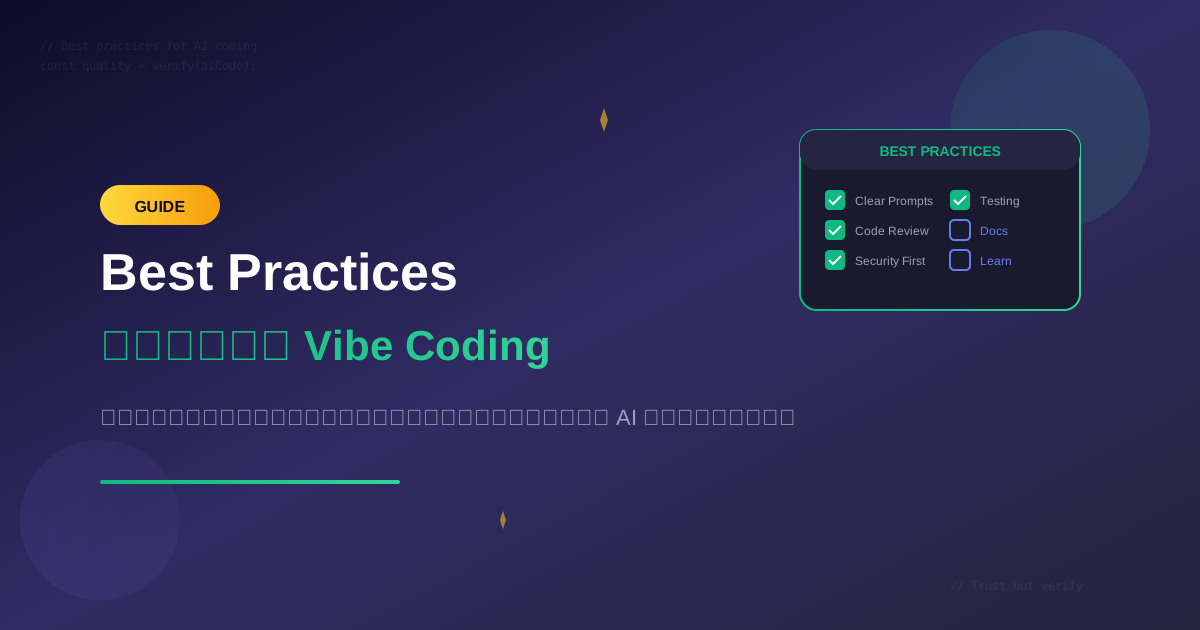
Vibe Coding กำลังเปลี่ยนวิธีที่เราพัฒนาซอฟต์แวร์ แต่การใช้ AI อย่างมีประสิทธิภาพต้องอาศัยทักษะและแนวปฏิบัติที่ถูกต้อง บทความนี้รวบรวม best practices ที่จะช่วยให้คุณใช้ AI coding assistants ได้อย่างเต็มศักยภาพ
หลักการพื้นฐาน
The Vibe Coding Mindset
Traditional: "ฉันต้องเขียนทุกบรรทัดเอง"
↓
Vibe Coding: "ฉันเป็นผู้กำกับ AI เป็นผู้ช่วย"
หลักการสำคัญ:
- AI เป็นผู้ช่วย ไม่ใช่ผู้แทนที่ - คุณยังต้องเข้าใจโค้ด
- Quality over Speed - เร็วขึ้นแต่ต้องไม่ลดคุณภาพ
- Trust but Verify - เชื่อถือแต่ต้องตรวจสอบ
- Continuous Learning - เรียนรู้จาก AI และพัฒนาตัวเอง
Best Practice #1: เขียน Prompts ที่ดี
โครงสร้าง Prompt ที่มีประสิทธิภาพ
[Context] - บริบทของงาน
[Task] - สิ่งที่ต้องการ
[Constraints] - ข้อจำกัด
[Format] - รูปแบบผลลัพธ์
[Examples] - ตัวอย่าง (ถ้ามี)
ตัวอย่างการใช้งาน
❌ ไม่ดี:
"สร้าง API"

✅ ดี:
"Context: Next.js 14 app with Supabase backend

Task: สร้าง API route สำหรับ user registration

Constraints:
- ใช้ Zod สำหรับ validation
- Hash password ด้วย bcrypt
- Return appropriate HTTP status codes
- ต้องมี rate limiting

Format:
- TypeScript
- มี comments อธิบาย
- มี error types

Example response structure:
{ success: true, user: { id, email, name } }
หรือ
{ success: false, error: { code, message } }"
เทคนิคเพิ่มเติม
1. ใช้ Role Setting
"คุณเป็น Senior TypeScript Developer ที่เชี่ยวชาญ Next.js และ Supabase
ช่วย review โค้ดนี้และเสนอแนะการปรับปรุง..."
2. ให้ Context จากโปรเจค
"@file:package.json @file:tsconfig.json
ช่วย setup path aliases ให้ใช้ @/ แทน relative imports"
3. ขอให้ Think Step-by-Step
"คิดทีละขั้นตอน:
1. วิเคราะห์ requirements
2. ออกแบบ solution
3. เขียนโค้ด
4. ตรวจสอบ edge cases"
Best Practice #2: Review โค้ดอย่างละเอียด
Checklist สำหรับ Review AI-Generated Code
## Logic Review
- [ ] Logic ถูกต้องตาม requirements หรือไม่?
- [ ] มี edge cases ที่ไม่ได้จัดการหรือไม่?
- [ ] Algorithm มีประสิทธิภาพหรือไม่?

## Security Review
- [ ] มี SQL injection vulnerabilities หรือไม่?
- [ ] มี XSS vulnerabilities หรือไม่?
- [ ] Sensitive data ถูก handle อย่างถูกต้องหรือไม่?
- [ ] Authentication/Authorization ถูกต้องหรือไม่?

## Code Quality
- [ ] ตรงตาม coding standards ของ project หรือไม่?
- [ ] มี unnecessary dependencies หรือไม่?
- [ ] Error handling ครบถ้วนหรือไม่?
- [ ] มี hardcoded values ที่ควรเป็น config หรือไม่?

## Performance
- [ ] มี N+1 queries หรือไม่?
- [ ] มี memory leaks หรือไม่?
- [ ] มี unnecessary re-renders (React) หรือไม่?
ตัวอย่างการ Review
// AI Generated Code
async function getUsers() {
  const users = await db.query('SELECT * FROM users');
  return users;
}

// Review Notes:
// ❌ SELECT * - ควรเลือกเฉพาะ columns ที่ต้องการ
// ❌ ไม่มี pagination - อาจทำให้ memory เต็ม
// ❌ ไม่มี error handling
// ❌ ไม่มี type safety

// Improved Version
async function getUsers(options: GetUsersOptions): Promise<PaginatedResult<User>> {
  try {
    const { page = 1, limit = 20, status } = options;
    const offset = (page - 1) * limit;

    const query = db
      .select(['id', 'email', 'name', 'created_at'])
      .from('users')
      .where(status ? { status } : {})
      .limit(limit)
      .offset(offset);

    const [users, total] = await Promise.all([
      query,
      db.count('users').where(status ? { status } : {})
    ]);

    return {
      data: users,
      pagination: {
        page,
        limit,
        total,
        totalPages: Math.ceil(total / limit)
      }
    };
  } catch (error) {
    logger.error('Failed to get users', { error, options });
    throw new DatabaseError('Failed to fetch users');
  }
}
Best Practice #3: Security First
สิ่งที่ต้องระวังเสมอ
1. ไม่ส่ง Sensitive Data ไปยัง AI
// ❌ อย่าทำ
"ช่วย debug function นี้:
const apiKey = 'sk-live-abc123...'
const dbPassword = 'production_password'"

// ✅ ใช้ placeholders
"ช่วย debug function นี้:
const apiKey = process.env.API_KEY
const dbPassword = process.env.DB_PASSWORD"
2. ตรวจสอบ AI-Generated Security Code
// AI อาจ generate code ที่มี vulnerabilities

// ❌ Vulnerable to SQL Injection
const query = `SELECT * FROM users WHERE id = ${userId}`;

// ✅ Use parameterized queries
const query = 'SELECT * FROM users WHERE id = $1';
const result = await db.query(query, [userId]);
3. Validate All Input
// AI อาจลืม validation

// ❌ ไม่มี validation
app.post('/api/users', async (req, res) => {
  const user = await createUser(req.body);
  res.json(user);
});

// ✅ มี validation
import { z } from 'zod';

const createUserSchema = z.object({
  email: z.string().email(),
  password: z.string().min(8),
  name: z.string().min(2).max(100)
});

app.post('/api/users', async (req, res) => {
  const result = createUserSchema.safeParse(req.body);
  if (!result.success) {
    return res.status(400).json({ error: result.error });
  }
  const user = await createUser(result.data);
  res.json(user);
});
Best Practice #4: Version Control Strategy
Commit Strategy
# ก่อนใช้ AI generate code ที่ใหญ่
git add .
git commit -m "WIP: before AI refactoring"

# หลังจาก AI generate และ review แล้ว
git add .
git commit -m "feat: add user authentication

- Add login/register endpoints
- Add JWT token management
- Add session middleware

AI-assisted with manual review"
Branch Strategy
# สำหรับ AI-heavy changes
git checkout -b feature/ai-refactor

# ทำ AI changes
# Review
# Test

# Merge เมื่อมั่นใจ
git checkout main
git merge feature/ai-refactor
Best Practice #5: Testing AI-Generated Code
ทำ Tests ก่อนใช้ Production
// AI Generate: function
function calculateTax(amount, rate) {
  return amount * rate;
}

// คุณต้องเขียน tests
describe('calculateTax', () => {
  // Happy path
  it('should calculate tax correctly', () => {
    expect(calculateTax(100, 0.07)).toBe(7);
  });

  // Edge cases
  it('should handle zero amount', () => {
    expect(calculateTax(0, 0.07)).toBe(0);
  });

  it('should handle zero rate', () => {
    expect(calculateTax(100, 0)).toBe(0);
  });

  // Error cases
  it('should handle negative amounts', () => {
    // ถาม: ควร throw error หรือ return negative?
    expect(() => calculateTax(-100, 0.07)).toThrow();
  });

  it('should handle invalid rate', () => {
    expect(() => calculateTax(100, 1.5)).toThrow();
  });
});
ให้ AI ช่วยสร้าง Tests
Prompt:
"สร้าง comprehensive unit tests สำหรับ function นี้:
[paste function]

ต้องครอบคลุม:
1. Happy path cases
2. Edge cases (empty, null, undefined)
3. Error cases
4. Boundary conditions
5. Type validation"
Best Practice #6: Documentation
Document AI Decisions
/**
 * Calculates shipping cost based on weight and destination.
 *
 * @ai-note This algorithm was generated by Claude and reviewed for:
 * - Weight bracket accuracy
 * - International shipping rates
 * - Edge case handling
 *
 * @reviewed 2025-01-25 by @developer
 */
function calculateShipping(weight, destination) {
  // ...
}
Maintain Context Files
สร้างไฟล์ .cursorrules หรือ CLAUDE.md:
# AI Context for This Project

## Tech Stack
- Next.js 14 with App Router
- Supabase for backend
- TypeScript strict mode
- Tailwind CSS + shadcn/ui

## Coding Standards
- Use async/await, not callbacks
- Prefer const over let
- Use early returns
- Error messages in Thai

## File Structure
- API routes: app/api/[resource]/route.ts
- Components: components/[category]/[name].tsx
- Hooks: lib/hooks/use-[name].ts

## Testing
- Use Vitest for unit tests
- Use Playwright for E2E
- Minimum 80% coverage for new code
Best Practice #7: Continuous Improvement
เรียนรู้จาก AI
// เมื่อ AI suggest โค้ดที่ดี
// ถามว่าทำไมถึงทำแบบนั้น

Prompt: "อธิบายว่าทำไมคุณถึงใช้ useMemo ตรงนี้
และเมื่อไหร่ควร/ไม่ควรใช้ useMemo"
Track AI Performance
## AI Usage Log

### 2025-01-25
- Task: Refactor auth system
- Tool: Cursor + Claude
- Time saved: ~2 hours
- Issues found: 1 security issue (fixed)
- Learnings: Claude ดีสำหรับ complex logic

### 2025-01-24
- Task: Generate CRUD endpoints
- Tool: GitHub Copilot
- Time saved: ~1 hour
- Issues found: None
- Learnings: Copilot เร็วสำหรับ boilerplate
Best Practice #8: Know When NOT to Use AI
งานที่ควรทำเอง
- Security-critical code - Authentication, encryption
- Business logic core - ที่ต้องเข้าใจลึกซึ้ง
- Performance-critical - ที่ต้อง optimize ละเอียด
- Legal/Compliance - ที่มีข้อกำหนดเฉพาะ
Warning Signs
❌ ไม่ควรใช้ AI เมื่อ:
- ไม่เข้าใจว่าโค้ดทำอะไร
- ไม่มีเวลา review
- งานที่ต้องการ 100% accuracy
- เกี่ยวกับ sensitive data จริงๆ
Checklist สรุป
ก่อนใช้ AI
- กำหนด scope และ requirements ชัดเจน
- เตรียม context ที่จำเป็น
- ตรวจสอบว่าไม่มี sensitive data
ระหว่างใช้ AI
- เขียน prompt ที่ชัดเจนและละเอียด
- Iterate ถ้าผลลัพธ์ไม่ตรงใจ
- ถามคำถามถ้าไม่เข้าใจ
หลังใช้ AI
- Review โค้ดอย่างละเอียด
- ตรวจสอบ security
- เขียน tests
- Document การเปลี่ยนแปลง
- Commit ด้วย message ที่ชัดเจน
สรุป
Vibe Coding จะมีประสิทธิภาพสูงสุดเมื่อคุณ:
- เขียน prompts ที่ดี - ชัดเจน ละเอียด มี context
- Review ทุกครั้ง - ไม่ trust 100%
- Security first - ระวัง vulnerabilities
- Test thoroughly - มี coverage ที่ดี
- Document decisions - เพื่อ maintenance
- Keep learning - พัฒนาตัวเองไปพร้อมกับ AI
พร้อมเริ่ม Vibe Coding อย่างมืออาชีพแล้วหรือยัง?
เริ่มต้นด้วยการอ่าน:
- Vibe Coding คืออะไร?
- 5 AI Coding Assistants ที่ดีที่สุดในปี 2025
- Prompt Engineering สำหรับ Developers
คำถามที่พบบ่อย (FAQ)
Q: เขียน prompt ยังไงให้ได้โค้ดดี? ใส่บริบท งาน ข้อจำกัด รูปแบบผลลัพธ์ และตัวอย่าง อย่าพิมพ์แค่ว่าสร้าง API ให้ระบุสแต็ก, วิธีตรวจค่า, รหัสสถานะ และโครงคำตอบ ถ้าไม่เข้าใจผลลัพธ์ให้ขอให้คิดทีละขั้น
Q: โค้ดจาก AI ขึ้นโปรดักชันได้เลยไหม? ไม่ได้ ต้องตรวจ logic, ความปลอดภัย, คุณภาพ และประสิทธิภาพทุกครั้ง หลักในบทความคือเชื่อได้แต่ต้องพิสูจน์ AI เป็นผู้ช่วยไม่ใช่คนทำแทน และห้ามลดคุณภาพเพื่อความเร็ว
Q: ส่ง API key ให้ AI ช่วยดีบักได้ไหม? ห้ามส่งข้อมูลลับไปให้ AI ให้ใช้ค่าจำลองอย่าง process.env.API_KEY แทนคีย์จริง ตอนรีวิวให้ดูช่องโหว่เช่น SQL injection, XSS และการจัดการข้อมูลสำคัญ
Q: งานแบบไหนไม่ควรใช้ AI? โค้ดด้านความปลอดภัย เช่น การล็อกอินและการเข้ารหัส, ตรรกะธุรกิจแกน, จุดที่ต้องเร่งความเร็วละเอียด และงานที่เกี่ยวกับกฎหมาย รวมถึงตอนที่คุณไม่เข้าใจโค้ดหรือไม่มีเวลาตรวจ
Q: ก่อนให้ AI แก้โค้ดเยอะควรทำอะไร? commit งานค้างไว้ก่อน แล้วทำบน branch แยก หลังตรวจและเขียนเทสต์ค่อยรวมกลับ อย่าปล่อยโค้ดจาก AI ขึ้นโปรดักชันโดยไม่มีเทสต์ครอบคลุมกรณีปกติ ขอบ และข้อผิดพลาด
Q: ตรวจความปลอดภัยของโค้ด AI ยังไง? อย่าต่อสตริงคำสั่งฐานข้อมูลจากค่าที่ผู้ใช้ส่งมา ให้ใช้คำสั่งแบบมีพารามิเตอร์ และตรวจอินพุตด้วยเครื่องมืออย่าง Zod ดูด้วยว่ามีการยืนยันตัวตนและการจำกัดสิทธิ์ครบหรือไม่
เขียนโดย
AI Unlocked Team
สถาบันสอน AI และ Vibe Coding — เชียงใหม่และออนไลน์
AI Unlocked สอน AI และ Vibe Coding มากว่า 15 ปี ผู้เรียนกว่า 1,500 คน โฟกัสลงมือทำจริงด้วย Claude Code, n8n และ AI Agent
บทความในหัวข้อเดียวกัน
Vibe Coding คืออะไร? การเขียนโค้ดด้วย AI ยุคใหม่
ทำความเข้าใจ Vibe Coding วิธีการเขียนโค้ดรูปแบบใหม่ที่ใช้ AI เป็นผู้ช่วย พร้อมเรียนรู้หลักการ ข้อดี และวิธีเริ่มต้นสำหรับนักพัฒนาทุกระดับ
Vibe Coding สำหรับ SaaS MVP — ใน 2 สัปดาห์
สร้าง SaaS MVP ด้วย Vibe Coding ใน 14 วัน — Next.js, Supabase, Stripe, Vercel พร้อม 14-day plan ทีละ step เริ่มขายได้จริง!
MCP (Model Context Protocol) + Agent — สอน Setup
MCP Agent คืออะไร? สอน Setup Model Context Protocol ตั้งแต่ต้น — เชื่อม Claude, Cursor, Continue + สร้าง Custom Server สำหรับธุรกิจ เริ่มใช้วันนี้!