
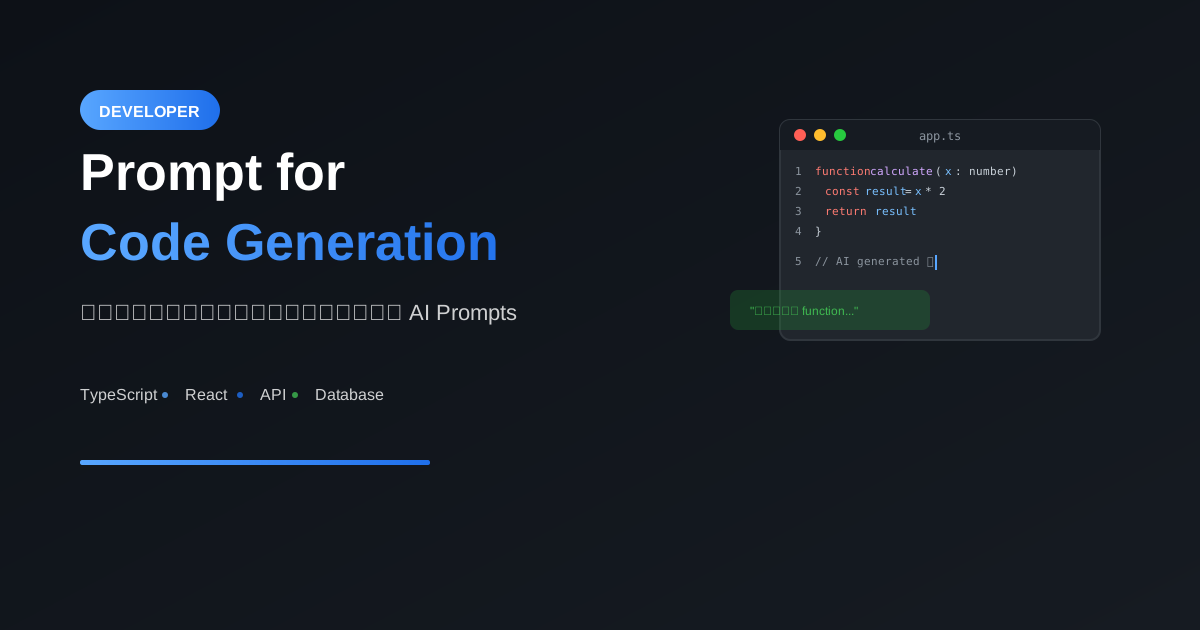
AI สามารถเขียนโค้ดได้ดีมาก แต่คุณภาพของโค้ดขึ้นอยู่กับคุณภาพของ Prompt บทความนี้จะสอนวิธีเขียน Prompt ที่ได้โค้ดตรงใจ
หลักการพื้นฐาน
องค์ประกอบของ Good Code Prompt
1. Task: บอกว่าต้องการอะไร
2. Language/Framework: ระบุภาษาและเครื่องมือ
3. Input/Output: บอก input และ expected output
4. Constraints: ข้อจำกัดและเงื่อนไข
5. Style: coding style และ conventions
ตัวอย่างเปรียบเทียบ
❌ Prompt ไม่ดี:
"เขียน function sort"

✅ Prompt ดี:
"เขียน function ใน TypeScript สำหรับ sort array
ของ objects ตาม property ใดก็ได้

Input:
- array: T[]
- key: keyof T
- order: 'asc' | 'desc'

Output: T[] ที่ sort แล้ว

Requirements:
- ใช้ generics
- รองรับ null/undefined values
- มี type safety"
Templates สำหรับงานต่างๆ
1. Function/Method
เขียน [function/method] ใน [language]

Purpose: [อธิบายว่าทำอะไร]

Function signature:
- Name: [ชื่อ function]
- Parameters: [รายการ parameters พร้อม types]
- Return type: [return type]

Logic:
1. [ขั้นตอนที่ 1]
2. [ขั้นตอนที่ 2]
3. [ขั้นตอนที่ 3]

Edge cases:
- [กรณีพิเศษที่ต้อง handle]

Example:
Input: [ตัวอย่าง input]
Output: [ตัวอย่าง output ที่คาดหวัง]
2. API Endpoint
สร้าง REST API endpoint ด้วย [framework]

Endpoint: [METHOD] /api/[path]

Request:
- Headers: [required headers]
- Body: [request body schema]
- Query params: [query parameters]

Response:
- Success (200): [response schema]
- Error (4xx/5xx): [error response]

Business logic:
1. [ขั้นตอนการ validate]
2. [ขั้นตอนการ process]
3. [ขั้นตอนการ respond]

Security:
- [authentication requirements]
- [authorization rules]
3. Database Query
เขียน [SQL/ORM query] สำหรับ [database]

Purpose: [อธิบายว่าต้องการข้อมูลอะไร]

Tables involved:
- [table1]: [columns ที่เกี่ยวข้อง]
- [table2]: [columns ที่เกี่ยวข้อง]

Conditions:
- [condition 1]
- [condition 2]

Expected result:
- Columns: [columns ที่ต้องการ]
- Sorting: [วิธี sort]
- Limit: [จำนวน records]
4. React Component
สร้าง React component ด้วย TypeScript

Component: [ชื่อ component]

Props:
- [prop1]: [type] - [description]
- [prop2]: [type] - [description]

State:
- [state1]: [type] - [description]

Features:
1. [feature 1]
2. [feature 2]

Styling: [CSS method - Tailwind/CSS Modules/styled-components]

Include:
- TypeScript types
- Error handling
- Loading state
- [อื่นๆ]
ตัวอย่างจริง
ตัวอย่าง 1: Utility Function
เขียน utility function ใน TypeScript

ชื่อ: debounce

Purpose: delay การเรียก function จนกว่า
จะหยุดเรียกไประยะหนึ่ง (สำหรับ search input)

Signature:
function debounce<T extends (...args: any[]) => any>(
  func: T,
  wait: number
): (...args: Parameters<T>) => void

Requirements:
- ใช้ generics เพื่อ preserve function types
- cancel ถ้าถูกเรียกซ้ำก่อนหมดเวลา
- รองรับ arguments ของ original function

Usage example:
const debouncedSearch = debounce(search, 300);
debouncedSearch('query'); // จะเรียก search หลัง 300ms
ผลลัพธ์:
function debounce<T extends (...args: any[]) => any>(
  func: T,
  wait: number
): (...args: Parameters<T>) => void {
  let timeoutId: ReturnType<typeof setTimeout> | null = null;

  return function (...args: Parameters<T>) {
    if (timeoutId) {
      clearTimeout(timeoutId);
    }

    timeoutId = setTimeout(() => {
      func(...args);
      timeoutId = null;
    }, wait);
  };
}
ตัวอย่าง 2: API Endpoint
สร้าง Next.js API route สำหรับ user registration

Endpoint: POST /api/auth/register

Request body:
```json
{
  "email": "string (required, valid email)",
  "password": "string (required, min 8 chars)",
  "name": "string (required)"
}
Response:
- 201: user object พร้อม token
- 400: error message สำหรับ validation errors
- 409: error message ถ้า email ซ้ำ
Logic:
- Validate input
- Check if email exists
- Hash password (bcrypt)
- Create user in database (Prisma)
- Generate JWT token
- Return user and token
Use: zod สำหรับ validation
### ตัวอย่าง 3: React Component
สร้าง SearchInput component ด้วย React + TypeScript
Props:
- placeholder: string
- onSearch: (query: string) => void
- debounceMs?: number (default 300)
- loading?: boolean
Features:
- Debounced search (ใช้ useCallback)
- Clear button เมื่อมี text
- Loading spinner ขณะ search
- ป้องกัน submit empty string
Styling: Tailwind CSS
- Input มี border และ focus ring
- Clear button อยู่ด้านขวา
- Loading spinner แทน clear button ขณะ loading
### ตัวอย่าง 4: Database Query
เขียน Prisma query สำหรับ dashboard analytics
ต้องการข้อมูล:
- จำนวน users ใหม่ใน 7 วันที่ผ่านมา
- รายได้รวมในเดือนนี้
- Top 5 สินค้าขายดี (by quantity)
- Conversion rate (orders / visitors)
Schema:
- User: id, createdAt, email
- Order: id, createdAt, userId, total, status
- OrderItem: id, orderId, productId, quantity
- Product: id, name, price
- PageView: id, createdAt, path
Return format:
{
  newUsers: number,
  monthlyRevenue: number,
  topProducts: { name: string, quantity: number }[],
  conversionRate: number
}
Advanced Techniques
1. Chain of Thought สำหรับ Logic ซับซ้อน
เขียน algorithm สำหรับหา shortest path

ก่อนเขียนโค้ด ให้:
1. อธิบาย algorithm ที่เลือกใช้และเหตุผล
2. วิเคราะห์ Time/Space complexity
3. ระบุ edge cases
4. เขียน pseudocode
5. แล้วค่อยเขียนโค้ดจริง

Input: weighted graph แบบ adjacency list
Output: shortest path และ distance
2. Test-Driven Prompt
เขียน function พร้อม unit tests

Function: validateCreditCard(cardNumber: string): boolean

ให้เขียน:
1. Test cases ก่อน (Jest)
   - Valid cards (Visa, Mastercard, Amex)
   - Invalid: too short, too long, non-numeric
   - Edge cases: empty string, spaces

2. จากนั้นเขียน function ให้ผ่านทุก tests

3. ใช้ Luhn algorithm
3. Refactoring Prompt
Refactor โค้ดต่อไปนี้:

[paste existing code here]

ปรับปรุง:
1. แยก concerns (single responsibility)
2. เพิ่ม type safety (TypeScript)
3. ใช้ async/await แทน callbacks
4. เพิ่ม error handling ที่เหมาะสม
5. ปรับให้ testable

อธิบายสิ่งที่เปลี่ยนและเหตุผล
4. Documentation Prompt
เพิ่ม documentation ให้โค้ดนี้:

[paste code here]

ให้:
1. JSDoc comments สำหรับทุก functions
2. Type definitions ถ้ายังไม่มี
3. Example usage ใน comments
4. README section อธิบายการใช้งาน
Best Practices
1. ระบุ Language/Framework ให้ชัด
❌ "เขียน REST API"
✅ "เขียน REST API ด้วย Express.js + TypeScript"
2. ให้ Context เพียงพอ
❌ "เขียน auth middleware"
✅ "เขียน auth middleware สำหรับ Express
    - ใช้ JWT tokens
    - ตรวจสอบ Bearer token ใน header
    - Decode และ attach user ไว้ที่ req.user
    - Return 401 ถ้า token invalid/expired"
3. บอก Error Handling
"จัดการ errors:
- Database connection errors → retry 3 ครั้ง
- Validation errors → return 400 with details
- Unexpected errors → log และ return 500"
4. ระบุ Coding Style
"Coding style:
- ใช้ camelCase สำหรับ variables
- ใช้ PascalCase สำหรับ types
- Prefer const over let
- No semicolons
- Single quotes"
Common Mistakes
1. ไม่ให้ตัวอย่าง
❌ "Parse CSV file"
✅ "Parse CSV file โดย:
    Input: 'name,age\nJohn,30\nJane,25'
    Output: [{name:'John',age:30},{name:'Jane',age:25}]"
2. ไม่บอก Edge Cases
❌ "Sort array"
✅ "Sort array โดย:
    - Handle empty array
    - Handle array with 1 element
    - Handle duplicates
    - Handle null/undefined values"
3. ไม่ระบุ Dependencies
❌ "Create image upload"
✅ "Create image upload using:
    - multer for file handling
    - sharp for resizing
    - AWS S3 for storage"
สรุป
Prompt ที่ดีสำหรับ Code Generation:
- Task: อธิบายชัดเจนว่าต้องการอะไร
- Language: ระบุภาษาและ framework
- I/O: บอก input/output ที่คาดหวัง
- Constraints: ข้อจำกัดและ requirements
- Examples: ให้ตัวอย่าง input/output
เทคนิคขั้นสูง:
- Chain of Thought
- Test-Driven
- Refactoring prompts
- Documentation prompts
อ่านเพิ่มเติม:
เขียนโดย
AI Unlocked Team
สถาบันสอน AI และ Vibe Coding — เชียงใหม่และออนไลน์
AI Unlocked สอน AI และ Vibe Coding มากว่า 15 ปี ผู้เรียนกว่า 1,500 คน โฟกัสลงมือทำจริงด้วย Claude Code, n8n และ AI Agent
บทความในหัวข้อเดียวกัน

เรียน AI 2026 — Complete Roadmap จากศูนย์ถึงโปร
เรียน AI ปี 2026 ไม่รู้จะเริ่มต้นยังไง? อ่าน Roadmap ฉบับสมบูรณ์นี้ ครบทุก Stage พร้อม Track ตามอาชีพ เริ่มได้เลยวันนี้
เรียน AI ใน 30 วัน — Plan สำหรับคนงานยุ่ง
เรียน AI 30 วัน ได้จริงไหม? Plan วันละ 1 ชม. สำหรับคนทำงานยุ่ง ตั้งแต่ Foundation ถึง Portfolio — เริ่มต้นได้เลยวันนี้ ดู Pricing

เรียน AI แล้วเปลี่ยนสายงานได้จริงไหม — Real Case Thai
เรียน AI เปลี่ยนสายงานได้จริงในไทยปี 2026 — 4 case จริง timeline realistic และขั้นตอนที่ทำได้เลย เริ่มต้นที่ AI Unlocked