
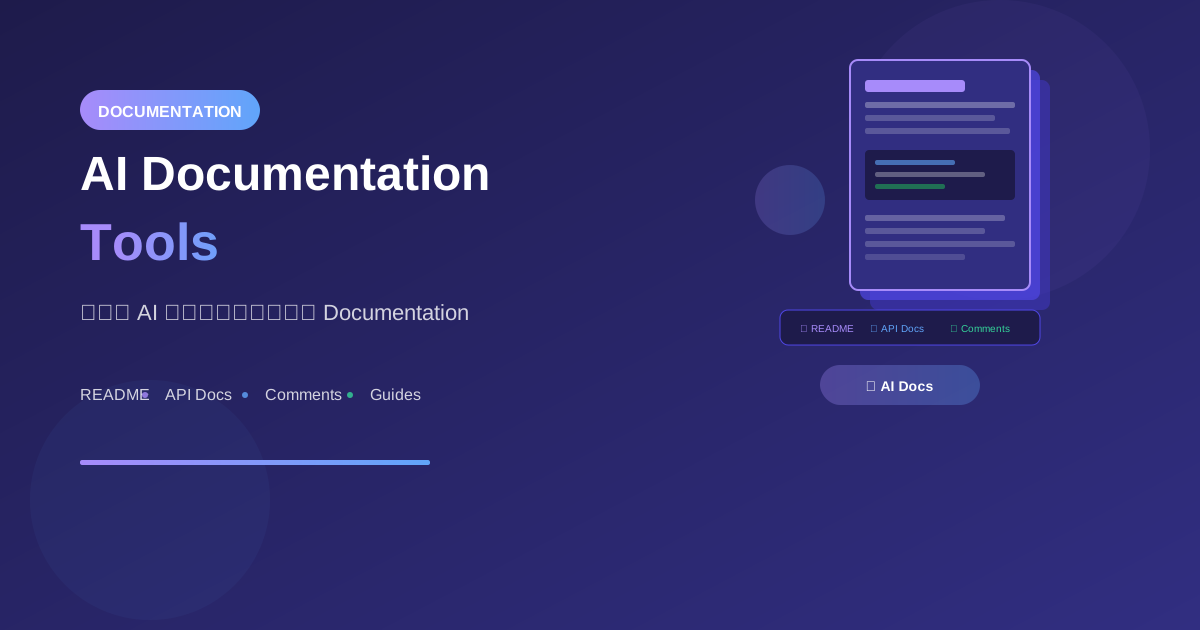
Documentation เป็นส่วนสำคัญที่มักถูกละเลย AI สามารถช่วยเขียน docs ได้รวดเร็วและมีคุณภาพ ทำให้ code เข้าใจง่ายขึ้น
ทำไมต้องใช้ AI เขียน Documentation?
ปัญหาของ Documentation แบบดั้งเดิม
Traditional Documentation:
- ใช้เวลามาก
- มักถูกข้าม
- Outdated เร็ว
- ไม่ consistent
- น่าเบื่อในการเขียน
AI-Assisted Documentation
AI Documentation:
✅ เขียนได้รวดเร็ว
✅ Consistent format
✅ ครอบคลุมทุกส่วน
✅ ปรับ update ง่าย
✅ หลายภาษา/หลายระดับ
Types of Documentation
1. Code Comments
// AI สามารถสร้าง comments ที่อธิบาย:
// - What: function ทำอะไร
// - Why: ทำไมต้องเขียนแบบนี้
// - How: ทำงานอย่างไร
// - Parameters & Return values
2. README Files
README ที่ดีควรมี:
- Project overview
- Installation steps
- Usage examples
- Configuration
- Contributing guide
3. API Documentation
API Docs ที่ครบถ้วน:
- Endpoint descriptions
- Request/Response schemas
- Examples
- Error codes
- Authentication
4. Technical Guides
Guides สำหรับ:
- Getting started
- Architecture overview
- Best practices
- Troubleshooting
Practical Examples
Example 1: Function Documentation
// ก่อน: ไม่มี documentation
function calculateShipping(items, address, options) {
  let weight = items.reduce((sum, item) => sum + item.weight * item.qty, 0);
  let base = weight * 0.5;

  if (address.country !== 'TH') {
    base *= 2.5;
  }

  if (options.express) {
    base *= 1.5;
  }

  if (weight > 10) {
    base *= 0.9;
  }

  return Math.round(base * 100) / 100;
}
Prompt:
"Add comprehensive JSDoc documentation to this function.
Include @description, @param, @returns, and @example"
// หลัง: มี documentation ครบถ้วน
/**
 * Calculates shipping cost based on items, destination, and shipping options.
 *
 * @description
 * This function computes the shipping cost using the following factors:
 * - Total weight of all items
 * - Destination country (international shipping costs 2.5x more)
 * - Express delivery option (1.5x multiplier)
 * - Bulk discount (10% off for orders over 10kg)
 *
 * @param {Array<Object>} items - Array of items to ship
 * @param {number} items[].weight - Weight of single item in kg
 * @param {number} items[].qty - Quantity of this item
 * @param {Object} address - Shipping destination
 * @param {string} address.country - ISO country code (e.g., 'TH', 'US')
 * @param {Object} options - Shipping options
 * @param {boolean} [options.express=false] - Whether to use express delivery
 *
 * @returns {number} Calculated shipping cost in THB, rounded to 2 decimals
 *
 * @example
 * // Domestic standard shipping
 * calculateShipping(
 *   [{ weight: 2, qty: 3 }], // 6kg total
 *   { country: 'TH' },
 *   { express: false }
 * ); // Returns: 3.00
 *
 * @example
 * // International express shipping with bulk discount
 * calculateShipping(
 *   [{ weight: 5, qty: 3 }], // 15kg total
 *   { country: 'US' },
 *   { express: true }
 * ); // Returns: 25.31 (base * 2.5 * 1.5 * 0.9)
 */
function calculateShipping(items, address, options = {}) {
  // ... implementation
}
Example 2: README Generation
Prompt:
"Generate a comprehensive README.md for a React
e-commerce project with the following features:
- Product catalog
- Shopping cart
- User authentication
- Stripe payments
- Admin dashboard

Tech stack: React, TypeScript, Tailwind, Supabase, Stripe

Include all standard sections."
# ShopReact - E-Commerce Platform

A modern, full-featured e-commerce platform built with React and TypeScript.

## 🚀 Features

- **Product Catalog**: Browse and search products with filters
- **Shopping Cart**: Add, remove, and manage items
- **User Authentication**: Secure login/signup with Supabase
- **Payments**: Stripe integration for secure checkout
- **Admin Dashboard**: Manage products, orders, and users

## 📦 Tech Stack

- **Frontend**: React 18, TypeScript
- **Styling**: Tailwind CSS
- **Database**: Supabase (PostgreSQL)
- **Authentication**: Supabase Auth
- **Payments**: Stripe
- **State Management**: Zustand

## 🛠️ Installation

### Prerequisites

- Node.js 18+
- npm or yarn
- Supabase account
- Stripe account

### Setup

1. Clone the repository
   git clone https://github.com/username/shop-react.git
   cd shop-react

2. Install dependencies
   npm install

3. Set up environment variables
   cp .env.example .env.local
   # Edit .env.local with your credentials

4. Run database migrations
   npm run db:migrate

5. Start development server
   npm run dev

## 🔧 Configuration

Create a `.env.local` file with:

NEXT_PUBLIC_SUPABASE_URL=your_supabase_url
NEXT_PUBLIC_SUPABASE_ANON_KEY=your_anon_key
STRIPE_SECRET_KEY=your_stripe_secret
NEXT_PUBLIC_STRIPE_PUBLISHABLE_KEY=your_stripe_public

## 📚 Documentation

- [API Reference](./docs/api.md)
- [Database Schema](./docs/database.md)
- [Deployment Guide](./docs/deployment.md)

## 🤝 Contributing

1. Fork the repository
2. Create a feature branch
3. Commit your changes
4. Push to the branch
5. Open a Pull Request

## 📄 License

MIT License - see [LICENSE](LICENSE) for details
Example 3: API Documentation
Prompt:
"Generate API documentation for this Express endpoint
in OpenAPI/Swagger format"
# AI Generated OpenAPI Spec
openapi: 3.0.0
info:
  title: User Management API
  version: 1.0.0
  description: API for managing user accounts

paths:
  /api/users:
    post:
      summary: Create a new user
      description: |
        Creates a new user account with the provided information.
        Email must be unique. Password is hashed before storage.
      tags:
        - Users
      requestBody:
        required: true
        content:
          application/json:
            schema:
              type: object
              required:
                - email
                - password
                - name
              properties:
                email:
                  type: string
                  format: email
                  example: [email protected]
                password:
                  type: string
                  minLength: 8
                  example: securePassword123
                name:
                  type: string
                  example: John Doe
      responses:
        '201':
          description: User created successfully
          content:
            application/json:
              schema:
                $ref: '#/components/schemas/User'
        '400':
          description: Missing required fields
          content:
            application/json:
              schema:
                $ref: '#/components/schemas/Error'
        '409':
          description: Email already exists
          content:
            application/json:
              schema:
                $ref: '#/components/schemas/Error'

components:
  schemas:
    User:
      type: object
      properties:
        id:
          type: string
          format: uuid
        email:
          type: string
        name:
          type: string
        createdAt:
          type: string
          format: date-time
    Error:
      type: object
      properties:
        error:
          type: string
AI Documentation Tools
GitHub Copilot
Features:
- Inline comment generation
- Docstring completion
- README templates

Usage:
1. Type comment prefix (// or /*)
2. Copilot suggests documentation
3. Tab to accept
Cursor IDE
Built-in documentation:
1. Select code
2. Cmd+K → "Document this code"
3. Get comprehensive docs

Features:
- Context-aware
- Multiple doc styles
- Inline updates
Specialized Tools
1. Mintlify
   - Auto-generate docs from code
   - Beautiful documentation sites
   - AI-powered updates

2. ReadMe
   - API documentation
   - Interactive examples
   - Developer hub

3. Swimm
   - Code-coupled documentation
   - Auto-updates with code changes
   - Team collaboration
Prompt Templates
Code Documentation
"Add documentation to this [language] code:

[paste code]

Include:
- Function/class description
- Parameters with types
- Return values
- Usage examples
- Edge cases noted

Format: [JSDoc/Docstring/XML comments]"
README Generation
"Generate a README.md for this project:

Project: [name]
Description: [what it does]
Tech Stack: [technologies]
Features: [main features]

Include:
- Overview
- Installation
- Configuration
- Usage examples
- Contributing guidelines
- License"
API Documentation
"Generate API documentation for:

[paste API code or describe endpoints]

Format: [OpenAPI/Markdown/Postman collection]

Include:
- Endpoint descriptions
- Request/response schemas
- Example requests
- Error codes and handling
- Authentication requirements"
Best Practices
1. Be Specific About Format
❌ "Document this"

✅ "Add JSDoc documentation with:
- @description
- @param with types
- @returns
- @throws
- @example with actual usage"
2. Specify Audience
"Write documentation for:
- Beginner developers (more explanation)
- API consumers (focus on usage)
- Internal team (include implementation details)"
3. Request Multiple Formats
"Generate documentation in:
1. Inline comments for developers
2. README section for users
3. API reference for integrators"
4. Include Examples
"Add practical examples showing:
- Basic usage
- Advanced patterns
- Common mistakes to avoid
- Real-world scenarios"
Documentation Workflow
Initial Documentation
1. Write code
2. Ask AI to generate docs
3. Review and refine
4. Integrate with code
Maintenance
1. Code changes detected
2. AI suggests doc updates
3. Review changes
4. Approve or modify
Documentation Review
"Review this documentation for:
- Accuracy
- Completeness
- Clarity
- Examples quality
- Consistency with code"
Types of Documentation by Audience
For Users
Focus on:
- Getting started
- Common use cases
- Troubleshooting
- Examples

Prompt:
"Write user documentation assuming no technical
background. Focus on how to use, not how it works."
For Developers
Focus on:
- Architecture
- API reference
- Code examples
- Integration guides

Prompt:
"Write developer documentation with technical
details, code examples, and implementation notes."
For Contributors
Focus on:
- Setup guide
- Code style
- PR process
- Testing requirements

Prompt:
"Write contributor documentation covering
development setup, coding standards, and
contribution workflow."
สรุป
AI Documentation Benefits:
- Speed: เขียนได้เร็วขึ้นมาก
- Consistency: Format เดียวกันทั้ง project
- Coverage: ครบถ้วนไม่ตกหล่น
- Quality: ภาษาชัดเจน เข้าใจง่าย
- Maintenance: Update ง่าย
Documentation Types:
- Code comments
- README files
- API documentation
- Technical guides
- User manuals
Best Practices:
- Specify format และ audience
- Include examples
- Review AI output
- Keep docs updated
Remember:
- Documentation = investment
- AI ช่วยลดภาระ
- Review เสมอก่อนใช้
- Update เมื่อ code เปลี่ยน
อ่านเพิ่มเติม:
เขียนโดย
AI Unlocked Team
สถาบันสอน AI และ Vibe Coding — เชียงใหม่และออนไลน์
AI Unlocked สอน AI และ Vibe Coding มากว่า 15 ปี ผู้เรียนกว่า 1,500 คน โฟกัสลงมือทำจริงด้วย Claude Code, n8n และ AI Agent
บทความในหัวข้อเดียวกัน
Vibe Coding คืออะไร? การเขียนโค้ดด้วย AI ยุคใหม่
ทำความเข้าใจ Vibe Coding วิธีการเขียนโค้ดรูปแบบใหม่ที่ใช้ AI เป็นผู้ช่วย พร้อมเรียนรู้หลักการ ข้อดี และวิธีเริ่มต้นสำหรับนักพัฒนาทุกระดับ
Vibe Coding สำหรับ SaaS MVP — ใน 2 สัปดาห์
สร้าง SaaS MVP ด้วย Vibe Coding ใน 14 วัน — Next.js, Supabase, Stripe, Vercel พร้อม 14-day plan ทีละ step เริ่มขายได้จริง!
MCP (Model Context Protocol) + Agent — สอน Setup
MCP Agent คืออะไร? สอน Setup Model Context Protocol ตั้งแต่ต้น — เชื่อม Claude, Cursor, Continue + สร้าง Custom Server สำหรับธุรกิจ เริ่มใช้วันนี้!