
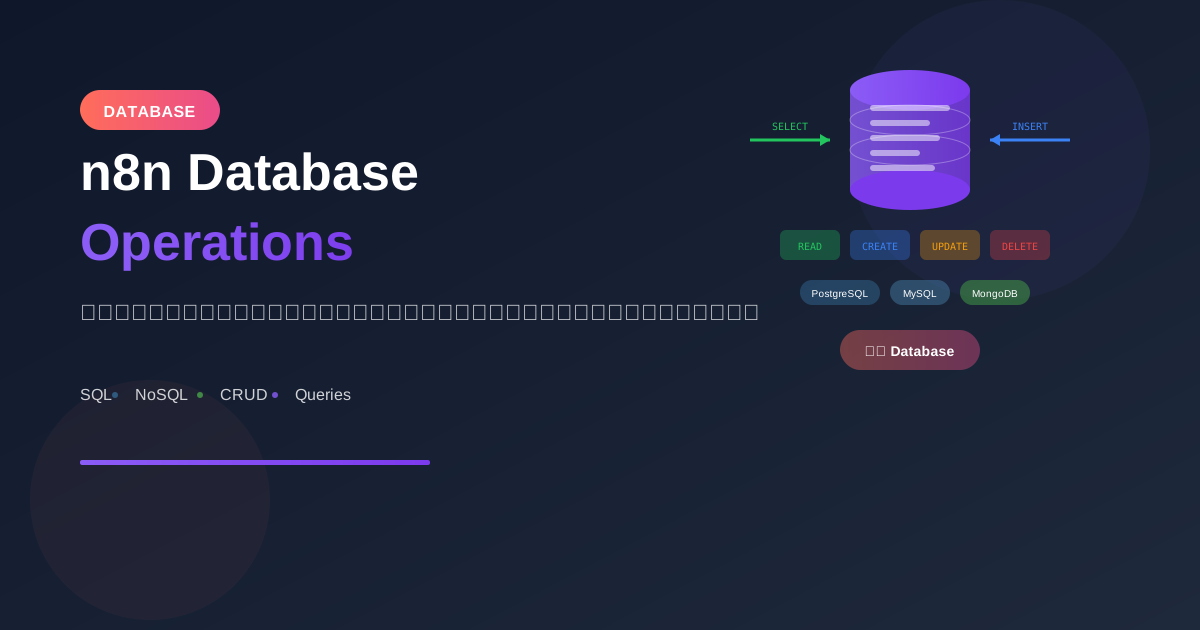
n8n รองรับ database หลายประเภท เรียนรู้วิธีเชื่อมต่อและจัดการข้อมูลอย่างมีประสิทธิภาพ
Supported Databases
SQL Databases
- MySQL
- PostgreSQL
- Microsoft SQL Server
- SQLite
- MariaDB
- Oracle (via JDBC)
NoSQL Databases
- MongoDB
- Redis
- Elasticsearch
- CouchDB
Cloud Databases
- Supabase (PostgreSQL)
- PlanetScale (MySQL)
- Firebase/Firestore
- AWS DynamoDB
- Google BigQuery
Database Connection Setup
PostgreSQL
Credentials:
- Host: localhost (หรือ server IP)
- Port: 5432
- Database: mydb
- User: postgres
- Password: yourpassword
- SSL: true/false
MySQL
Credentials:
- Host: localhost
- Port: 3306
- Database: mydb
- User: root
- Password: yourpassword
MongoDB
Credentials:
Connection String:
mongodb://user:password@host:27017/database

หรือ:
- Host: localhost
- Port: 27017
- Database: mydb
- User: admin
- Password: yourpassword
CRUD Operations
Create (Insert)
-- PostgreSQL Node
INSERT INTO users (name, email, created_at)
VALUES ($1, $2, NOW())
RETURNING *

-- Parameters
$1: {{ $json.name }}
$2: {{ $json.email }}
Read (Select)
-- Basic Select
SELECT * FROM users WHERE status = 'active'

-- With Parameters
SELECT * FROM orders
WHERE customer_id = $1
AND created_at > $2
ORDER BY created_at DESC
LIMIT 10

-- Parameters
$1: {{ $json.customer_id }}
$2: {{ $json.start_date }}
Update
UPDATE users
SET
  name = $1,
  email = $2,
  updated_at = NOW()
WHERE id = $3
RETURNING *

-- Parameters
$1: {{ $json.name }}
$2: {{ $json.email }}
$3: {{ $json.id }}
Delete
DELETE FROM users
WHERE id = $1
RETURNING id

-- Parameter
$1: {{ $json.id }}
Query Patterns
Parameterized Queries
⚠️ IMPORTANT: ใช้ parameterized queries เสมอ!

❌ ไม่ปลอดภัย (SQL Injection):
SELECT * FROM users WHERE email = '{{ $json.email }}'

✅ ปลอดภัย:
SELECT * FROM users WHERE email = $1
Parameter: {{ $json.email }}
Batch Insert
-- Insert multiple rows
INSERT INTO products (name, price, category)
VALUES
  ($1, $2, $3),
  ($4, $5, $6),
  ($7, $8, $9)
// Code Node - Prepare batch values
const items = $input.all();
const values = items.flatMap(item => [
  item.json.name,
  item.json.price,
  item.json.category
]);

return { values, count: items.length };
Dynamic Queries
// Code Node - Build dynamic query
const filters = [];
const params = [];
let paramIndex = 1;

if ($json.status) {
  filters.push(`status = $${paramIndex++}`);
  params.push($json.status);
}

if ($json.category) {
  filters.push(`category = $${paramIndex++}`);
  params.push($json.category);
}

if ($json.minPrice) {
  filters.push(`price >= $${paramIndex++}`);
  params.push($json.minPrice);
}

const whereClause = filters.length > 0
  ? `WHERE ${filters.join(' AND ')}`
  : '';

return {
  query: `SELECT * FROM products ${whereClause}`,
  params
};
Practical Examples
Example 1: Sync Data Between Systems
Workflow: CRM to Database Sync

1. Schedule Trigger (hourly)

2. HTTP Request - Get CRM Data
   URL: https://api.crm.com/contacts
   Query: updated_since={{ $now.minus({hours: 1}).toISO() }}

3. Split In Batches
   Batch Size: 100

4. PostgreSQL - Upsert
   Operation: Execute Query

   INSERT INTO contacts (crm_id, name, email, phone, updated_at)
   VALUES ($1, $2, $3, $4, NOW())
   ON CONFLICT (crm_id)
   DO UPDATE SET
     name = EXCLUDED.name,
     email = EXCLUDED.email,
     phone = EXCLUDED.phone,
     updated_at = NOW()
Example 2: Daily Report from Database
Workflow: Generate Daily Sales Report

1. Schedule Trigger (0 8 * * *)

2. PostgreSQL - Get Yesterday's Sales
   SELECT
     DATE(created_at) as date,
     COUNT(*) as order_count,
     SUM(total) as revenue,
     AVG(total) as avg_order_value
   FROM orders
   WHERE created_at >= CURRENT_DATE - INTERVAL '1 day'
     AND created_at < CURRENT_DATE
   GROUP BY DATE(created_at)

3. PostgreSQL - Get Top Products
   SELECT
     p.name,
     SUM(oi.quantity) as units_sold,
     SUM(oi.quantity * oi.price) as revenue
   FROM order_items oi
   JOIN products p ON oi.product_id = p.id
   JOIN orders o ON oi.order_id = o.id
   WHERE o.created_at >= CURRENT_DATE - INTERVAL '1 day'
   GROUP BY p.id, p.name
   ORDER BY revenue DESC
   LIMIT 10

4. Send Email with Report
Example 3: Data Cleanup Job
Workflow: Archive Old Records

1. Schedule Trigger (0 2 * * 0) - Weekly at 2AM

2. PostgreSQL - Archive old orders
   WITH archived AS (
     INSERT INTO orders_archive
     SELECT * FROM orders
     WHERE created_at < NOW() - INTERVAL '1 year'
     RETURNING id
   )
   DELETE FROM orders
   WHERE id IN (SELECT id FROM archived)
   RETURNING COUNT(*)

3. PostgreSQL - Cleanup orphaned records
   DELETE FROM order_items
   WHERE order_id NOT IN (SELECT id FROM orders)

4. Log completion
Example 4: Real-time Data Pipeline
Workflow: Process Incoming Webhooks

1. Webhook Trigger

2. PostgreSQL - Insert raw event
   INSERT INTO events (type, payload, created_at)
   VALUES ($1, $2, NOW())
   RETURNING id

3. PostgreSQL - Check if customer exists
   SELECT id, email FROM customers
   WHERE external_id = $1

4. IF - Customer exists?
   Yes → Update customer
   No → Insert new customer

5. PostgreSQL - Insert activity log
MongoDB Operations
Find Documents
// MongoDB Node
Operation: Find

Collection: users
Query:
{
  "status": "active",
  "createdAt": { "$gte": { "$date": "{{ $json.startDate }}" } }
}

Options:
{
  "limit": 100,
  "sort": { "createdAt": -1 }
}
Insert Document
// MongoDB Node
Operation: Insert

Collection: orders
Document:
{
  "customerId": "{{ $json.customerId }}",
  "items": {{ JSON.stringify($json.items) }},
  "total": {{ $json.total }},
  "status": "pending",
  "createdAt": { "$date": "{{ $now.toISO() }}" }
}
Update Documents
// MongoDB Node
Operation: Update

Collection: users
Query: { "_id": { "$oid": "{{ $json.userId }}" } }
Update:
{
  "$set": {
    "lastLogin": { "$date": "{{ $now.toISO() }}" },
    "loginCount": { "$inc": 1 }
  }
}
Aggregation Pipeline
// MongoDB Node
Operation: Aggregate

Collection: orders
Pipeline:
[
  { "$match": { "status": "completed" } },
  { "$group": {
      "_id": "$customerId",
      "totalOrders": { "$sum": 1 },
      "totalSpent": { "$sum": "$total" }
    }
  },
  { "$sort": { "totalSpent": -1 } },
  { "$limit": 10 }
]
Performance Tips
1. Use Indexes
-- สร้าง index สำหรับ columns ที่ query บ่อย
CREATE INDEX idx_orders_customer_id ON orders(customer_id);
CREATE INDEX idx_orders_created_at ON orders(created_at);
CREATE INDEX idx_orders_status ON orders(status);
2. Limit Results
-- ใช้ LIMIT เสมอ
SELECT * FROM orders
WHERE status = 'pending'
ORDER BY created_at
LIMIT 100 OFFSET 0
3. Select Only Needed Columns
-- ❌ ไม่ดี
SELECT * FROM orders

-- ✅ ดี
SELECT id, customer_id, total, status
FROM orders
4. Use Connection Pooling
n8n Settings:
- Connection pool size
- Idle timeout
- Max connections

สำหรับ high-volume workflows
Error Handling
Handle Connection Errors
1. Database Node
   Continue on Fail: true

2. IF - Check error
   Condition: {{ $json.error !== undefined }}

3. On Error:
   - Log error
   - Send alert
   - Retry with backoff
Transaction Pattern
Workflow: Transaction-like behavior

1. Start: Insert to temp table
2. Process: Transform data
3. Validate: Check results
4. IF - Valid?
   Yes → Copy to final table, delete temp
   No → Delete temp, report error
Security Best Practices
☐ ใช้ parameterized queries
☐ ใช้ least privilege principle
   - Read-only user สำหรับ SELECT
   - Limited user สำหรับ CRUD
☐ Encrypt sensitive data
☐ Use SSL/TLS connections
☐ Rotate credentials regularly
☐ Audit database access
สรุป
Database Operations Essentials:
- Connection: ตั้งค่า credentials ถูกต้อง
- Queries: ใช้ parameterized queries
- CRUD: Insert, Select, Update, Delete
- Performance: Indexes, Limits, Pooling
- Security: Parameterized, Encryption, Audit
Supported Databases:
- SQL: MySQL, PostgreSQL, MSSQL, SQLite
- NoSQL: MongoDB, Redis, Elasticsearch
- Cloud: Supabase, PlanetScale, Firebase
Best Practices:
- Always use parameterized queries
- Limit result sets
- Index frequently queried columns
- Handle errors gracefully
อ่านเพิ่มเติม:
เขียนโดย
AI Unlocked Team
สถาบันสอน AI และ Vibe Coding — เชียงใหม่และออนไลน์
AI Unlocked สอน AI และ Vibe Coding มากว่า 15 ปี ผู้เรียนกว่า 1,500 คน โฟกัสลงมือทำจริงด้วย Claude Code, n8n และ AI Agent
บทความในหัวข้อเดียวกัน
สร้าง AI Agent — Complete Guide ภาษาไทย 2026
เรียนรู้สร้าง AI Agent ตั้งแต่ศูนย์ ครอบคลุม Claude Agent SDK, OpenAI Agents, LangGraph, n8n พร้อม Use Case ธุรกิจไทย — เริ่มต้นได้วันนี้
AI Agent + Voice — สอนสร้าง Voice Assistant ภาษาไทย
สอนสร้าง AI Voice Agent ภาษาไทยตั้งแต่ STT → LLM → TTS พร้อม tutorial Python และ use case จริง — เริ่มต้นได้วันนี้ที่ aiunlock.co
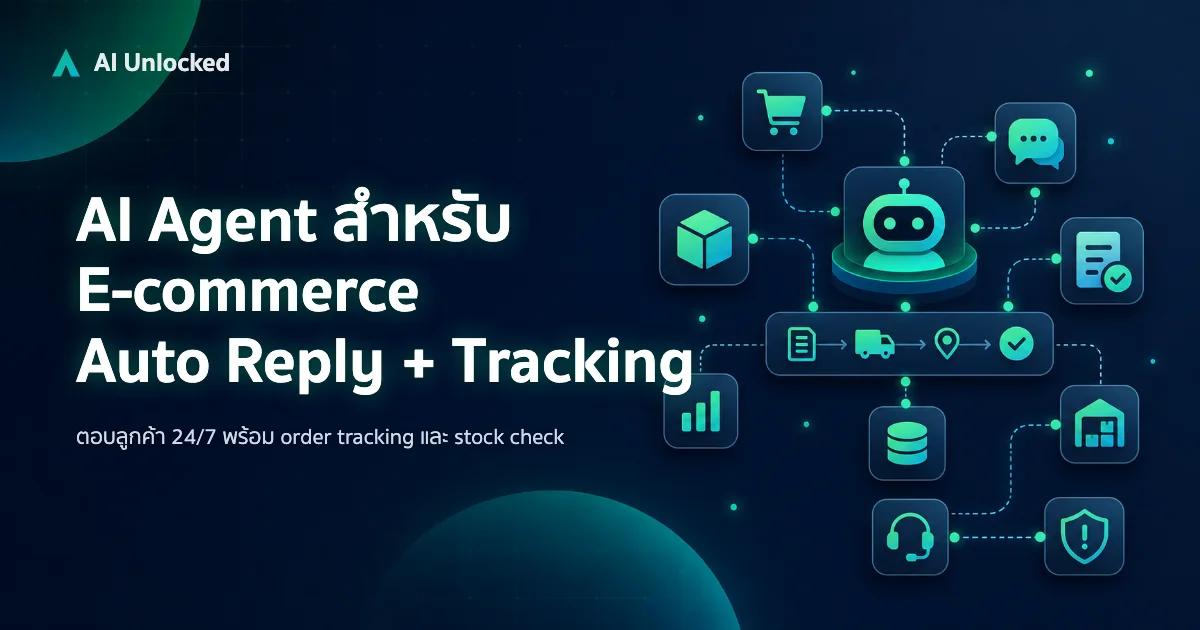
AI Agent สำหรับ E-commerce — Auto Reply + Order Tracking
AI Agent ecommerce ตอบลูกค้า 24/7 บน Shopee, Lazada, Line, FB — ครอบคลุม order tracking, stock check, escalation พร้อม workflow จริง เริ่มต้นได้เลย