
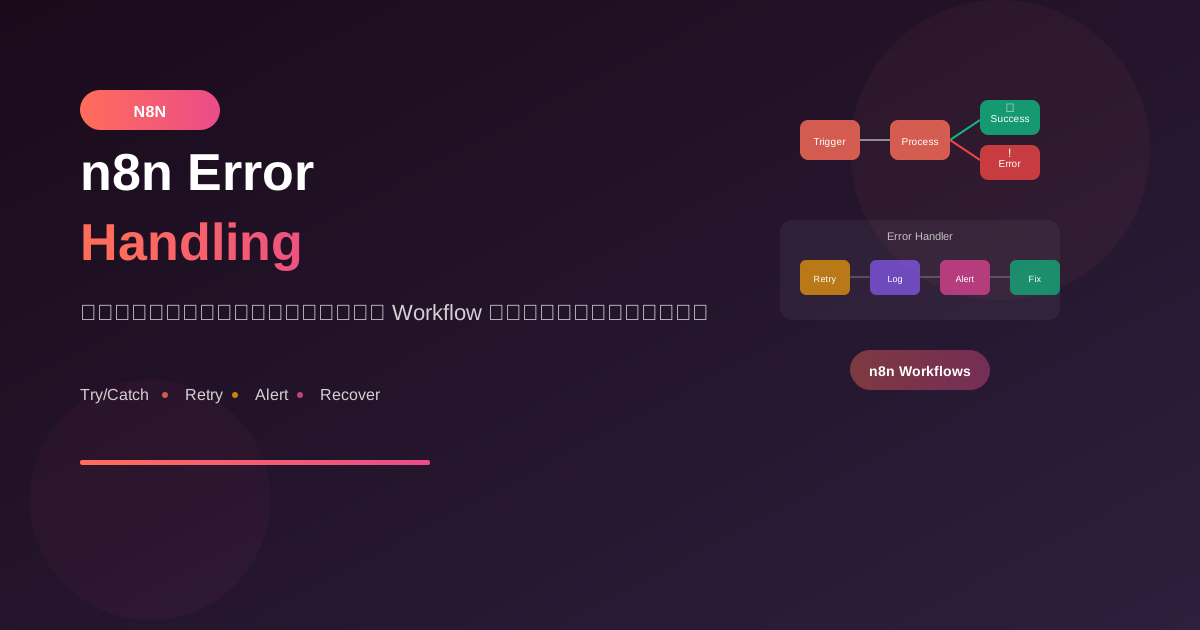
Workflow ที่ดีต้องรองรับสถานการณ์ที่ไม่คาดคิด การจัดการ Error อย่างถูกต้องจะทำให้ระบบ automation ของคุณมีความเสถียรและเชื่อถือได้
Error Types ใน n8n
1. Node Execution Error
เกิดเมื่อ node ทำงานไม่สำเร็จ:
- API call failed (timeout, 404, 500)
- Authentication failed
- Invalid data format
- Rate limit exceeded
2. Workflow Error
เกิดเมื่อ workflow มีปัญหา:
- Missing credentials
- Invalid configuration
- Memory limit exceeded
- Execution timeout
3. Data Error
เกิดเมื่อข้อมูลไม่ตรงตามที่คาดหวัง:
- Missing required fields
- Wrong data type
- Empty response
- Unexpected format
Error Handling Methods
1. Error Trigger Workflow
วิธีพื้นฐานที่สุดคือสร้าง workflow แยกสำหรับจัดการ error:
Workflow: Error Handler

1. Error Trigger
   - รับ error จาก workflow อื่น

2. Set Node
   - จัดรูปแบบ error message

3. แจ้งเตือน
   - ส่ง Slack/Email/LINE
2. Try/Catch Pattern
ใช้ IF node ตรวจสอบผลลัพธ์:
Flow:
HTTP Request → IF (success?)
                ├─ Yes → Continue
                └─ No → Error Handler
3. Stop on Error Setting
ตั้งค่าที่ node:
Node Settings:
- Continue on Fail: true
  → workflow ทำงานต่อแม้ node นี้ fail

- Retry on Fail: true
  → ลองใหม่อัตโนมัติ
  - Wait: 1000ms
  - Max retries: 3
Practical Examples
Example 1: API Call with Retry
Workflow: API Fetch with Error Handling

Nodes:

1. HTTP Request
   Settings:
   - Continue on Fail: true
   - Retry on Fail: true
   - Max Retries: 3
   - Wait Between: 2000ms

2. IF Node
   Condition:
   {{ $json.error === undefined }}

3. Success Path
   - Process data normally

4. Error Path
   - Log error
   - Send notification
   - Save to error queue
Example 2: Validation Before Processing
Workflow: Data Validation

1. Trigger (Webhook)

2. IF - Validate Required Fields
   Condition:
   {{ $json.email && $json.name }}

   True → Continue
   False → Return Error Response

3. IF - Validate Email Format
   Condition:
   {{ $json.email.includes('@') }}

4. Process Data

5. Return Success Response
Example 3: Comprehensive Error Workflow
Workflow: Order Processing with Full Error Handling

1. Webhook Trigger
   ↓
2. Validate Order Data
   ├─ Invalid → Return 400 Error
   ↓
3. Check Inventory (API)
   Continue on Fail: true
   ├─ API Error → Queue for retry + notify
   ↓
4. IF - Item in Stock
   ├─ No → Notify customer + End
   ↓
5. Process Payment (API)
   Continue on Fail: true
   ├─ Failed → Log + Refund workflow + notify
   ↓
6. Create Order Record
   ↓
7. Send Confirmation Email
   Continue on Fail: true
   ├─ Failed → Queue email for retry
   ↓
8. Return Success Response
Error Notification Setup
Slack Notification
Error Handler Workflow:

1. Error Trigger

2. Set Node - Format Message
   {
     "workflow": "{{ $json.workflow.name }}",
     "error": "{{ $json.error.message }}",
     "node": "{{ $json.error.node }}",
     "time": "{{ $now.toISO() }}"
   }

3. Slack Node
   Channel: #alerts
   Message:
   🚨 *Workflow Error*
   • Workflow: {{ $json.workflow }}
   • Node: {{ $json.node }}
   • Error: {{ $json.error }}
   • Time: {{ $json.time }}
Email Alert
1. Error Trigger

2. Send Email
   To: [email protected]
   Subject: [n8n Alert] {{ $json.workflow.name }} failed

   Body:
   Workflow "{{ $json.workflow.name }}" เกิด error

   Error Details:
   - Node: {{ $json.error.node }}
   - Message: {{ $json.error.message }}
   - Time: {{ $now }}

   Please check n8n dashboard for more details.
Retry Strategies
1. Exponential Backoff
// Code Node - Calculate retry delay
const retryCount = $json.retryCount || 0;
const baseDelay = 1000; // 1 second
const maxDelay = 60000; // 60 seconds

const delay = Math.min(
  baseDelay * Math.pow(2, retryCount),
  maxDelay
);

return {
  retryCount: retryCount + 1,
  delay: delay,
  shouldRetry: retryCount < 5
};
2. Circuit Breaker Pattern
Workflow: API with Circuit Breaker

1. Check Circuit State (from cache/db)
   - If OPEN and not expired → Skip, return cached/error
   - If CLOSED/HALF-OPEN → Continue

2. Make API Request

3. On Success:
   - Reset failure count
   - Set circuit to CLOSED

4. On Failure:
   - Increment failure count
   - If failures >= threshold → Set circuit to OPEN
   - Set expiry time
Logging Best Practices
Structured Error Logging
1. Error Trigger

2. Code Node - Structure Log
   const errorLog = {
     timestamp: new Date().toISOString(),
     level: 'ERROR',
     workflow: {
       id: $workflow.id,
       name: $workflow.name
     },
     execution: $execution.id,
     error: {
       message: $json.error.message,
       node: $json.error.node,
       stack: $json.error.stack
     },
     context: {
       input: $json.error.input,
       output: $json.error.output
     }
   };

   return errorLog;

3. HTTP Request - Send to logging service
   POST to Elasticsearch/Datadog/etc.

4. Airtable/Google Sheets - Backup log
Recovery Workflows
Dead Letter Queue Pattern
Main Workflow:
1. Trigger
2. Process Data
   ├─ On Fail → Send to Dead Letter Queue
3. Success Path

Dead Letter Queue Workflow:
1. Scheduled Trigger (every hour)
2. Read failed items from queue
3. Retry processing
4. If success → Remove from queue
5. If fail again → Increment retry count
6. If max retries → Alert admin
Graceful Degradation
Workflow: API with Fallback

1. Primary API Request
   Continue on Fail: true

2. IF - Primary Success?
   ├─ Yes → Use primary response
   └─ No → Try Secondary API

3. Secondary API Request
   Continue on Fail: true

4. IF - Secondary Success?
   ├─ Yes → Use secondary response
   └─ No → Return cached data

5. IF - No cached data?
   └─ Return error to user
Error Prevention
Input Validation
1. Webhook receives data

2. Code Node - Validate
   const errors = [];

   if (!$json.email) errors.push('Email required');
   if (!$json.name) errors.push('Name required');
   if ($json.amount < 0) errors.push('Invalid amount');

   return {
     isValid: errors.length === 0,
     errors: errors,
     data: $json
   };

3. IF - isValid
   ├─ Yes → Continue
   └─ No → Return validation errors
Data Sanitization
Code Node - Sanitize Input

const sanitized = {
  email: $json.email?.trim().toLowerCase(),
  name: $json.name?.trim(),
  phone: $json.phone?.replace(/[^0-9]/g, ''),
  amount: parseFloat($json.amount) || 0
};

return sanitized;
Testing Error Scenarios
Test Cases to Cover
☐ API timeout
☐ API returns 4xx error
☐ API returns 5xx error
☐ Missing required fields
☐ Invalid data format
☐ Authentication failure
☐ Rate limiting
☐ Empty response
☐ Network failure
☐ Partial success (batch operations)
Mock Error for Testing
Code Node - Simulate Error

// ใช้สำหรับ test
const shouldFail = Math.random() < 0.3; // 30% chance

if (shouldFail) {
  throw new Error('Simulated error for testing');
}

return $json;
สรุป
Error Handling Essentials:
- Anticipate Errors: คาดการณ์ว่าอะไรอาจผิดพลาด
- Continue on Fail: ใช้เมื่อต้องการให้ workflow ทำต่อ
- Retry Logic: ลองใหม่อัตโนมัติสำหรับ transient errors
- Notifications: แจ้งเตือนทันทีเมื่อเกิดปัญหา
- Logging: บันทึก error อย่างละเอียด
Patterns ที่ควรใช้:
- Error Trigger Workflow
- Dead Letter Queue
- Circuit Breaker
- Graceful Degradation
Remember: ระบบที่ดีไม่ใช่ระบบที่ไม่มี error แต่เป็นระบบที่จัดการกับ error ได้ดี
อ่านเพิ่มเติม:
เขียนโดย
AI Unlocked Team
สถาบันสอน AI และ Vibe Coding — เชียงใหม่และออนไลน์
AI Unlocked สอน AI และ Vibe Coding มากว่า 15 ปี ผู้เรียนกว่า 1,500 คน โฟกัสลงมือทำจริงด้วย Claude Code, n8n และ AI Agent
บทความในหัวข้อเดียวกัน
สร้าง AI Agent — Complete Guide ภาษาไทย 2026
เรียนรู้สร้าง AI Agent ตั้งแต่ศูนย์ ครอบคลุม Claude Agent SDK, OpenAI Agents, LangGraph, n8n พร้อม Use Case ธุรกิจไทย — เริ่มต้นได้วันนี้
AI Agent + Voice — สอนสร้าง Voice Assistant ภาษาไทย
สอนสร้าง AI Voice Agent ภาษาไทยตั้งแต่ STT → LLM → TTS พร้อม tutorial Python และ use case จริง — เริ่มต้นได้วันนี้ที่ aiunlock.co

AI Agent สำหรับ E-commerce — Auto Reply + Order Tracking
AI Agent ecommerce ตอบลูกค้า 24/7 บน Shopee, Lazada, Line, FB — ครอบคลุม order tracking, stock check, escalation พร้อม workflow จริง เริ่มต้นได้เลย