
เชื่อมต่อ n8n กับ AI: ChatGPT, Claude และอื่นๆ
การนำ AI มาใช้ใน Workflow Automation เป็นการยกระดับความสามารถของระบบอัตโนมัติไปอีกขั้น n8n รองรับการเชื่อมต่อกับ AI หลายตัว ทำให้คุณสามารถสร้าง Intelligent Workflows ได้อย่างง่ายดาย
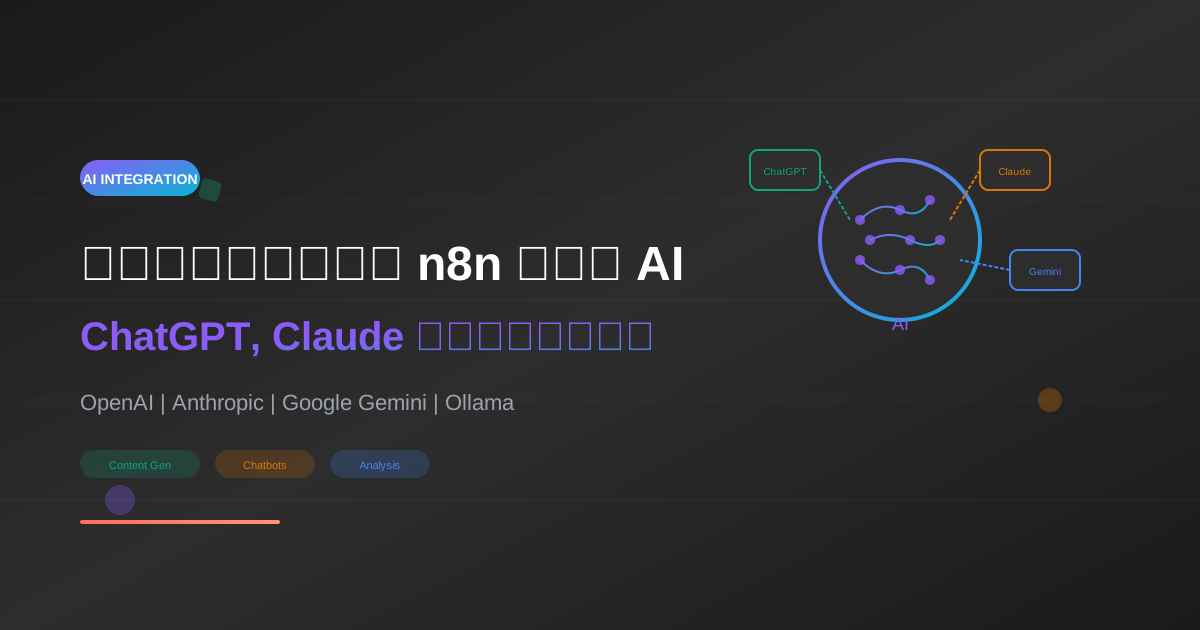
การนำ AI มาใช้ใน Workflow Automation เป็นการยกระดับความสามารถของระบบอัตโนมัติไปอีกขั้น n8n รองรับการเชื่อมต่อกับ AI หลายตัว ทำให้คุณสามารถสร้าง Intelligent Workflows ได้อย่างง่ายดาย
หากยังไม่รู้จัก AI แนะนำให้อ่านก่อน: วิธีสอน AI ให้เข้าใจธุรกิจของคุณ
AI Nodes ใน n8n
Native AI Nodes
n8n มี Nodes สำเร็จรูปสำหรับ AI ยอดนิยม:
| Node | Provider | Model |
|---|---|---|
| OpenAI | OpenAI | GPT-4, GPT-3.5 |
| Anthropic | Anthropic | Claude 3 |
| Google Gemini | Gemini Pro | |
| Ollama | Local | Llama, Mistral |
| Hugging Face | Hugging Face | Various |
ทำไมต้องใช้ AI กับ n8n?
{
  "benefits": [
    "วิเคราะห์ข้อมูลอัตโนมัติ",
    "สรุปเอกสารยาวๆ",
    "ตอบคำถามลูกค้า",
    "จัดหมวดหมู่ข้อมูล",
    "แปลภาษา",
    "สร้างเนื้อหา"
  ]
}
การตั้งค่า Credentials
OpenAI (ChatGPT)
ขั้นตอนที่ 1: สร้าง API Key
- ไปที่ platform.openai.com
- Login และไปที่ API Keys
- คลิก "Create new secret key"
- คัดลอก Key (จะเห็นได้ครั้งเดียว)
ขั้นตอนที่ 2: เพิ่มใน n8n
- ใน n8n ไปที่ Credentials → Add Credential
- ค้นหา "OpenAI"
- ใส่ API Key
- บันทึก
{
  "openai_pricing": {
    "gpt-4-turbo": "$0.01/1K input, $0.03/1K output",
    "gpt-4": "$0.03/1K input, $0.06/1K output",
    "gpt-3.5-turbo": "$0.0005/1K input, $0.0015/1K output"
  }
}
Anthropic (Claude)
ขั้นตอนที่ 1: สร้าง API Key
- ไปที่ console.anthropic.com
- สร้าง Account และ Add Credit
- ไปที่ API Keys → Create Key
ขั้นตอนที่ 2: เพิ่มใน n8n
- Credentials → Add Credential
- ค้นหา "Anthropic"
- ใส่ API Key
{
  "claude_pricing": {
    "claude-3-opus": "$0.015/1K input, $0.075/1K output",
    "claude-3-sonnet": "$0.003/1K input, $0.015/1K output",
    "claude-3-haiku": "$0.00025/1K input, $0.00125/1K output"
  }
}
Google Gemini
- ไปที่ makersuite.google.com
- Get API Key
- เพิ่มใน n8n Credentials
Workflow 1: AI Content Generator
สถานการณ์
รับหัวข้อจาก Webhook และให้ AI สร้างบทความ
Workflow Structure
Webhook → OpenAI → Format → Google Sheets
JSON Workflow
{
  "name": "AI Content Generator",
  "nodes": [
    {
      "parameters": {
        "httpMethod": "POST",
        "path": "generate-content",
        "responseMode": "responseNode"
      },
      "name": "Webhook",
      "type": "n8n-nodes-base.webhook",
      "position": [250, 300]
    },
    {
      "parameters": {
        "model": "gpt-4-turbo-preview",
        "messages": {
          "values": [
            {
              "role": "system",
              "content": "คุณเป็นนักเขียนบทความมืออาชีพ เขียนเป็นภาษาไทยที่อ่านง่าย"
            },
            {
              "role": "user",
              "content": "=เขียนบทความเกี่ยวกับหัวข้อ: {{ $json.topic }}\n\nความยาวประมาณ 500 คำ\nมีหัวข้อย่อย H2, H3\nมีตัวอย่างประกอบ"
            }
          ]
        },
        "options": {
          "temperature": 0.7,
          "maxTokens": 2000
        }
      },
      "name": "OpenAI",
      "type": "n8n-nodes-base.openAi",
      "position": [450, 300],
      "credentials": {
        "openAiApi": {
          "id": "your-credential-id",
          "name": "OpenAI Account"
        }
      }
    },
    {
      "parameters": {
        "values": {
          "string": [
            {
              "name": "topic",
              "value": "={{ $node['Webhook'].json.topic }}"
            },
            {
              "name": "content",
              "value": "={{ $json.message.content }}"
            },
            {
              "name": "created_at",
              "value": "={{ new Date().toISOString() }}"
            }
          ]
        }
      },
      "name": "Format",
      "type": "n8n-nodes-base.set",
      "position": [650, 300]
    },
    {
      "parameters": {
        "operation": "append",
        "documentId": "your-sheet-id",
        "sheetName": "Articles",
        "columns": {
          "mappingMode": "defineBelow",
          "value": {
            "Topic": "={{ $json.topic }}",
            "Content": "={{ $json.content }}",
            "Created": "={{ $json.created_at }}"
          }
        }
      },
      "name": "Google Sheets",
      "type": "n8n-nodes-base.googleSheets",
      "position": [850, 300]
    }
  ],
  "connections": {
    "Webhook": {
      "main": [[{"node": "OpenAI"}]]
    },
    "OpenAI": {
      "main": [[{"node": "Format"}]]
    },
    "Format": {
      "main": [[{"node": "Google Sheets"}]]
    }
  }
}
ทดสอบ Workflow
curl -X POST \
  http://localhost:5678/webhook/generate-content \
  -H "Content-Type: application/json" \
  -d '{"topic": "5 เทคนิคการทำ SEO สำหรับมือใหม่"}'
Workflow 2: Customer Support Chatbot
สถานการณ์
Bot ตอบคำถามลูกค้าใน Telegram ด้วย AI
Workflow Structure
Telegram Trigger → Context Builder → Claude → Telegram Send
การสร้าง System Prompt ที่ดี
const systemPrompt = `คุณเป็น Customer Support ของบริษัท AI Unlocked
- ตอบคำถามเกี่ยวกับสินค้าและบริการ
- พูดคุยเป็นกันเอง ใช้ภาษาไทย
- ถ้าไม่รู้คำตอบ ให้แนะนำติดต่อทีมงาน

ข้อมูลบริษัท:
- ขายคอร์สเรียน AI และ Automation
- ราคาเริ่มต้น 1,990 บาท
- มีทั้งคอร์สออนไลน์และ Workshop
- ติดต่อ: [email protected]`;
เรียนรู้เพิ่มเติมเกี่ยวกับ Prompt Engineering: Prompt Engineering Mastery
JSON Workflow
{
  "name": "Telegram AI Support Bot",
  "nodes": [
    {
      "parameters": {
        "updates": ["message"]
      },
      "name": "Telegram Trigger",
      "type": "n8n-nodes-base.telegramTrigger",
      "position": [250, 300]
    },
    {
      "parameters": {
        "model": "claude-3-sonnet-20240229",
        "messages": {
          "values": [
            {
              "role": "user",
              "content": "={{ $json.message.text }}"
            }
          ]
        },
        "options": {
          "systemMessage": "คุณเป็น Customer Support ของบริษัท AI Unlocked ตอบคำถามเป็นภาษาไทย กระชับ เป็นมิตร",
          "maxTokens": 500
        }
      },
      "name": "Claude",
      "type": "n8n-nodes-base.anthropic",
      "position": [450, 300]
    },
    {
      "parameters": {
        "chatId": "={{ $node['Telegram Trigger'].json.message.chat.id }}",
        "text": "={{ $json.content[0].text }}"
      },
      "name": "Reply",
      "type": "n8n-nodes-base.telegram",
      "position": [650, 300]
    }
  ],
  "connections": {
    "Telegram Trigger": {
      "main": [[{"node": "Claude"}]]
    },
    "Claude": {
      "main": [[{"node": "Reply"}]]
    }
  }
}
สร้าง Telegram Bot เต็มรูปแบบ: สร้าง Telegram Bot ด้วย n8n
Workflow 3: Email Classifier
สถานการณ์
อ่านอีเมลใหม่ จำแนกประเภท และส่งต่อไปยังทีมที่เหมาะสม
Workflow Structure
Gmail Trigger → AI Classify → Switch → Route to Teams
Classification Prompt
const classifyPrompt = `วิเคราะห์อีเมลนี้และจำแนกประเภท:

Subject: ${email.subject}
Body: ${email.body}

ตอบเป็น JSON format:
{
  "category": "sales|support|billing|spam|other",
  "priority": "high|medium|low",
  "summary": "สรุปสั้นๆ ไม่เกิน 50 คำ",
  "suggested_action": "แนะนำการดำเนินการ"
}`;
JSON Workflow
{
  "name": "Email Classifier",
  "nodes": [
    {
      "parameters": {
        "pollTimes": {
          "item": [{"mode": "everyMinute"}]
        },
        "filters": {
          "readStatus": "unread"
        }
      },
      "name": "Gmail",
      "type": "n8n-nodes-base.gmailTrigger",
      "position": [250, 300]
    },
    {
      "parameters": {
        "model": "gpt-3.5-turbo",
        "messages": {
          "values": [
            {
              "role": "system",
              "content": "คุณเป็น Email Classifier ตอบเป็น JSON เท่านั้น"
            },
            {
              "role": "user",
              "content": "=วิเคราะห์อีเมล:\nSubject: {{ $json.subject }}\nBody: {{ $json.snippet }}\n\nตอบ: {\"category\": \"...\", \"priority\": \"...\", \"summary\": \"...\"}"
            }
          ]
        },
        "options": {
          "temperature": 0.3
        }
      },
      "name": "Classify",
      "type": "n8n-nodes-base.openAi",
      "position": [450, 300]
    },
    {
      "parameters": {
        "jsCode": "const response = JSON.parse($json.message.content);\nreturn { json: response };"
      },
      "name": "Parse JSON",
      "type": "n8n-nodes-base.code",
      "position": [650, 300]
    },
    {
      "parameters": {
        "rules": {
          "rules": [
            {"output": 0, "conditions": {"string": [{"value1": "={{ $json.category }}", "value2": "sales"}]}},
            {"output": 1, "conditions": {"string": [{"value1": "={{ $json.category }}", "value2": "support"}]}},
            {"output": 2, "conditions": {"string": [{"value1": "={{ $json.category }}", "value2": "billing"}]}}
          ]
        }
      },
      "name": "Switch",
      "type": "n8n-nodes-base.switch",
      "position": [850, 300]
    }
  ],
  "connections": {
    "Gmail": {
      "main": [[{"node": "Classify"}]]
    },
    "Classify": {
      "main": [[{"node": "Parse JSON"}]]
    },
    "Parse JSON": {
      "main": [[{"node": "Switch"}]]
    }
  }
}
Workflow 4: Document Summarizer
สถานการณ์
อัพโหลด PDF → Extract Text → AI สรุป → ส่งไป Slack
การจัดการ Long Documents
สำหรับเอกสารยาว ต้องแบ่งเป็นส่วนๆ (Chunking):
function chunkText(text, maxLength = 4000) {
  const chunks = [];
  let currentChunk = "";

  text.split("\n\n").forEach(paragraph => {
    if ((currentChunk + paragraph).length > maxLength) {
      chunks.push(currentChunk);
      currentChunk = paragraph;
    } else {
      currentChunk += "\n\n" + paragraph;
    }
  });

  if (currentChunk) chunks.push(currentChunk);
  return chunks;
}
Summarization Strategy
{
  "strategy": "map-reduce",
  "steps": [
    "1. แบ่งเอกสารเป็น chunks",
    "2. สรุปแต่ละ chunk",
    "3. รวมสรุปทั้งหมด",
    "4. สรุปรวมอีกครั้ง"
  ]
}
Workflow 5: Sentiment Analysis
สถานการณ์
วิเคราะห์ Sentiment จาก Social Media mentions
JSON Workflow
{
  "name": "Sentiment Analysis",
  "nodes": [
    {
      "parameters": {
        "resource": "search",
        "searchQuery": "@aiunlocked",
        "limit": 100
      },
      "name": "Twitter Search",
      "type": "n8n-nodes-base.twitter",
      "position": [250, 300]
    },
    {
      "parameters": {
        "batchSize": 10,
        "options": {}
      },
      "name": "Split",
      "type": "n8n-nodes-base.splitInBatches",
      "position": [450, 300]
    },
    {
      "parameters": {
        "model": "gpt-3.5-turbo",
        "messages": {
          "values": [
            {
              "role": "user",
              "content": "=วิเคราะห์ sentiment ของข้อความนี้:\n\"{{ $json.text }}\"\n\nตอบ: positive, negative, หรือ neutral เท่านั้น"
            }
          ]
        },
        "options": {"temperature": 0}
      },
      "name": "Analyze",
      "type": "n8n-nodes-base.openAi",
      "position": [650, 300]
    },
    {
      "parameters": {
        "operation": "append",
        "documentId": "your-sheet-id",
        "sheetName": "Sentiment"
      },
      "name": "Save",
      "type": "n8n-nodes-base.googleSheets",
      "position": [850, 300]
    }
  ]
}
Best Practices สำหรับ AI Workflows
1. Temperature Settings
| Use Case | Temperature |
|---|---|
| Factual answers | 0 - 0.3 |
| General tasks | 0.5 - 0.7 |
| Creative writing | 0.8 - 1.0 |
2. Token Management
// ประมาณการ tokens
// 1 token ≈ 4 characters (English)
// 1 token ≈ 1-2 characters (Thai)

const estimateTokens = (text) => {
  return Math.ceil(text.length / 2); // สำหรับภาษาไทย
};
3. Error Handling
{
  "error_handling": {
    "rate_limit": "ใช้ Wait Node หน่วงเวลา",
    "timeout": "ลด maxTokens หรือแบ่ง request",
    "invalid_response": "ใช้ IF Node ตรวจสอบ"
  }
}
อ่านเพิ่มเติม: จัดการ Error ใน n8n
4. Cost Optimization
{
  "tips": [
    "ใช้ GPT-3.5 แทน GPT-4 สำหรับงานง่ายๆ",
    "Cache responses ที่ซ้ำกัน",
    "ใช้ maxTokens จำกัด output",
    "Batch requests เมื่อเป็นไปได้"
  ]
}
AI Models Comparison
| Model | Strengths | Best For |
|---|---|---|
| GPT-4 | ฉลาดที่สุด, หลายภาษา | Complex reasoning |
| GPT-3.5 | เร็ว, ถูก | Simple tasks |
| Claude 3 Opus | Long context, Safe | Documents |
| Claude 3 Sonnet | Balance | General use |
| Gemini Pro | Multimodal | Images + Text |
สรุป
การรวม AI เข้ากับ n8n เปิดโอกาสมากมาย:
- Content Generation: สร้างเนื้อหาอัตโนมัติ
- Customer Support: Bot ตอบคำถามอัจฉริยะ
- Data Analysis: วิเคราะห์และจำแนกข้อมูล
- Document Processing: สรุปและ Extract ข้อมูล
ขั้นตอนถัดไป
- เริ่มต้น: สร้าง Workflow แรก
- Webhooks: Webhook Triggers
- Advanced: 5 Advanced Workflows
พร้อมสร้าง AI-Powered Workflows แล้วหรือยัง?
ติดตามบทความเพิ่มเติมและรับคำปรึกษาที่ AI Unlocked
เขียนโดย
AI Unlocked Team
สถาบันสอน AI และ Vibe Coding — เชียงใหม่และออนไลน์
AI Unlocked สอน AI และ Vibe Coding มากว่า 15 ปี ผู้เรียนกว่า 1,500 คน โฟกัสลงมือทำจริงด้วย Claude Code, n8n และ AI Agent
บทความในหัวข้อเดียวกัน
สร้าง AI Agent — Complete Guide ภาษาไทย 2026
เรียนรู้สร้าง AI Agent ตั้งแต่ศูนย์ ครอบคลุม Claude Agent SDK, OpenAI Agents, LangGraph, n8n พร้อม Use Case ธุรกิจไทย — เริ่มต้นได้วันนี้
AI Agent + Voice — สอนสร้าง Voice Assistant ภาษาไทย
สอนสร้าง AI Voice Agent ภาษาไทยตั้งแต่ STT → LLM → TTS พร้อม tutorial Python และ use case จริง — เริ่มต้นได้วันนี้ที่ aiunlock.co
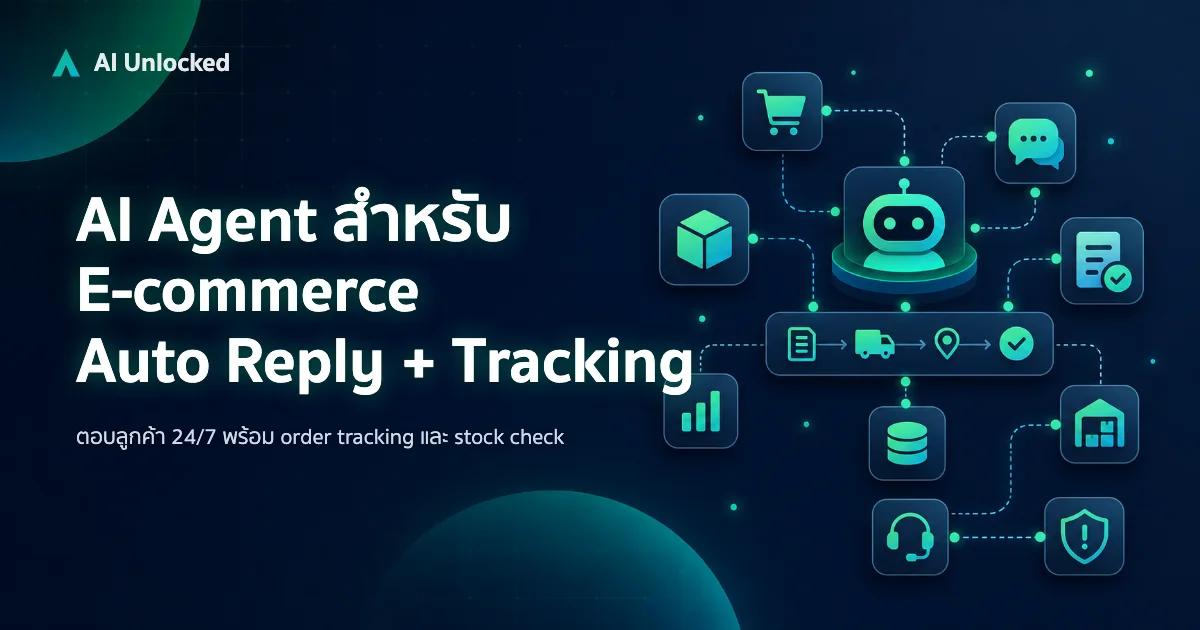
AI Agent สำหรับ E-commerce — Auto Reply + Order Tracking
AI Agent ecommerce ตอบลูกค้า 24/7 บน Shopee, Lazada, Line, FB — ครอบคลุม order tracking, stock check, escalation พร้อม workflow จริง เริ่มต้นได้เลย