
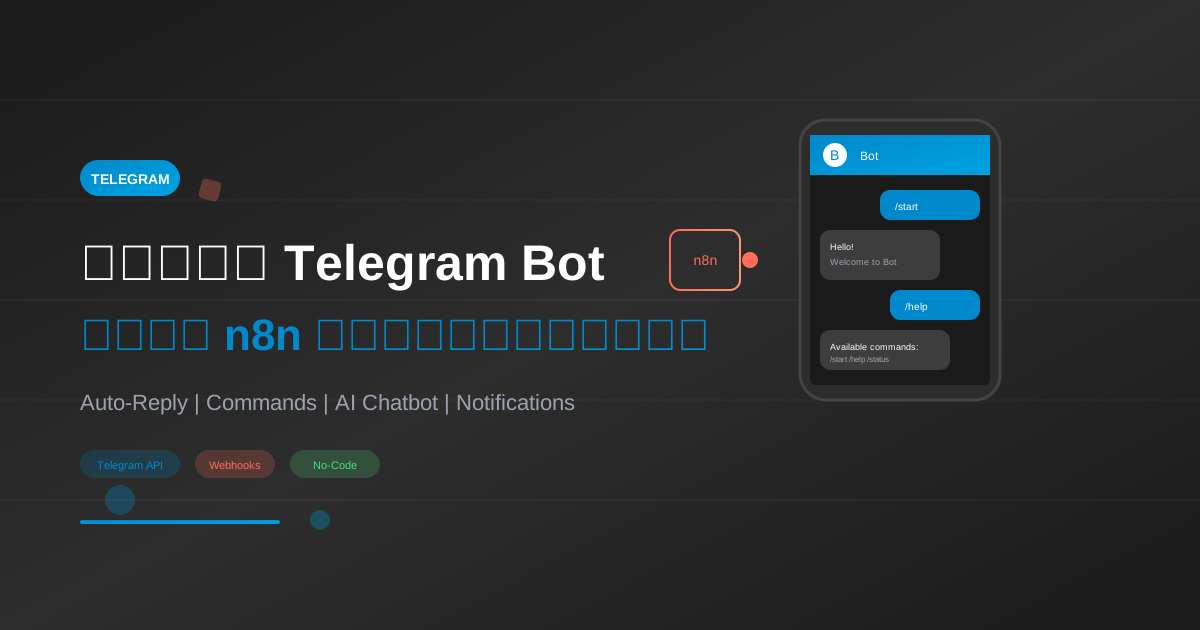
Telegram Bot เป็นหนึ่งในวิธีที่ดีที่สุดในการสร้างระบบอัตโนมัติสำหรับการสื่อสารกับลูกค้าหรือทีมงาน เมื่อรวมกับ n8n คุณจะสามารถสร้าง Bot ที่ทรงพลังได้โดยไม่ต้องเขียนโค้ดมากนัก
สารบัญ
- สร้าง Telegram Bot
- เชื่อมต่อกับ n8n
- Bot ตอบกลับอัตโนมัติ
- Bot แจ้งเตือน
- Bot พร้อม AI
- Bot สำหรับ Commands
- Best Practices
สร้าง Telegram Bot
ขั้นตอนที่ 1: สร้าง Bot ผ่าน BotFather
- เปิด Telegram และค้นหา
@BotFather - ส่งคำสั่ง
/newbot - ตั้งชื่อ Bot (เช่น "My Automation Bot")
- ตั้ง Username (ต้องลงท้ายด้วย
botเช่นmy_automation_bot) - คัดลอก API Token ที่ได้รับ
{
  "bot_info": {
    "name": "My Automation Bot",
    "username": "my_automation_bot",
    "token": "1234567890:ABCdefGHIjklMNOpqrsTUVwxyz"
  }
}
ขั้นตอนที่ 2: ตั้งค่า Bot Commands (Optional)
/setcommands
@your_bot_username
start - เริ่มใช้งาน Bot
help - วิธีใช้งาน
status - ตรวจสอบสถานะ
เชื่อมต่อกับ n8n
เพิ่ม Telegram Credentials
- ใน n8n ไปที่ Credentials → Add Credential
- ค้นหา "Telegram"
- ใส่ Access Token (API Token จาก BotFather)
- บันทึก
Telegram Nodes ใน n8n
| Node | การใช้งาน |
|---|---|
| Telegram Trigger | รับข้อความ/events จาก Bot |
| Telegram | ส่งข้อความ/media |
ตั้งค่า Webhook
n8n จะตั้งค่า Webhook ให้อัตโนมัติเมื่อ Workflow ทำงาน
สำคัญ: ต้องมี HTTPS URL สำหรับ Production
อ่านเพิ่มเติม: วิธีติดตั้ง n8n พร้อม SSL
Bot 1: ตอบกลับอัตโนมัติ
สถานการณ์
Bot ที่ตอบกลับทุกข้อความด้วยคำทักทาย
Workflow Structure
Telegram Trigger → Set Response → Telegram Send
JSON Workflow
{
  "name": "Simple Reply Bot",
  "nodes": [
    {
      "parameters": {
        "updates": ["message"]
      },
      "name": "Telegram Trigger",
      "type": "n8n-nodes-base.telegramTrigger",
      "position": [250, 300],
      "credentials": {
        "telegramApi": {
          "id": "your-credential-id",
          "name": "Telegram Bot"
        }
      }
    },
    {
      "parameters": {
        "values": {
          "string": [
            {
              "name": "chatId",
              "value": "={{ $json.message.chat.id }}"
            },
            {
              "name": "userName",
              "value": "={{ $json.message.from.first_name }}"
            },
            {
              "name": "userMessage",
              "value": "={{ $json.message.text }}"
            }
          ]
        }
      },
      "name": "Extract Data",
      "type": "n8n-nodes-base.set",
      "position": [450, 300]
    },
    {
      "parameters": {
        "chatId": "={{ $json.chatId }}",
        "text": "=สวัสดีคุณ {{ $json.userName }}!\n\nคุณส่งข้อความ: \"{{ $json.userMessage }}\"\n\nขอบคุณที่ติดต่อมา",
        "additionalFields": {
          "parse_mode": "Markdown"
        }
      },
      "name": "Reply",
      "type": "n8n-nodes-base.telegram",
      "position": [650, 300]
    }
  ],
  "connections": {
    "Telegram Trigger": {
      "main": [[{"node": "Extract Data"}]]
    },
    "Extract Data": {
      "main": [[{"node": "Reply"}]]
    }
  }
}
Bot 2: แจ้งเตือน
สถานการณ์
ส่งการแจ้งเตือนไปยัง Telegram เมื่อเกิด Event
Use Cases
- แจ้งเตือนเมื่อมี Order ใหม่
- แจ้งเตือนเมื่อ Server Down
- แจ้งเตือน Daily Report
Workflow: Order Notification
{
  "name": "Order Notification",
  "nodes": [
    {
      "parameters": {
        "httpMethod": "POST",
        "path": "new-order"
      },
      "name": "Webhook",
      "type": "n8n-nodes-base.webhook",
      "position": [250, 300]
    },
    {
      "parameters": {
        "chatId": "YOUR_CHAT_ID",
        "text": "=*New Order Received!*\n\nOrder ID: {{ $json.order_id }}\nCustomer: {{ $json.customer_name }}\nAmount: {{ $json.amount }} THB\n\n[View Order](https://yoursite.com/orders/{{ $json.order_id }})",
        "additionalFields": {
          "parse_mode": "Markdown"
        }
      },
      "name": "Notify Telegram",
      "type": "n8n-nodes-base.telegram",
      "position": [450, 300]
    }
  ],
  "connections": {
    "Webhook": {
      "main": [[{"node": "Notify Telegram"}]]
    }
  }
}
หา Chat ID
วิธีหา Chat ID ของคุณหรือ Group:
- ส่งข้อความไปยัง Bot
- เปิด URL:
https://api.telegram.org/bot<TOKEN>/getUpdates - หา
chat.idใน Response
curl "https://api.telegram.org/bot<YOUR_TOKEN>/getUpdates"
ส่งข้อความไปยัง Group
- เพิ่ม Bot เข้า Group
- ใช้ Group Chat ID (มักขึ้นต้นด้วย
-)
Bot 3: AI Chatbot
สถานการณ์
Bot ที่ตอบคำถามด้วย AI
เรียนรู้เพิ่มเติม: เชื่อมต่อ n8n กับ AI
JSON Workflow
{
  "name": "AI Telegram Bot",
  "nodes": [
    {
      "parameters": {
        "updates": ["message"]
      },
      "name": "Telegram Trigger",
      "type": "n8n-nodes-base.telegramTrigger",
      "position": [250, 300]
    },
    {
      "parameters": {
        "conditions": {
          "boolean": [
            {
              "value1": "={{ $json.message.text !== undefined }}",
              "value2": true
            }
          ]
        }
      },
      "name": "Has Text?",
      "type": "n8n-nodes-base.if",
      "position": [450, 300]
    },
    {
      "parameters": {
        "chatId": "={{ $json.message.chat.id }}",
        "action": "sendChatAction",
        "additionalFields": {
          "action": "typing"
        }
      },
      "name": "Typing...",
      "type": "n8n-nodes-base.telegram",
      "position": [650, 200]
    },
    {
      "parameters": {
        "model": "gpt-4-turbo-preview",
        "messages": {
          "values": [
            {
              "role": "system",
              "content": "คุณเป็น AI Assistant ที่เป็นมิตร ตอบคำถามเป็นภาษาไทย กระชับ ไม่เกิน 200 คำ"
            },
            {
              "role": "user",
              "content": "={{ $node['Telegram Trigger'].json.message.text }}"
            }
          ]
        },
        "options": {
          "temperature": 0.7,
          "maxTokens": 500
        }
      },
      "name": "OpenAI",
      "type": "n8n-nodes-base.openAi",
      "position": [850, 200]
    },
    {
      "parameters": {
        "chatId": "={{ $node['Telegram Trigger'].json.message.chat.id }}",
        "text": "={{ $json.message.content }}",
        "additionalFields": {
          "reply_to_message_id": "={{ $node['Telegram Trigger'].json.message.message_id }}"
        }
      },
      "name": "Reply",
      "type": "n8n-nodes-base.telegram",
      "position": [1050, 200]
    }
  ],
  "connections": {
    "Telegram Trigger": {
      "main": [[{"node": "Has Text?"}]]
    },
    "Has Text?": {
      "main": [
        [{"node": "Typing..."}],
        []
      ]
    },
    "Typing...": {
      "main": [[{"node": "OpenAI"}]]
    },
    "OpenAI": {
      "main": [[{"node": "Reply"}]]
    }
  }
}
Features ของ AI Bot
- Typing Indicator: แสดง "typing..." ขณะ AI ประมวลผล
- Reply to Message: ตอบกลับโดยอ้างอิงข้อความเดิม
- Context-Aware: สามารถเพิ่ม conversation history ได้
Bot 4: Command Handler
สถานการณ์
Bot ที่จัดการ Commands ต่างๆ
Commands ที่จะสร้าง
| Command | Action |
|---|---|
/start | ข้อความต้อนรับ |
/help | วิธีใช้งาน |
/status | ตรวจสอบสถานะระบบ |
/weather [city] | พยากรณ์อากาศ |
JSON Workflow
{
  "name": "Command Handler Bot",
  "nodes": [
    {
      "parameters": {
        "updates": ["message"]
      },
      "name": "Telegram Trigger",
      "type": "n8n-nodes-base.telegramTrigger",
      "position": [250, 300]
    },
    {
      "parameters": {
        "rules": {
          "rules": [
            {
              "output": 0,
              "conditions": {
                "string": [
                  {
                    "value1": "={{ $json.message.text }}",
                    "operation": "startsWith",
                    "value2": "/start"
                  }
                ]
              }
            },
            {
              "output": 1,
              "conditions": {
                "string": [
                  {
                    "value1": "={{ $json.message.text }}",
                    "operation": "startsWith",
                    "value2": "/help"
                  }
                ]
              }
            },
            {
              "output": 2,
              "conditions": {
                "string": [
                  {
                    "value1": "={{ $json.message.text }}",
                    "operation": "startsWith",
                    "value2": "/status"
                  }
                ]
              }
            },
            {
              "output": 3,
              "conditions": {
                "string": [
                  {
                    "value1": "={{ $json.message.text }}",
                    "operation": "startsWith",
                    "value2": "/weather"
                  }
                ]
              }
            }
          ],
          "fallbackOutput": 4
        }
      },
      "name": "Route Command",
      "type": "n8n-nodes-base.switch",
      "position": [450, 300]
    },
    {
      "parameters": {
        "chatId": "={{ $json.message.chat.id }}",
        "text": "สวัสดี {{ $json.message.from.first_name }}!\n\nยินดีต้อนรับสู่ Bot ของเรา\n\nพิมพ์ /help เพื่อดูคำสั่งทั้งหมด"
      },
      "name": "Start Reply",
      "type": "n8n-nodes-base.telegram",
      "position": [700, 100]
    },
    {
      "parameters": {
        "chatId": "={{ $json.message.chat.id }}",
        "text": "*คำสั่งที่ใช้ได้:*\n\n/start - เริ่มใช้งาน\n/help - ดูวิธีใช้\n/status - ตรวจสอบระบบ\n/weather [เมือง] - พยากรณ์อากาศ",
        "additionalFields": {"parse_mode": "Markdown"}
      },
      "name": "Help Reply",
      "type": "n8n-nodes-base.telegram",
      "position": [700, 250]
    },
    {
      "parameters": {
        "chatId": "={{ $json.message.chat.id }}",
        "text": "ระบบทำงานปกติ\n\nServer: Online\nAPI: Healthy\nDatabase: Connected"
      },
      "name": "Status Reply",
      "type": "n8n-nodes-base.telegram",
      "position": [700, 400]
    }
  ],
  "connections": {
    "Telegram Trigger": {
      "main": [[{"node": "Route Command"}]]
    },
    "Route Command": {
      "main": [
        [{"node": "Start Reply"}],
        [{"node": "Help Reply"}],
        [{"node": "Status Reply"}],
        [],
        []
      ]
    }
  }
}
Bot 5: Inline Keyboard
สถานการณ์
Bot ที่มีปุ่มกดเลือก
JSON สำหรับ Inline Keyboard
{
  "parameters": {
    "chatId": "={{ $json.message.chat.id }}",
    "text": "เลือกหมวดหมู่ที่ต้องการ:",
    "additionalFields": {
      "reply_markup": {
        "inline_keyboard": [
          [
            {"text": "สินค้า", "callback_data": "category_products"},
            {"text": "บริการ", "callback_data": "category_services"}
          ],
          [
            {"text": "ติดต่อเรา", "callback_data": "contact"}
          ],
          [
            {"text": "เว็บไซต์", "url": "https://yoursite.com"}
          ]
        ]
      }
    }
  }
}
รับ Callback จาก Button
{
  "parameters": {
    "updates": ["callback_query"]
  },
  "name": "Button Click",
  "type": "n8n-nodes-base.telegramTrigger"
}
Best Practices
1. Rate Limiting
Telegram มี Rate Limit:
- 30 messages/second ต่อ Bot
- 20 messages/minute ต่อ Group
{
  "rate_limit_solution": {
    "use_queue": "บันทึกข้อความลง Queue ก่อน",
    "batch_send": "ส่งทีละ batch",
    "add_delay": "เพิ่ม Wait Node 1-2 วินาที"
  }
}
2. Error Handling
{
  "error_workflow": {
    "on_error": "ส่ง log ไป Admin",
    "retry": "retry 3 ครั้ง",
    "notify_user": "แจ้ง user ว่าเกิดปัญหา"
  }
}
อ่านเพิ่มเติม: จัดการ Error ใน n8n
3. Security
{
  "security_tips": [
    "เก็บ Token เป็น Credential ไม่ใส่ใน Workflow",
    "ตรวจสอบ User ID ก่อนทำ Action สำคัญ",
    "จำกัดการเข้าถึงเฉพาะ Admin",
    "Log ทุก Activity"
  ]
}
4. User Experience
- ใช้ Typing indicator เมื่อประมวลผล
- Reply to message เพื่อให้ Context ชัดเจน
- ใช้ Markdown formatting
- มี Error messages ที่เข้าใจง่าย
5. Message Formatting
*Bold*
_Italic_
`Code`
```Code Block```
[Link](https://example.com)
Troubleshooting
Bot ไม่ตอบกลับ
- ตรวจสอบ Token ถูกต้อง
- ตรวจสอบ Workflow Active
- ตรวจสอบ Webhook URL (ต้องเป็น HTTPS)
ได้รับซ้ำหลายครั้ง
- ตรวจสอบไม่มี Workflow ซ้ำกัน
- ใช้ deduplication logic
Webhook Error
# ลบ Webhook เดิม
curl "https://api.telegram.org/bot<TOKEN>/deleteWebhook"

# ตั้ง Webhook ใหม่
curl "https://api.telegram.org/bot<TOKEN>/setWebhook?url=https://your-n8n.com/webhook/..."
สรุป
Telegram Bot + n8n สามารถสร้าง:
- Auto-Reply Bot: ตอบกลับอัตโนมัติ
- Notification Bot: แจ้งเตือน Events
- AI Chatbot: ตอบคำถามด้วย AI
- Command Bot: จัดการคำสั่งต่างๆ
- Interactive Bot: มีปุ่มกดเลือก
ขั้นตอนถัดไป
- Google Sheets: Automate Google Sheets
- Webhooks: Webhook Triggers
- AI Integration: เชื่อมต่อ n8n กับ AI
- Advanced: 5 Advanced Workflows
พร้อมสร้าง Telegram Bot แล้วหรือยัง?
ลองสร้าง Bot ของคุณเองและติดตามบทความเพิ่มเติมที่ AI Unlocked
เขียนโดย
AI Unlocked Team
สถาบันสอน AI และ Vibe Coding — เชียงใหม่และออนไลน์
AI Unlocked สอน AI และ Vibe Coding มากว่า 15 ปี ผู้เรียนกว่า 1,500 คน โฟกัสลงมือทำจริงด้วย Claude Code, n8n และ AI Agent
บทความในหัวข้อเดียวกัน
สร้าง AI Agent — Complete Guide ภาษาไทย 2026
เรียนรู้สร้าง AI Agent ตั้งแต่ศูนย์ ครอบคลุม Claude Agent SDK, OpenAI Agents, LangGraph, n8n พร้อม Use Case ธุรกิจไทย — เริ่มต้นได้วันนี้
AI Agent + Voice — สอนสร้าง Voice Assistant ภาษาไทย
สอนสร้าง AI Voice Agent ภาษาไทยตั้งแต่ STT → LLM → TTS พร้อม tutorial Python และ use case จริง — เริ่มต้นได้วันนี้ที่ aiunlock.co

AI Agent สำหรับ E-commerce — Auto Reply + Order Tracking
AI Agent ecommerce ตอบลูกค้า 24/7 บน Shopee, Lazada, Line, FB — ครอบคลุม order tracking, stock check, escalation พร้อม workflow จริง เริ่มต้นได้เลย