
n8n vs Zapier vs Make: เปรียบเทียบครบทุกมิติ
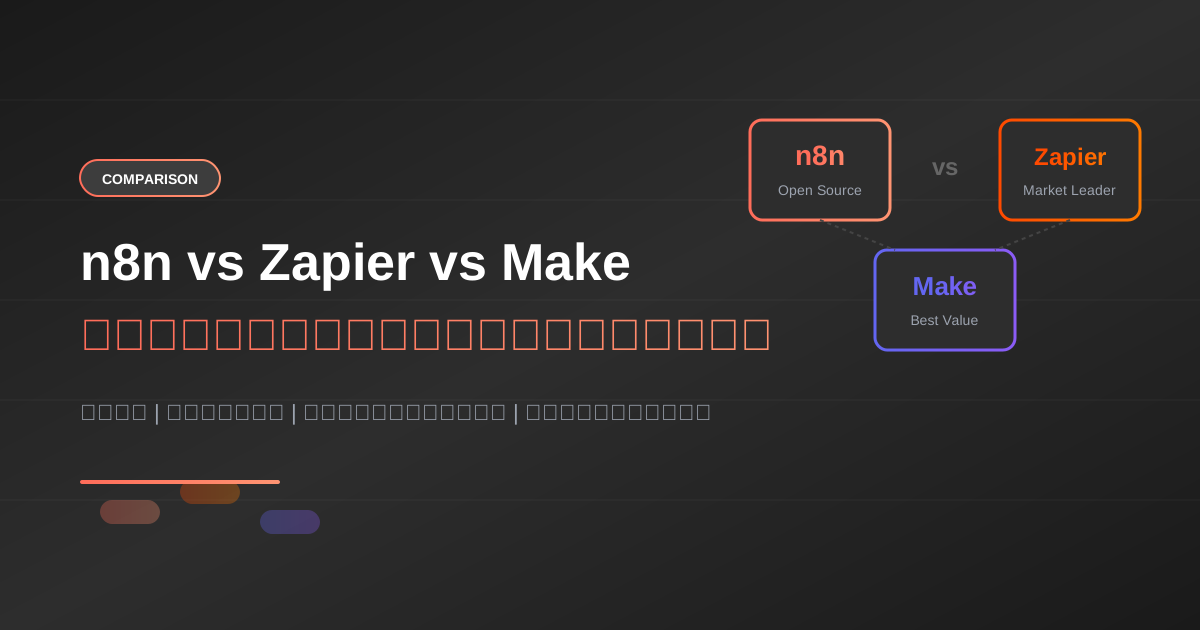
เมื่อพูดถึง Workflow Automation มีสามเครื่องมือที่มักถูกนำมาเปรียบเทียบกันเสมอ: n8n, Zapier และ Make (เดิมชื่อ Integromat) แต่ละตัวมีจุดเด่นและข้อจำกัดที่แตกต่างกัน บทความนี้จะช่วยให้คุณตัดสินใจเลือกเครื่องมือที่เหมาะสมกับความต้องการของคุณ
เมื่อพูดถึง Workflow Automation มีสามเครื่องมือที่มักถูกนำมาเปรียบเทียบกันเสมอ: n8n, Zapier และ Make (เดิมชื่อ Integromat) แต่ละตัวมีจุดเด่นและข้อจำกัดที่แตกต่างกัน บทความนี้จะช่วยให้คุณตัดสินใจเลือกเครื่องมือที่เหมาะสมกับความต้องการของคุณ
ภาพรวมของแต่ละแพลตฟอร์ม
n8n
n8n เป็นแพลตฟอร์ม Open Source ที่เน้นความยืดหยุ่นและการควบคุม สามารถ Self-Host บนเซิร์ฟเวอร์ของตัวเองได้ เหมาะกับผู้ที่มีความรู้ทางเทคนิคและต้องการปรับแต่งได้สูงสุด
อ่านเพิ่มเติม: n8n คืออะไร?
Zapier
Zapier เป็นผู้นำตลาดในด้านความง่ายในการใช้งาน มี Integration มากที่สุดกว่า 6,000+ แอป เหมาะกับผู้ใช้ทั่วไปที่ต้องการเริ่มต้นได้รวดเร็ว
Make (Integromat)
Make อยู่ตรงกลางระหว่าง n8n และ Zapier มีความยืดหยุ่นสูงกว่า Zapier แต่ใช้งานง่ายกว่า n8n และมีราคาที่แข่งขันได้
เปรียบเทียบคุณสมบัติหลัก
1. Pricing Model
{
  "pricing_comparison": {
    "n8n": {
      "model": "Workflow-based + Self-Host Free",
      "free_tier": "Unlimited (Self-Host)",
      "cloud_starter": "$20/month (5 workflows)",
      "cloud_pro": "$50/month (15 workflows)"
    },
    "zapier": {
      "model": "Task-based",
      "free_tier": "100 tasks/month",
      "starter": "$29.99/month (750 tasks)",
      "professional": "$73.50/month (2,000 tasks)"
    },
    "make": {
      "model": "Operation-based",
      "free_tier": "1,000 ops/month",
      "core": "$10.59/month (10,000 ops)",
      "pro": "$18.82/month (10,000 ops + features)"
    }
  }
}
สรุปด้านราคา
| แพลตฟอร์ม | Free Tier | Entry Plan | Best For |
|---|---|---|---|
| n8n | Unlimited (Self-Host) | $20/เดือน | Technical Users |
| Zapier | 100 tasks | $29.99/เดือน | Beginners |
| Make | 1,000 ops | $10.59/เดือน | Budget-Conscious |
ผู้ชนะด้านราคา: n8n (Self-Host ฟรี) หรือ Make (Cloud ราคาถูก)
2. Number of Integrations
| แพลตฟอร์ม | จำนวน Integrations | หมายเหตุ |
|---|---|---|
| Zapier | 6,000+ | มากที่สุด |
| Make | 1,500+ | ครบแอปหลัก |
| n8n | 400+ | รวม Community Nodes |
ผู้ชนะด้านจำนวน Integration: Zapier
3. Ease of Use
Zapier - ง่ายที่สุด
- Interface แบบ Step-by-step
- ไม่ต้องมีความรู้ทางเทคนิค
- Template พร้อมใช้มากมาย
คะแนนความง่าย: ⭐⭐⭐⭐⭐ (5/5)
Make - ปานกลาง
- Visual Builder แบบ Flowchart
- ต้องเข้าใจ Logic พื้นฐาน
- มี Learning Curve เล็กน้อย
คะแนนความง่าย: ⭐⭐⭐⭐ (4/5)
n8n - ท้าทาย
- Interface คล้าย Make
- ต้องการความรู้ทางเทคนิค
- มี Learning Curve สูงกว่า
คะแนนความง่าย: ⭐⭐⭐ (3/5)
ผู้ชนะด้านความง่าย: Zapier
4. Flexibility & Customization
n8n - ยืดหยุ่นที่สุด
// n8n: สามารถเขียน Code ได้เต็มที่
const items = $input.all();
const result = items.map(item => {
  return {
    json: {
      ...item.json,
      processed: true,
      timestamp: new Date().toISOString()
    }
  };
});
return result;
ความสามารถพิเศษ:
- เขียน JavaScript/Python ใน Workflow
- สร้าง Custom Node ได้
- เข้าถึง File System (Self-Host)
- เรียก API อะไรก็ได้
Make - ยืดหยุ่นปานกลาง
- Function Modules สำหรับ Custom Logic
- Router/Filter/Iterator ที่ทรงพลัง
- JSON/Array Operations
Zapier - ยืดหยุ่นน้อยสุด
- Code by Zapier (JavaScript/Python) แต่มีข้อจำกัด
- Formatter สำหรับ Data Transformation
- Filter/Path สำหรับ Conditional Logic
ผู้ชนะด้านความยืดหยุ่น: n8n
5. Data Privacy & Security
| Feature | n8n | Zapier | Make |
|---|---|---|---|
| Self-Host | Yes | No | No |
| Data Location Control | Full | Limited | Limited |
| On-Premise | Yes | No | No |
| SOC2 | Yes (Cloud) | Yes | Yes |
| GDPR Compliant | Yes | Yes | Yes |
| HIPAA | Yes (Self-Host) | Enterprise | Enterprise |
ผู้ชนะด้านความปลอดภัย: n8n (Self-Host)
6. Error Handling
n8n
{
  "error_handling": {
    "features": [
      "Error Workflow",
      "Retry on Fail",
      "Continue on Fail",
      "Custom Error Messages"
    ],
    "workflow_example": {
      "onError": "sendToSlack",
      "retries": 3,
      "retryInterval": 5000
    }
  }
}
อ่านเพิ่มเติม: จัดการ Error ใน n8n
Zapier
- Auto-retry พื้นฐาน
- Error Notifications ผ่าน Email
- Limited customization
Make
- Error Handlers ที่ยืดหยุ่น
- Break/Resume/Rollback
- Custom Error Routes
ผู้ชนะด้านการจัดการ Error: Make / n8n (เสมอกัน)
Use Case Comparison
Use Case 1: Simple Lead Capture
Scenario: ส่ง Lead จากฟอร์มไป Google Sheets และ Slack
| Platform | Setup Time | Complexity |
|---|---|---|
| Zapier | 5 นาที | ง่ายมาก |
| Make | 10 นาที | ง่าย |
| n8n | 15 นาที | ปานกลาง |
แนะนำ: Zapier สำหรับงานง่ายๆ
Use Case 2: Complex Data Processing
Scenario: รับข้อมูลจาก API, ประมวลผลด้วย AI, บันทึกลง Database
| Platform | Capability | Flexibility |
|---|---|---|
| n8n | ดีเยี่ยม | สูงมาก |
| Make | ดี | สูง |
| Zapier | จำกัด | ปานกลาง |
แนะนำ: n8n สำหรับงานซับซ้อน
Use Case 3: Enterprise Integration
Scenario: เชื่อมต่อ Salesforce, SAP, และระบบภายใน
| Platform | Enterprise Features | Cost |
|---|---|---|
| n8n | Self-Host, Custom | ต่ำ |
| Zapier | ครบที่สุด | สูง |
| Make | ดี | ปานกลาง |
แนะนำ: n8n (Security) หรือ Zapier (Ease)
Performance Comparison
Execution Speed
{
  "benchmark": {
    "test": "1000 items processing",
    "n8n_self_host": "2.3 seconds",
    "n8n_cloud": "3.1 seconds",
    "make": "4.5 seconds",
    "zapier": "6.2 seconds"
  }
}
Concurrent Executions
| Platform | Free | Pro |
|---|---|---|
| n8n (Self-Host) | Unlimited | Unlimited |
| n8n Cloud | 5 | 20 |
| Zapier | 1 | 5 |
| Make | 1 | 5 |
ผู้ชนะด้าน Performance: n8n (Self-Host)
AI Integration Capabilities
การเชื่อมต่อกับ AI เป็นสิ่งสำคัญในยุคปัจจุบัน เรียนรู้เพิ่มเติมได้ที่ Prompt Engineering Mastery
| Platform | OpenAI | Claude | Custom AI |
|---|---|---|---|
| n8n | Native | Native | HTTP Request |
| Zapier | Native | Limited | Code Step |
| Make | Native | HTTP | HTTP Module |
อ่านเพิ่มเติม: เชื่อมต่อ n8n กับ AI
Summary Score Card
| หมวด | n8n | Zapier | Make |
|---|---|---|---|
| ราคา | ⭐⭐⭐⭐⭐ | ⭐⭐ | ⭐⭐⭐⭐ |
| ความง่าย | ⭐⭐⭐ | ⭐⭐⭐⭐⭐ | ⭐⭐⭐⭐ |
| Integrations | ⭐⭐⭐ | ⭐⭐⭐⭐⭐ | ⭐⭐⭐⭐ |
| ความยืดหยุ่น | ⭐⭐⭐⭐⭐ | ⭐⭐⭐ | ⭐⭐⭐⭐ |
| ความปลอดภัย | ⭐⭐⭐⭐⭐ | ⭐⭐⭐ | ⭐⭐⭐ |
| Performance | ⭐⭐⭐⭐⭐ | ⭐⭐⭐ | ⭐⭐⭐⭐ |
| AI Integration | ⭐⭐⭐⭐⭐ | ⭐⭐⭐⭐ | ⭐⭐⭐⭐ |
คำแนะนำตามประเภทผู้ใช้
เลือก n8n ถ้าคุณ:
- มีความรู้ทางเทคนิค
- ต้องการ Self-Host เพื่อความปลอดภัย
- ต้องการความยืดหยุ่นสูงสุด
- ต้องการประหยัดค่าใช้จ่ายระยะยาว
- ต้องการเขียน Custom Code
เริ่มต้น: วิธีติดตั้ง n8n
เลือก Zapier ถ้าคุณ:
- ไม่มีความรู้ทางเทคนิค
- ต้องการเริ่มใช้งานทันที
- ต้องการเชื่อมต่อแอปยอดนิยม
- งบประมาณไม่ใช่ปัญหาหลัก
- ต้องการ Support ที่ดี
เลือก Make ถ้าคุณ:
- ต้องการ Balance ระหว่างราคาและฟีเจอร์
- ต้องการ Visual Builder ที่ทรงพลัง
- มี Budget จำกัดแต่ต้องการความยืดหยุ่น
- ต้องการ Error Handling ที่ดี
Migration Considerations
จาก Zapier ไป n8n
{
  "migration_steps": [
    "1. Export Zap configurations",
    "2. Recreate in n8n (manual)",
    "3. Test each workflow",
    "4. Update credentials",
    "5. Parallel run 1 week",
    "6. Full cutover"
  ],
  "estimated_time": "2-4 weeks"
}
จาก Make ไป n8n
เนื่องจาก Interface คล้ายกัน การย้ายจาก Make ไป n8n ทำได้ง่ายกว่า
สรุป
| ความต้องการ | แนะนำ |
|---|---|
| ง่ายที่สุด | Zapier |
| ราคาถูกที่สุด | n8n (Self-Host) |
| Balance ราคา-ฟีเจอร์ | Make |
| ความยืดหยุ่นสูงสุด | n8n |
| Enterprise Security | n8n |
| Integration มากที่สุด | Zapier |
ไม่มีเครื่องมือไหนดีที่สุดสำหรับทุกคน ขึ้นอยู่กับความต้องการ ทักษะ และงบประมาณของคุณ
ขั้นตอนถัดไป
- ทดลอง n8n: สร้าง Workflow แรก
- เรียนรู้ Webhooks: Webhook Triggers ใน n8n
- ศึกษา AI: วิธีสอน AI ให้เข้าใจธุรกิจ
พร้อมเริ่มต้น Automation แล้วหรือยัง?
ลองใช้งาน n8n ฟรีได้ที่ n8n.io หรือติดตามบทความเพิ่มเติมที่ AI Unlocked
คำถามที่พบบ่อย (FAQ)
Q: n8n, Zapier, Make ราคาต่างกันยังไง? n8n Self-host ใช้ได้ไม่จำกัดโดยไม่มีค่าแพลตฟอร์ม ส่วนคลาวด์เริ่ม $20/เดือน (5 workflow) Zapier ฟรี 100 tasks/เดือน แพลนเริ่มต้น $29.99/เดือน (750 tasks) Make ฟรี 1,000 operations/เดือน แพลน Core ประมาณ $10.59/เดือน ผู้ชนะด้านราคาในบทความคือ n8n แบบ Self-host หรือ Make ถ้าใช้คลาวด์
Q: ใครมี Integration เยอะสุด? Zapier มากที่สุดกว่า 6,000 แอป Make มีกว่า 1,500 แอป n8n มีกว่า 400 รวม Community Nodes ถ้าต้องการเชื่อมแอปยอดนิยมให้ครบที่สุด เลือก Zapier
Q: ไม่เขียนโค้ด เลือกตัวไหนดี? Zapier ง่ายที่สุด มีอินเทอร์เฟซทีละขั้น เหมาะกับผู้เริ่มต้นที่อยากใช้ทันที Make อยู่ตรงกลาง ยืดหยุ่นกว่า Zapier แต่ใช้ง่ายกว่า n8n n8n เหมาะกับคนมีพื้นฐานเทคนิคที่อยากปรับแต่งและเขียนโค้ดเองได้
Q: Self-host ได้แค่ตัวไหน? มีแค่ n8n ที่ Self-host ได้ จึงคุมข้อมูลบนเซิร์ฟเวอร์ตัวเองได้ เหมาะกับงานที่เน้นความปลอดภัยระดับองค์กร Zapier และ Make เป็นคลาวด์อย่างเดียว
Q: ตัวไหนเร็วกว่ากัน? บทความทดสอบประมวลผล 1,000 รายการ n8n Self-host ใช้ 2.3 วินาที, n8n Cloud 3.1 วินาที, Make 4.5 วินาที, Zapier 6.2 วินาที Concurrent แบบ Self-host ของ n8n ไม่จำกัด ส่วน Zapier/Make แพลน Pro ได้ 5 เส้นขนาน
Q: ย้ายจาก Zapier มา n8n ยากไหม? ต้องสร้าง workflow ใหม่ด้วยมือ ไม่ได้กดย้ายอัตโนมัติ ขั้นตอนคือ export โครง Zap, สร้างใหม่ใน n8n, เทสทีละอัน, อัปเดต credentials, รันขนานประมาณ 1 สัปดาห์ แล้วค่อยตัดของเก่า ประมาณการ 2–4 สัปดาห์ ย้ายจาก Make ง่ายกว่าเพราะอินเทอร์เฟซคล้ายกัน
Q: เชื่อม AI ได้ครบไหม? n8n มี Node ในตัวทั้ง OpenAI และ Claude และเรียกโมเดลอื่นผ่าน HTTP Request ได้ Zapier มี OpenAI แบบ native แต่ Claude จำกัด Make มี OpenAI แบบ native ส่วนตัวอื่นใช้โมดูล HTTP
เขียนโดย
AI Unlocked Team
สถาบันสอน AI และ Vibe Coding — เชียงใหม่และออนไลน์
AI Unlocked สอน AI และ Vibe Coding มากว่า 15 ปี ผู้เรียนกว่า 1,500 คน โฟกัสลงมือทำจริงด้วย Claude Code, n8n และ AI Agent
บทความในหัวข้อเดียวกัน
สร้าง AI Agent — Complete Guide ภาษาไทย 2026
เรียนรู้สร้าง AI Agent ตั้งแต่ศูนย์ ครอบคลุม Claude Agent SDK, OpenAI Agents, LangGraph, n8n พร้อม Use Case ธุรกิจไทย — เริ่มต้นได้วันนี้
AI Agent + Voice — สอนสร้าง Voice Assistant ภาษาไทย
สอนสร้าง AI Voice Agent ภาษาไทยตั้งแต่ STT → LLM → TTS พร้อม tutorial Python และ use case จริง — เริ่มต้นได้วันนี้ที่ aiunlock.co

AI Agent สำหรับ E-commerce — Auto Reply + Order Tracking
AI Agent ecommerce ตอบลูกค้า 24/7 บน Shopee, Lazada, Line, FB — ครอบคลุม order tracking, stock check, escalation พร้อม workflow จริง เริ่มต้นได้เลย